11
MP2015 MANUAL
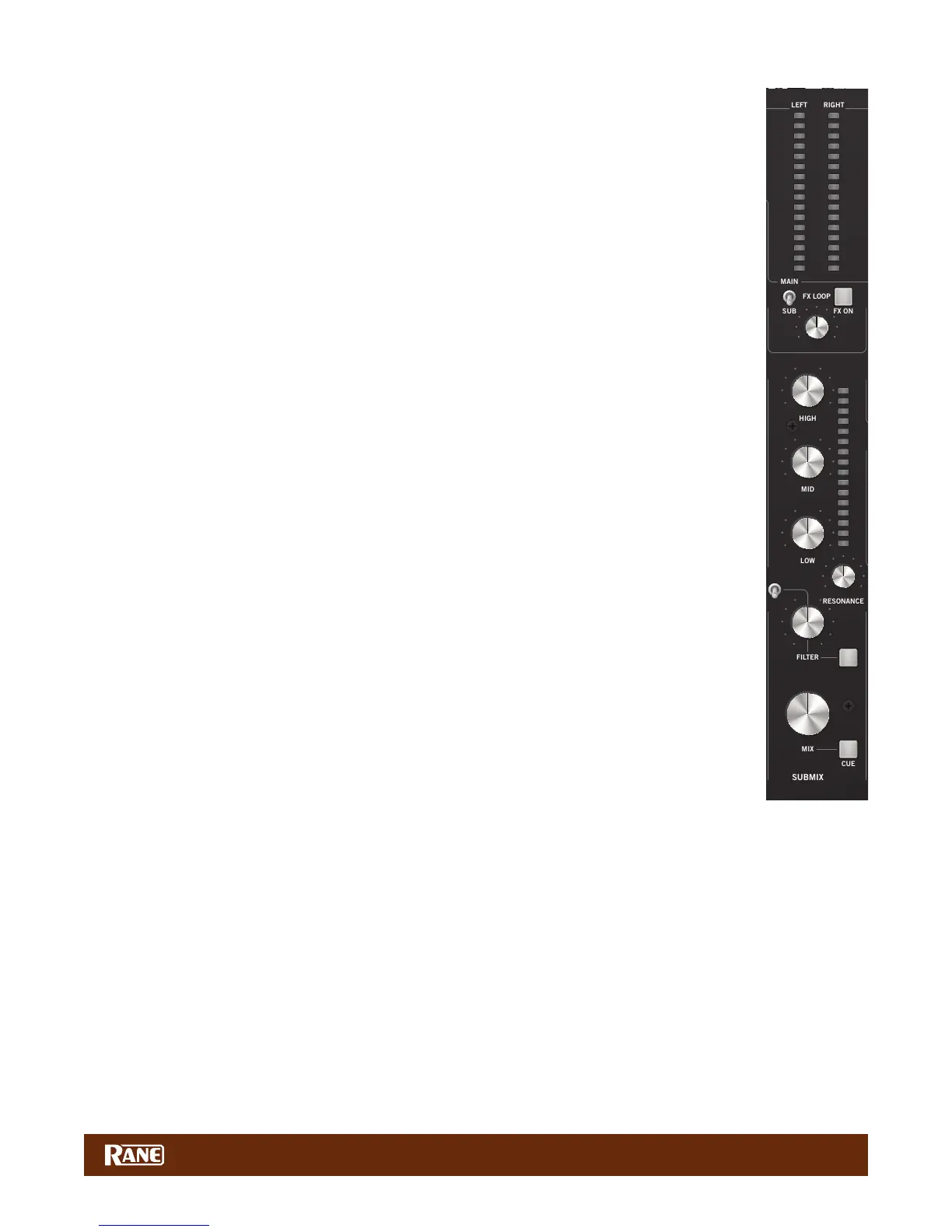
Why add a Submix to a DJ mixer?
One huge leap forward in DJ technology is the introduction of auto sync. Using CDJs, Traktor, Virtual DJ,
Ableton, or most any DJ software, the sync feature opens the gates to creative multi-source mixing. New
technology offers new possibilities, and might make you rethink how you mix. A Submix removes the
burden of having to simultaneously manage separate gain, EQ, and lter controls for multiple channels
when mixing multiple sources. Grouping the tracks together within the Submix allows one simple set
of controls to easily control Mix level, EQ and Filter settings for multiple channels, turning one control
instead of 2, 3 or 4 all at once.
When mixing two sources, you probably won’t use the Submix, unless you want to add an external
effect to one or both of the channels. The Submix is key for DJs needing to easily and intuitively mix
multiple sources at once.
Using the Submix
Let's look at an example with three sources of audio coming from software:
• Have the main track on channel 1, a drum loop on channel 2, and a looped sample on channel 3.
• There is a breakdown coming up in the main track and you want to lter out the Low/Mid range while
turning down the gain of the tracks on channels 2 and 3 going into the breakdown.
• Before assigning channels to the Submix, make certain that doing so initially has a neutral affect on
what is being played. Turn the Submix Mix control all the way up, set the tone controls at 12 o’clock,
and turn off the Filter within the Submix channel. This ensures that the audio sent to the Submix is
initially unaffected by the Submix routing.
• Press the SUB buttons next to the Source selector on both channels 2 and 3. This sends the audio of
both channels to the Submix.
• Now you can control both tracks on channels 2 and 3 using the Submix control strip.
• As you get closer to the breakdown about to happen on the channel 1 track:
• Turn on the Filter within the Submix channel.
• Start ltering out the Low and Mid range frequencies with the Filter control.
• Turn down the level of both tracks with the MIX knob in the Submix.
Mix successfully executed!
Without a Submix, you would need to turn on two Filters, adjust two Filter controls and turn down two
Mix controls to execute the same mix. Adding more tracks to the mix makes this process even harder to
manage and could land in a sea of uncontrolled sound and a confused dance oor.
Submix and the External FX Loop
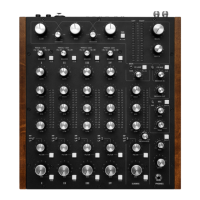
The Submix features an external effects insert, allowing you to add effects to assigned channels. The
external FX controls are located at the top of the Submix channel strip:
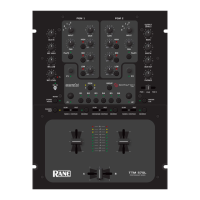
1. FX ON button: sends and returns audio from an outboard effects processor.
2. MAIN / SUB switch: allows you to choose whether you want to add an effect to audio coming into the
Submix or to the Main mix.
3. WET / DRY: controls the amount of the effect.
You'll nd the RCA Send and Return jacks and a level switch on the rear panel. Here's how it works:
1. Connect the MP2015 SEND to the input of your external effects processor.
2. Connect the output of the effects processor to the MP2015 RETURN.
a. If you use a consumer-grade effects processor, such as the Korg Kaoss Pad, engage the -10 switch by pressing it in.
This matches the I/O level of the external effects processor to the MP2015.
3. Select SUB or MAIN mix as the location for the effects insert:
• If you want the effect on everything, select MAIN.
• If you want the effect only on the Submix selected intputs, select SUB.
a. For the Main mix, set the effects assign toggle to MAIN then simply press the FX ON button to engage the FX Loop
and rotate the control toward WET until you hear the desired effect amount.
b. To apply an effect to channels assigned to the Submix, set the FX Loop assign to SUB. Send the desired channels to
the Submix. Turn the FX ON and adjust WET / DRY as desired.
c. To avoid any change in your mix when sending channels to the Submix, make sure the MIX knob in the Submix is
turned all the way up, the tone controls are dead center at 12 o’clock, and the FILTER switch is turned off.
1B
1A
PH/CD 1 AUX
2B
2A
PH/CD 2 AUX
3B
3A
PH/CD 3 AUX
4B
4A
PH/CD 4 AUX
135 380
CUE MIX
OL
+10
+7
+5
+3
+2
+1
0
-1
-2
-3
-5
-7
-10
-15
-24
OL
+10
+7
+5
+3
+2
+1
0
-1
-2
-3
-5
-7
-10
-15
-24
OL
+10
+7
+5
+3
+2
+1
0
-1
-2
-3
-5
-7
-10
-15
-24
OL
+10
+7
+5
+3
+2
+1
0
-1
-2
-3
-5
-7
-10
-15
-24
OL
+10
+7
+5
+3
+2
+1
0
-1
-2
-3
-5
-7
-10
-15
-24
OL
+10
+7
+5
+3
+2
+1
0
-1
-2
-3
-5
-7
-10
-15
-24
0
2
1
3
4
5
6
7
8
9
10
0
2
1
3
4
5
6
7
8
9
100
2
1
3
4
5
6
7
8
9
100
2
1
3
4
5
6
7
8
9
100
2
1
3
4
5
6
7
8
9
10
0
2
1
3
4
5
6
7
8
9
10
∞
0 dB
+10
∞
0 dB
+10
∞
0 dB
+10
OFF
|
+6 OFF
|
+6 OFF
|
+6 OFF
|
+6
OFF
|
+6 OFF
|
+6 OFF
|
+6 OFF
|
+6
OFF
|
+6 OFF
|
+6 OFF
|
+6 OFF
|
+6
OFF
|
+6
OFF
|
+6
OFF
|
+6
0
2
1
3
4
5
6
7
8
9
10 0
2
1
3
4
5
6
7
8
9
10 0
2
1
3
4
5
6
7
8
9
10 0
2
1
3
4
5
6
7
8
9
10
0
2
1
3
4
5
6
7
8
9
10
0
2
1
3
4
5
6
7
8
9
10
DRY WET
LOW
HIGH
0
2
1
3
4
5
6
7
8
9
10
0
2
1
3
4
5
6
7
8
9
10
0
2
1
3
4
5
6
7
8
9
10
80
225
640
1.7k 4.75k
1.0k
2.8k
8.0k


 To Next Page
 Loading...