This signicantly reduces digital distortion at very
slow or very fast record speeds, increasing the
CPU load slightly. This option is off by default,
the old resampler is used when switched off.
pLay FROm StaRt
Enable this to start all tracks from the beginning
when loaded in rel and int modes. If this setting
is not enabled, freshly loaded tracks will continue
to play from the point the last track was at. This
option is on by default.
This allows you to quickly match the playhead
position of two tracks. With this option set,
when you load a track on one virtual deck that is
already loaded on the other virtual deck (it must
be the same le), the playhead will jump to the
position of the track that was loaded rst, with
the keylock state and looping settings copied.
This setting overrides the play from start and
play from rst cue point options.
pLay FROm FIRSt cue pOInt
Enable this option to start all tracks from the rst
cue point when loaded in rel and int modes. This
setting overrides the play from start option.
This controls how fast the deck stops when
play is stopped. Counterclockwise, the stop is
immediate. Clockwise rotation increases the
stop from a nger grab all the way to a slow
turntable power-down.
audIO Output
By default the output of Scratch Live is stereo.
You can also select mono output. This setting is
saved when you exit Scratch Live.
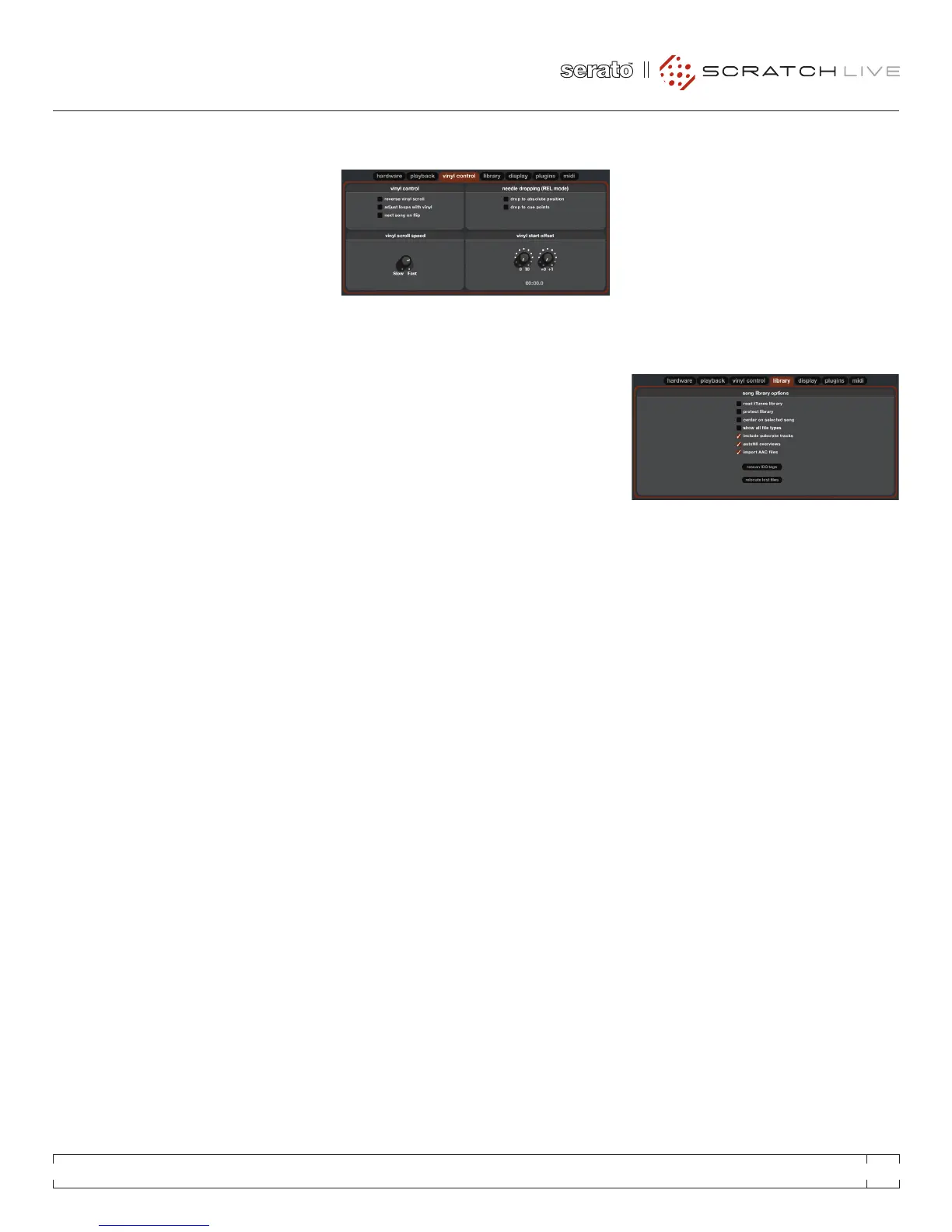
This setting allows you to reverse the direction of
Vinyl Scroll.
Loop end points can be adjusted using the
control vinyl. Disable this option if you wish to
use the computer’s arrow keys to adjust loops,
and keep audio playback controlled by the vinyl.
When this option is enabled, changing the side
of control vinyl you’re using (‘ipping the record’)
loads the next song.
Vinyl Scroll allows you to load a new track without
touching the computer, by lifting the needle and
placing it in the special section of side A of the
control record. This setting allows you to adjust
the sensitivity of Vinyl Scroll, so that you can
control the amount of record movement required
to move between tracks.
This detects a deliberate repositioning of the
needle, and moves the playhead to the absolute
position of the needle, as if it were in absolute
mode. Accidental skipping of the needle does
not reposition the playhead. (rel mode only)
dROp tO cue pOIntS
This option triggers the corresponding cue point
when the needle is repositioned into one of the
rst 5 one-minute sections on the control vinyl.
For instance: needle dropping into the second
minute on the left turntable, will send playback
for deck 1 to cuepoint 2, if that cuepoint is set.
(rel mode only)
tRack StaRt OFFSet
If you nd that you have cue burn at the beginning
of the record, you will notice that the tracking will
be poor at this point. Use the two knobs to offset
the start point, so that the track will start playing
from a point further into the control record. The
rst knob sets the number of whole minutes to
offset by, the second knob sets the number of
whole rotations within that minute.
Read
Existing iTunes users will recognize many
features from iTunes. Scratch Live can read
the iTunes library format, and will automatically
import the iTunes library and iTunes playlists.
iTunes is available for Mac and PC, for more
information about iTunes, visit www.apple.com.
Click read iTunes library to activate.
Uncheck this setting to remove les and crates
from your library. Enable to lock your library and
prevent accidental le or crate deletion while
using Scratch Live. Enabling this setting will also
lock all le tags and crate names, so that no text
can be changed.
RANE SL 3 FOR SERATO SCRATCH LIVE • OPERATOR’S MANUAL 1.8.4
25


 To Next Page