19
ArtNo.306-0001 - 3-button clock
ArtNo.306-0001 - 3-button clock
ArtNo.306-0001 - 3-button clock
ArtNo.306-0001 - 3-button clock
ArtNo.306-0001 - 3-button clock
ArtNo.306-0001 - 3-button clock
Step. 1
Step. 1
Step. 2
Step. 3
Step. 1
Step. 2
ArtNo.306-0001 - 3-button clock
ArtNo.306-0001 - 3-button clock
ArtNo.306-0001 - 3-button clock
ArtNo.306-0001 - 3-button clock
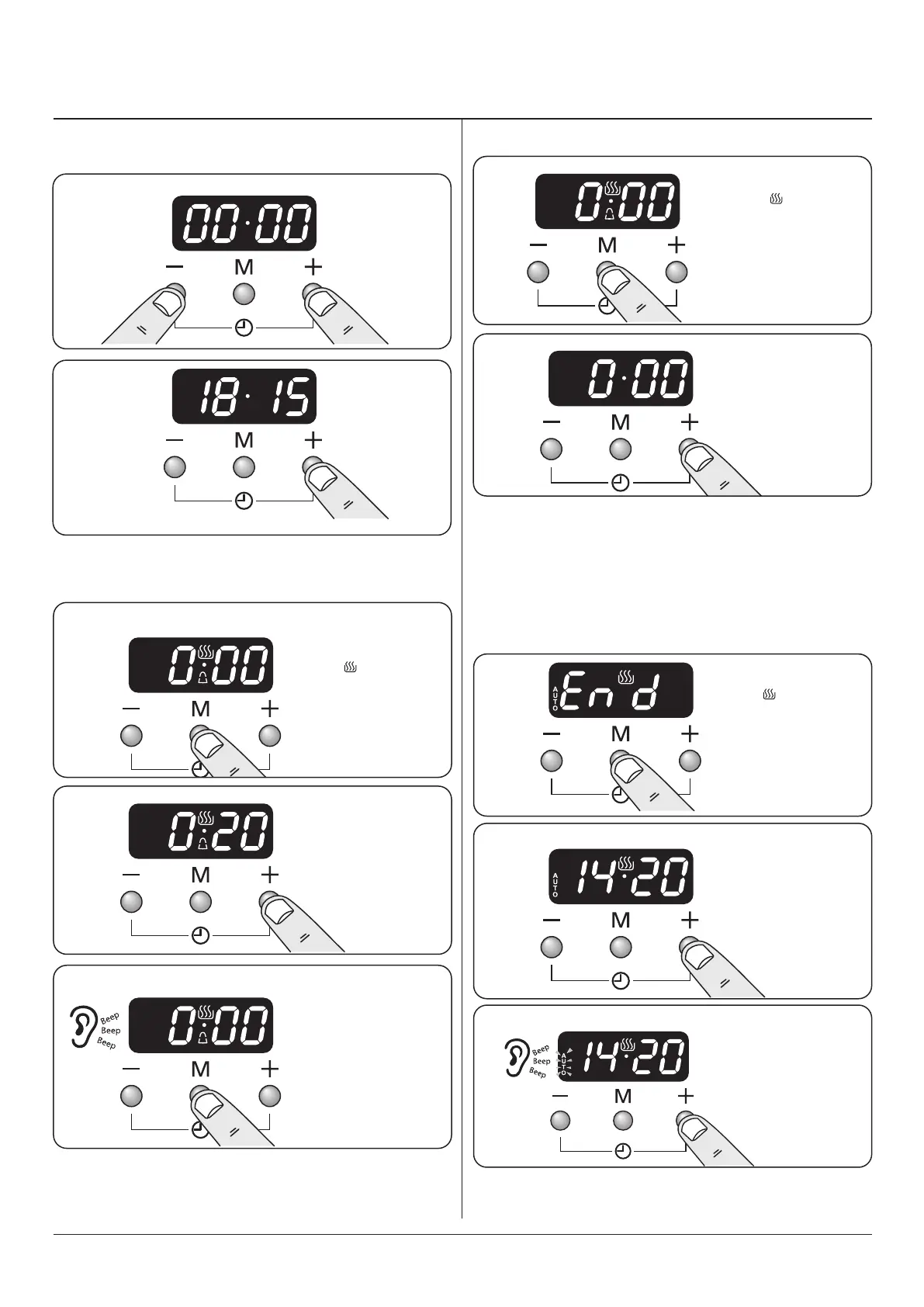
Press either [+] or
[-] buttons to set
the tiimer.
Press the [+]
and [-] buttons
simultaneously.
Once the specied
time has elapsed an
alarm will sound. To
stop the alarm press
any button.
3. 3 button clock
Minute Minder
Setting the minute minder
Note:
The cook
symbol [ ] remains
visible during
normal operation.
Note:
The cook
symbol [ ] remains
visible during
normal operation.
Note:
The cook
symbol [ ] remains
visible during
normal operation.
Step. 1
Press either
[+] or [-]
buttons.
Step. 2
Step. 2
Step. 3
To stop the oven at a specific time of day
(main oven only) You have set the required temperature and
function mode and you would like the oven to automatically
stop.
Reset the minute minderSetting the time The clock must be set to the time of
day before the oven will work
Press 3 times
Set the time of day you
want the oven to stop
cooking, for example
add 1 hour.
Alarm will sound when
cooking has nished,
press any button to
stop the alarm.



 To Next Page