DST30P Wheel Balancer 22 P/N 5900163 — Rev. C1 — March 2020
Test the Balancer
You need to test the Balancer to make sure it is ready for normal operation.
To test the Balancer:
1. Turn the On/Off switch to On.
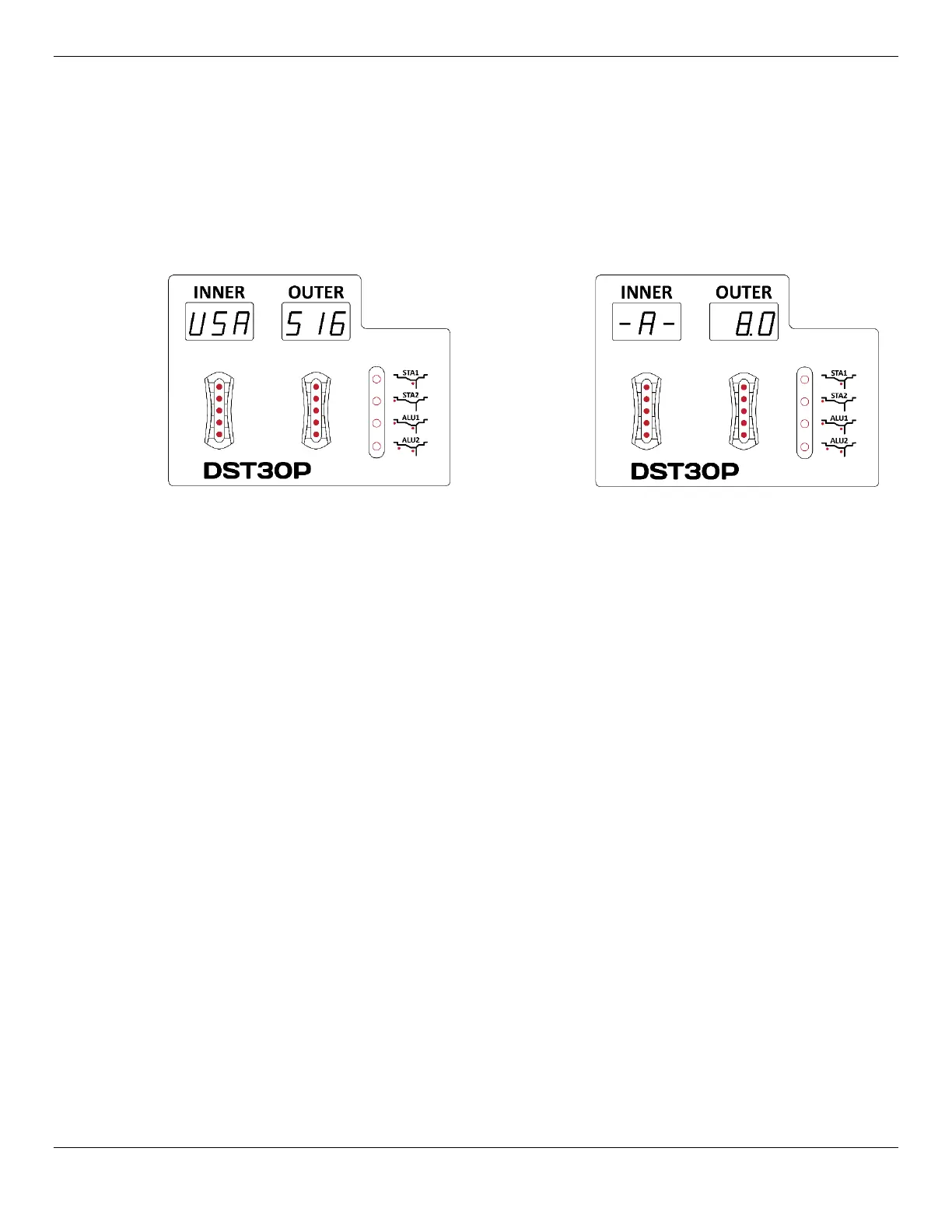
2. On power up, USA | 516 will appear in the Inner and Outer Windows, followed by default Wheel
dimensions. (The “516” is the software version; this changes from time to time, so there’s no need
to worry if the number is different on your Balancer.)
> turns into >
After a few seconds, the Inner and Outer Windows change to –A– | 8.0. (8.0 is the default value
for Distance).
3. Mount a standard steel Wheel of a size you most often balance.
Refer to Mounting a Wheel for specific mounting instructions.
4. Lower the Hood.
The Wheel starts to spin clockwise when the Hood is lowered.
5. When the Wheel stops, it will display values in the Inner and Outer Windows.
Because we did
not
press the F button to change Balancing Modes, the Balancer performed a
Dynamic Mode balance on the Wheel.
Because we did
not
enter any measurements for the Wheel we mounted, the Balancer used
default values. Because real Wheel measurements were not used, you should ignore the values in
the Inner and Outer Windows.
6. The Balancer has passed the test.
To get used to the Balancer, we recommend having all potential Operators balance multiple
non-
customer
Wheels before working on customer Wheels. The Balancer may work differently than
other Balancers you or the other Operators have used before.


 To Next Page