DST30P Wheel Balancer 26 P/N 5900163 — Rev. C1 — March 2020
About Measurements
In order to balance a Wheel, the Balancer
must
know three pieces of information about the Wheel.
You must gather these measurements and enter them manually for every Wheel you balance.
The three measurements are:
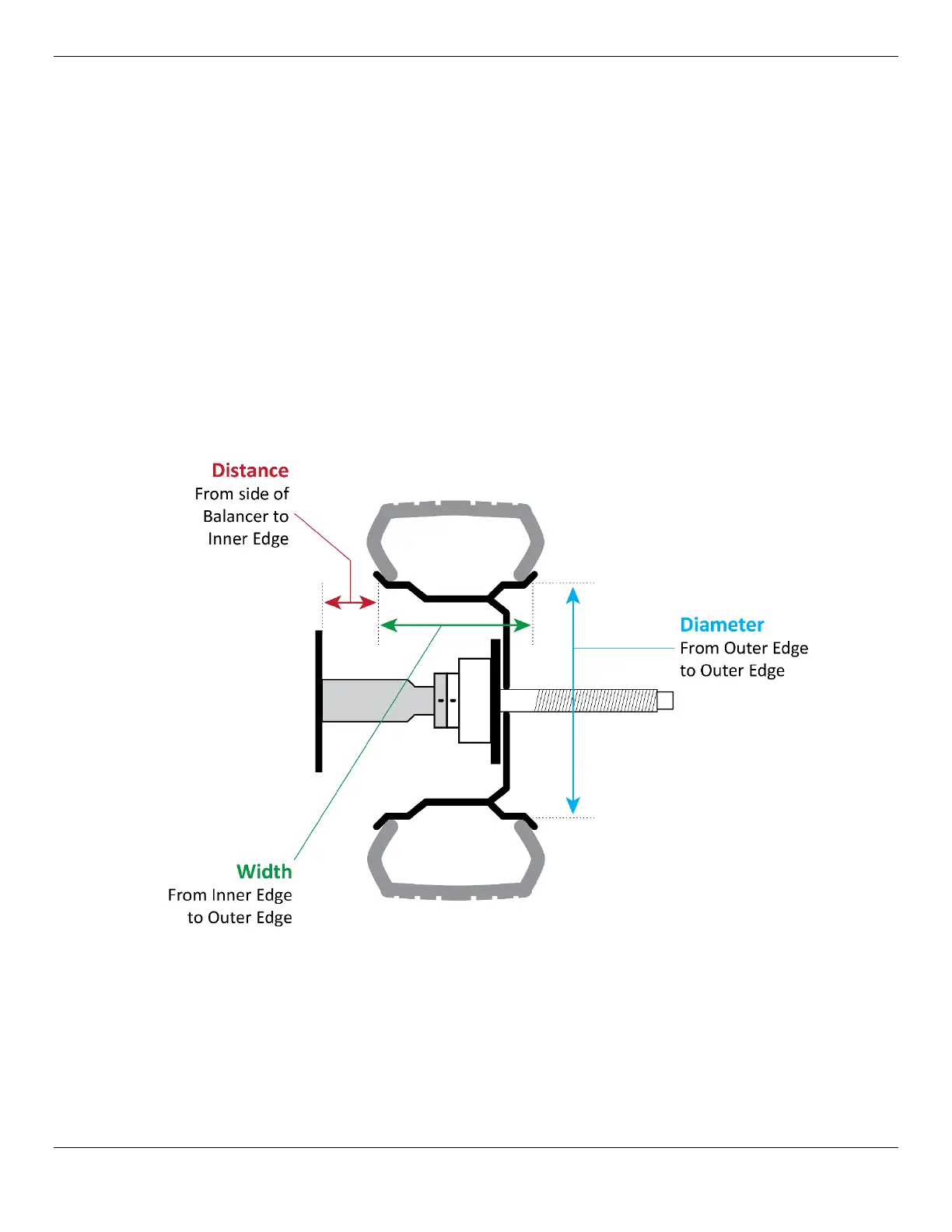
• Distance. The distance from the side of the Balancer to the Inner Edge of the Wheel. Measured
by the Inner Arm. To measure and input the value, pull out the Inner Arm and touch it to the Inner
Edge of the Wheel, note the value on the Ruler on the Inner Arm, and enter that value using the
+
and — buttons under Distance on the Control Panel.
• Width. The distance from the Inner Edge of the Wheel to the Outer Edge. Determined manually by
measuring with the Caliper. To measure and input the value, measure with the Calipers, then enter
that value using the
+ and — buttons under Width on the Control Panel.
• Diameter. The distance from Outer Edge to Outer Edge. Should be printed on the sidewall of the
Tire. Can also be determined manually by measuring with the Caliper. To measure and input the
value, read the value from the Tire Sidewall or measure with the Calipers, then enter that value
using the
+ and — buttons under Diameter on the Control Panel.
Note: If you start balancing a Wheel without entering one or more measurements, the Balancer
will use default values for any measurement you did not enter. So the Balancer will spin and
weight to be added will appear, but without correct measurements it is virtually guaranteed
that the balance will
not
be accurate.


 To Next Page