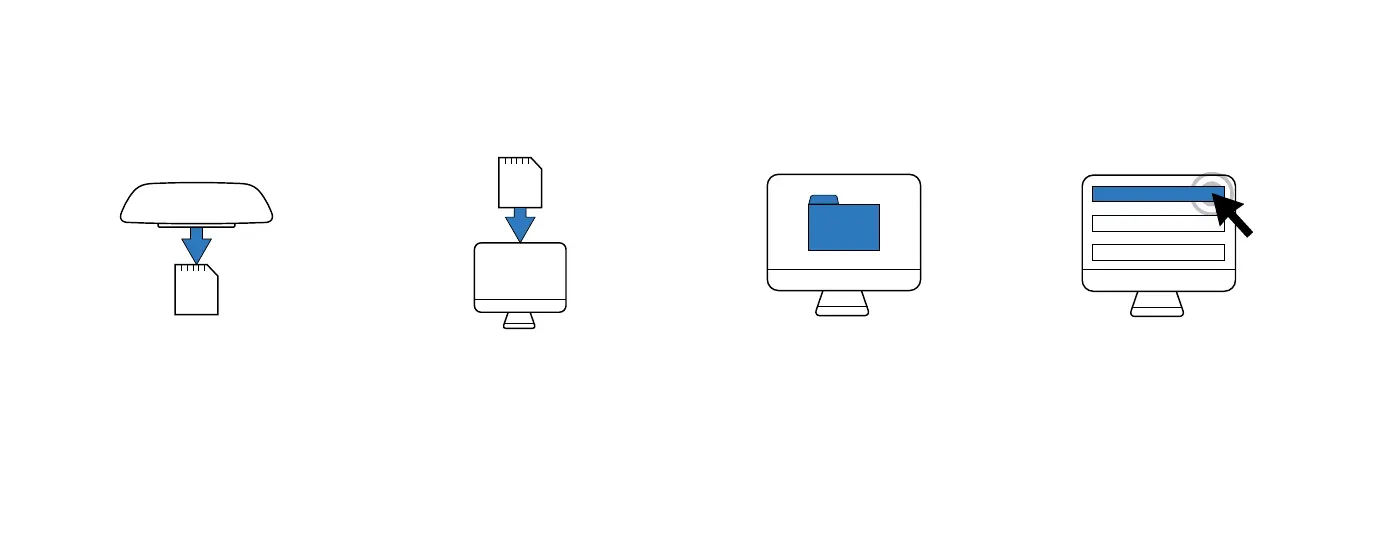
To access video files using a Micro SD card:
Make sure you’ve selected an SD Card that meets the minimum recommended recording requirements. To learn more, visit: http://bit.ly/RavenSD.
1. REMOVE SD CARD
Remove the Micro SD
card from your Raven.
2. INSERT INTO COMPUTER
Insert it into your computer
(use an adaptor if necessary).
3. FILE EXPLORER
Open the file explorer
on your PC.
4. SELECT SD CARD
Double-click the SD card.
The raw video files will
appear in the Videos folder.
SD CARD
9



 To Next Page