Wuhan Raycus Fiber Laser Technologies Co., Ltd
User Guide of Global Version 2000 W CW laser
Raycus User Guide | Using the Product
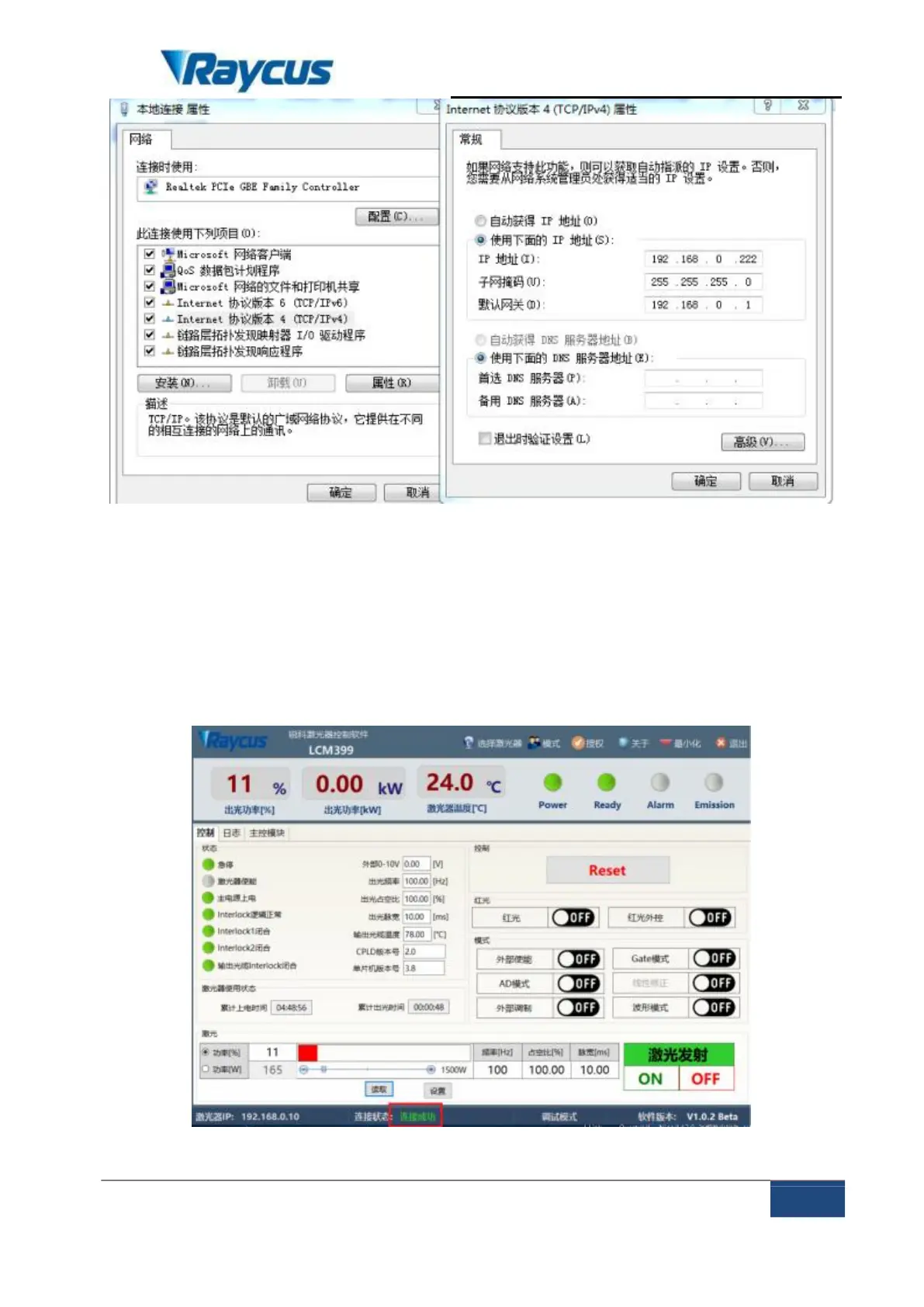
Figure 9 IP settings on the PC terminal
After the IP setting is completed, open the upper computer, and the
connection status in the corresponding text box on the upper computer interface
shows that it is connected, indicating that the SCM program is running normally
and the communication connection is normal. The display interface is shown in
Figure 10:
Figure 10 Main interface of normal communication connection display



 To Next Page
 Loading...