•Range
Thecontextmenualsoprovidethefollowingmenu
items:
•PlaceWaypoint
•*PlaceMarker
•*MoveMarker(onlyavailablewhenamarkerhas
beenplaced.)
•*EraseMarker(onlyavailablewhenamarkerhas
beenplaced.)
Note:*NotavailableonSideVision
TM
.
Accessingthecontextmenu
1.Non-touchscreenandHybridT ouchdisplays:
i.Movethecursorovertheareaorobjectand
pressingtheOkbutton.
2.HybridT ouchandTouchonlydisplays:
i.Selectandholdonanareaorobject,or
ii.WiththeChartCall-outdisplayedselectthe
Call-outbox.
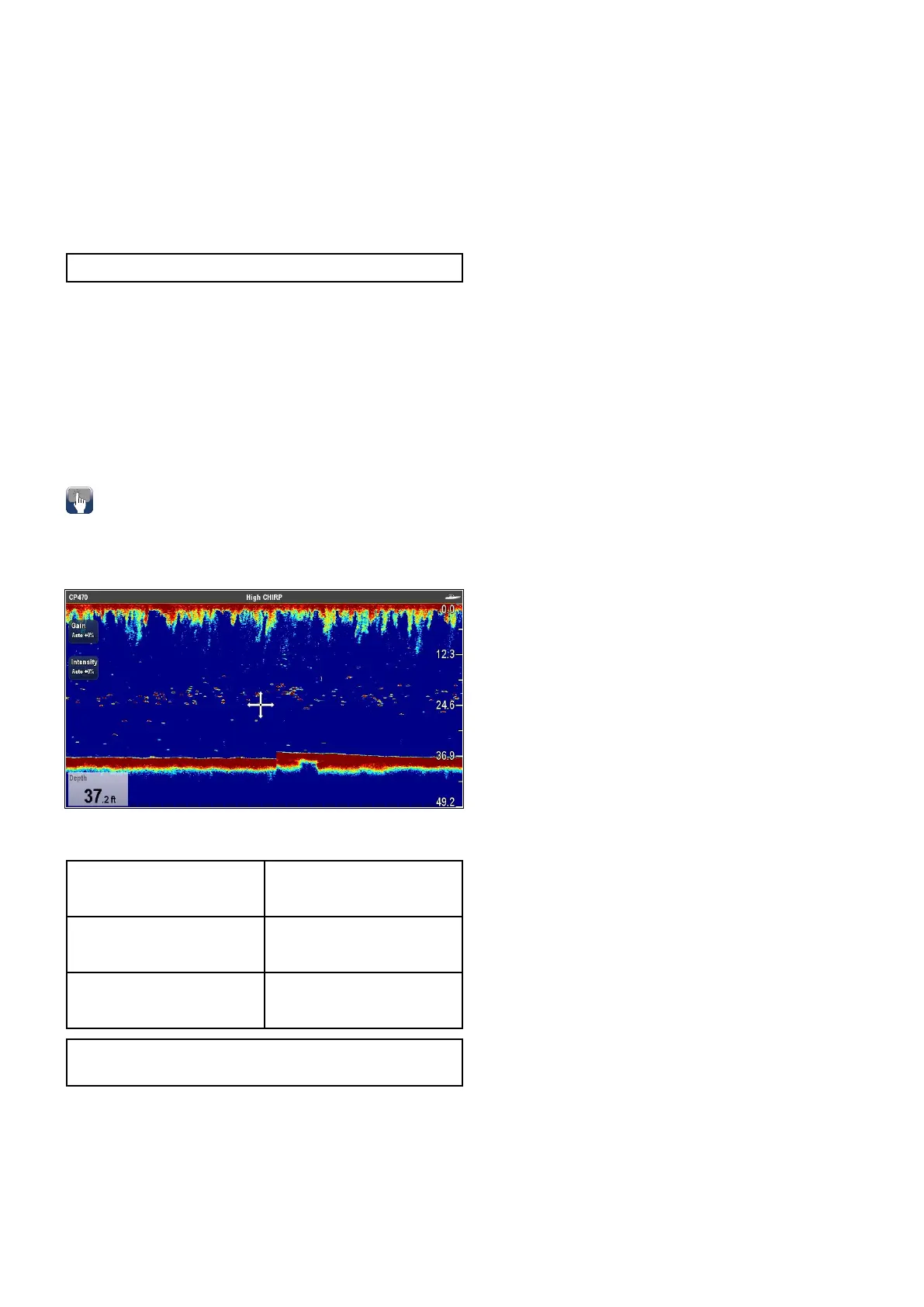
Onscreencontrols
OnscreencontrolsareavailableonTouchscreen
MFDsthatprovideeasyaccesstofrequentlyused
sensitivitycontrols.
Thecontrolsavailablearedependentonthetypeof
sonarmodulebeingdisplayed.
CPx70seriessonarmodules•Gain
•Intensity
traditional/CHIRP/Legacy
(nonCPx70sonarmodules)
•Gain
•TVG
CHIRPDownVision
TM
/
Sonar
•Gain
•NoiseFilter
Note:SideVision
TM
doesnotuseonscreen
controls.
Onscreencontrolscanbeswitchedonandofffrom
thePresentationmenu:Menu>Presentation>
GainControls.
15.4Sonarcheck
Sonartransducerandsonarmodule
selection
YoumustselectthesonartransducerandSonar
modulethatyouwanttouseinthedisplayed
Fishnderapplicationpane.
Sonarmoduleselection
•SonarandDownVision
TM
variantdisplaysare
ttedwithaninternalsonarmodule.
•Allvariantsallowyoutoconnectacompatible
externalsonarmoduleoruseaninternalsonar
modulefromanetworkeddisplay.
•Thesonarchannelyouwanttousemustbe
selectedfromtheFishndermenu.
Transducerselection
•Sonarvariantdisplaysallowdirectconnectionofa
RaymarineORaMinnKotasonartransducer.
•DownVision
TM
variantdisplaysallowdirect
connectionofRaymarineDownVision
TM
transducers.
•AllvariantsallowtheconnectionofaRaymarine
sonartransducerviaacompatibleexternalsonar
module.
•ForallvariantsusetheTransducerSet-Up
menuintheFishnderapplicationtospecifythe
transduceryouwanttouse.
Selectingthesonarchannel
Toselectthechannelyouwanttodisplayfollowthe
stepsbelow.
FromtheFishnderapplication:
1.SelectMenu.
2.SelectChannel.
TheChannelselectionpageisdisplayed.
3.Selectthetabforthesonarmoduleyouwantto
use.
Alistofavailablechannelsfortheselectedsonar
moduleisdisplayed.
4.Selectachannelfromthelist.
TheChannelselectionpagewillcloseandthe
Fishnderapplicationwillnowshowtheselected
channel.
Selectingthesonartransducer
Withtheshnderapplicationdisplayed:
1.SelectMenu.
2.SelectSet-Up.
3.SelectTransducerSet-Up.
4.SelectTransducer.
Alistoftransducersisdisplayed.
5.Selectthetransduceryouwanttouse.
Selectingthespeedtransducer
Withtheshnderapplicationdisplayed:
1.SelectMenu.
2.SelectSet-Up.
3.SelectTransducerSet-Up.
Fishnderapplication
197



 To Next Page