EasyManua.ls Logo

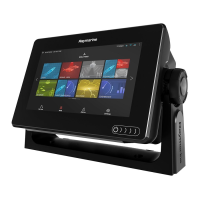
Raymarine a97 - User Manual

Raymarine a97
388 pages
Print Icon
To Next Page IconTo Next Page
Loading...
LightHouse™
OPERATION
INSTRUCTIONS
Release 15
English
© 2015 Raymarine UK Limited
Date: 09-2015
Document number: 81360-2-EN

Table of Contents

Other manuals for Raymarine a97

Questions and Answers

  • D
    David GonzalezSep 2, 2025
    Why isn't the touchscreen working on my Raymarine Marine Equipment?
    • R
      Renee TranSep 2, 2025
      If the touchscreen on your Raymarine Marine Equipment does not operate as expected, ensure that the touch lock is disabled. The touch lock can be turned off on the home screen using the Joystick. Also, make sure you are operating the screen with bare fingers, as gloves may prevent correct operation. Calibrate the touchscreen using the setup menus. If there are saltwater deposits on the screen, carefully clean and dry the screen according to the provided instructions.
  • A
    Angel WarrenSep 2, 2025
    What to do if video is not displayed on Raymarine Marine Equipment?
    • H
      hnormanSep 2, 2025
      If the video is not displayed on your Raymarine Marine Equipment, the camera may be in Standby mode. Use the camera controls (either the thermal camera application or JCU) to wake the camera from standby. Check the thermal camera video cables to ensure they are sound and properly connected, and ensure that the video is connected into video input 1 at the multifunction display or GVM. Also, ensure that the correct video input is selected at the display. Check the power connections to the camera and JCU/PoE injector (if used), and ensure that the power switch/breaker is on and the fuse/breaker is in good condition.
  • P
    Patrick WilliamsSep 3, 2025
    Why are the controls on my Raymarine Marine Equipment erratic?
    • D
      Denise BruceSep 3, 2025
      If you are experiencing erratic or unresponsive controls on your Raymarine Marine Equipment, check that the controller and thermal camera are correctly connected to the network. Verify the status of the Raymarine network switch and ensure that SeaTalkhs/RayNet cables are free from damage. Ensure that no other controllers are in use at the same time to avoid control conflicts. Check the power/network cabling to the controller and PoE injector (if PoE is only used with optional Joystick Control Unit). If available, check other controllers to eliminate the possibility of a more fundamental camera fault.
  • P
    parkerpatriciaSep 4, 2025
    Why is the image on my Raymarine Marine Equipment too dark?
    • A
      andrew12Sep 4, 2025
      If the image on your Raymarine Marine Equipment is too dark or too light, use the brightness controls at the display to adjust accordingly. Adjust the contrast and brightness of the image using the appropriate menu in the thermal camera application. A different Scene Mode setting may be more appropriate for the current conditions; use the SCENE button to adjust.
  • V
    Virginia LarsonSep 5, 2025
    How to fix incorrect radar bearing on Raymarine Marine Equipment?
    • D
      David DicksonSep 5, 2025
      If the radar bearing of a target on the Raymarine Marine Equipment screen is incorrect, check and adjust the radar bearing alignment.
  • R
    Ryan PetersSep 5, 2025
    Why does my Raymarine Marine Equipment display behave erratically?
    • S
      slongSep 6, 2025
      If your Raymarine Marine Equipment display behaves erratically with frequent unexpected resets, system crashes, or other erratic behavior, check the relevant fuses and breakers. Ensure that the power supply cable is sound and that all connections are tight and free from corrosion. Also, verify that the power source provides the correct voltage and sufficient current. You may need to perform a factory reset. For software issues, go to www.raymarine.com and click on support for the latest software downloads.
  • J
    Julie LopezSep 6, 2025
    Why is instrument data missing from some Raymarine Marine Equipment displays?
    • R
      Rachel BurnettSep 6, 2025
      If instrument or other system data is missing from some but not all displays on your Raymarine Marine Equipment, check that all required equipment is connected to the network. Verify the status of the Raymarine network switch and ensure that SeaTalkhs/RayNet cables are free from damage. If a software mismatch between equipment is suspected, contact Raymarine technical support.
  • K
    Kayla TorresSep 7, 2025
    Why can't I control the thermal camera from my Raymarine Marine Equipment?
    • P
      Paula JacksonSep 7, 2025
      If you cannot control the thermal camera from the Raymarine display or keyboard, ensure the thermal camera application is running on the multifunction display, as opposed to the video application which does not have camera controls.

Raymarine a97 Specifications

General IconGeneral
Waterproof RatingIPX6
GPSYes
SonarYes
Operating Temperature-15°C to 55°C
Display Size9 inches
Display TypeLCD
NetworkingNMEA 2000
Video InputYes
Storage Temperature-30°C to 70°C
Power Supply12V DC
Display Resolution800 x 480 pixels

Related product manuals