EasyManua.ls Logo

Raymarine i50 Speed - User Manual

Raymarine i50 Speed
90 pages
Print Icon
To Next Page IconTo Next Page
Loading...
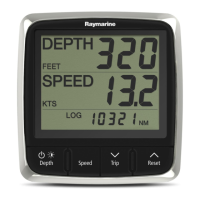
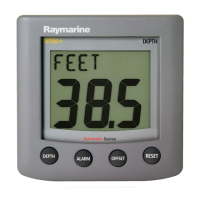
i50 Depth
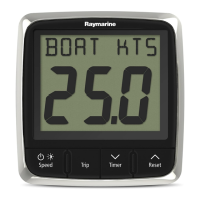
i50 Speed
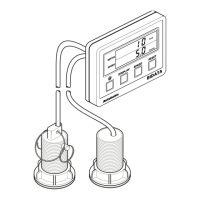
i50 T rida t a
Installation and operation
instructions
English
Date: 06-2014
Document number: 81341-2-EN
© 2014 Raymarine UK Limited
i50

Table of Contents

Questions and Answers

  • J
    jonessusanAug 9, 2025
    What to do if LAST flashing or dashes displayed continuously on Raymarine i50 Speed?
    • N
      Nicole RiceAug 9, 2025
      If 'LAST' is flashing or dashes are continuously displayed on your Raymarine Marine Equipment (depth greater than 3 feet), check the condition of the transducer cable(s) and the security of the connections.
  • E
    Ethan MorrisAug 15, 2025
    Why LAST flashes when underway on Raymarine Marine Equipment?
    • A
      Alexander JacobsAug 15, 2025
      If 'LAST' flashes when your Raymarine Marine Equipment is underway, it may be due to aerated water from vessel wakes or propeller wash. Ensure the reading stabilizes when clear of disturbed water.
  • D
    Dennis AvilaAug 20, 2025
    What to do if my Raymarine Marine Equipment display behaves erratically?
    • M
      mary80Aug 20, 2025
      If your Raymarine Marine Equipment display behaves erratically, with frequent unexpected resets or system crashes, start by checking the relevant fuses and breakers. Also, check the power supply cable to ensure it's sound, with tight and corrosion-free connections. Verify that the power source provides the correct voltage and sufficient current. If the problem persists, go to www.raymarine.com and click on support for the latest software downloads. As a last resort, perform a factory reset, but remember this will erase all your settings and data; save important data to a memory card beforehand.
  • K
    Kimberly PetersAug 27, 2025
    What to do if a group of SeaTalk/SeaTalkng Raymarine i50 Speed units not working?
    • P
      pgrantAug 27, 2025
      If a group of SeaTalk/SeaTalkng Raymarine Marine Equipment units aren't working, check the security of SeaTalk/SeaTalkng connectors between the functioning and non-functioning units. Also, check the condition of the SeaTalk/SeaTalkng cable between these units.
  • R
    Rebecca SavageSep 1, 2025
    How to fix a blank display on Raymarine i50 Speed?
    • T
      Todd RodriguezSep 1, 2025
      If your Raymarine Marine Equipment display is blank, check the fuse or circuit breaker and the power supply. Also, check the SeaTalk/SeaTalkng cabling and connector security.

Summary

Raymarine i50 Series Installation and Operation

Important Information

Safety Warnings and Installation Precautions

Key safety warnings and precautions for product installation, operation, and electrical safety.

Transducer Cable and Service Guidelines

Precautions for transducer cables and advice on product servicing and maintenance.

Handbook and Product Documentation

i50 Product Range Overview

Overview of the i50 instrument display series and its key features.

Installation Planning and Preparation

Installation Checklist and Transducer Compatibility

A checklist for installation and a list of compatible depth and speed transducers.

Tools and Location Selection

Tools needed for installation and guidance for selecting optimal display and transducer mounting locations.

Cabling and Network Connections

Power and SeaTalkng Network Connections

Instructions for connecting the unit to power and the SeaTalkng network.

Transducer and iTC-5 Connections

Steps for connecting depth/speed transducers and using the iTC-5 converter.

Unit Mounting Procedures

Surface Mounting Instructions

Step-by-step guide for surface mounting the i50 display, including cutting the mounting hole.

i50 Depth Instrument Functions

Depth Calibration Options

User calibration for depth units, offsets, and intermediate/dealer calibration procedures.

i50 Speed Instrument Functions

Speed Calibration Methods

User calibration for speed units, resolution, log units, water temp, speed offset, and timer buzzer.

i50 Tridata Instrument Functions

Tridata Calibration Procedures

User calibration for depth/speed units, resolution, log units, water temp, speed offset, and timer buzzer.

Speed and Depth Calibration Details

Applying depth offsets and performing 1-point speed calibration for the i50 Tridata.

Troubleshooting Common Issues

Instrument and Power Up Faults

Solutions for common instrument faults, blank displays, and power-up issues.

Erratic Behavior and System Issues

Troubleshooting tips for erratic display behavior, resets, system crashes, and software mismatches.

Technical Specifications

Detailed Product Specifications

Comprehensive technical data including electrical, environmental, and connectivity specifications.

Raymarine i50 Speed Specifications

General IconGeneral
BrandRaymarine
Modeli50 Speed
CategoryMarine Equipment
LanguageEnglish

Related product manuals