EasyManua.ls Logo

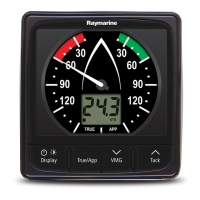
Raymarine i60 wind - User Manual

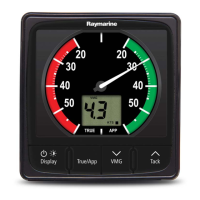
Raymarine i60 wind
70 pages
Print Icon
To Next Page IconTo Next Page
Loading...
i60 W
ind
i60 CH W ind
Installation and operation
instructions
English
Date: 06-2014
Document number: 81342-2-EN
© 2014 Raymarine UK Limited
TackTrue/AppDisplay VMG
i60

Table of Contents

Questions and Answers

  • S
    Sarah TorresJul 27, 2025
    What to do if SeaTalk/SeaTalkng information isn't transferring between Raymarine i60 wind Marine Equipment instruments?
    • X
      xobrienJul 27, 2025
      If SeaTalk/SeaTalkng information isn't being transferred between Raymarine Marine Equipment instruments, it could be due to a SeaTalk/SeaTalkng cabling or connector fault. You should check the security of SeaTalk/SeaTalkng connections between units and the condition of SeaTalk/SeaTalkng cables. To isolate a faulty unit, try disconnecting units one by one.
  • C
    Carlos RuizAug 2, 2025
    What to do if a group of SeaTalk/SeaTalkng units isn't working on my Raymarine i60 wind?
    • R
      Robert ColeAug 2, 2025
      If a group of SeaTalk/SeaTalkng units isn't working on your Raymarine Marine Equipment, the issue likely involves a SeaTalk/SeaTalkng cabling or connector fault. Check the security of SeaTalk/SeaTalkng connectors and the condition of the SeaTalk/SeaTalkng cable between the functioning and non-functioning units.
  • J
    Jennifer JohnsonAug 7, 2025
    What to do if my Raymarine Marine Equipment display behaves erratically?
    • S
      steelecherylAug 7, 2025
      If your Raymarine Marine Equipment display behaves erratically with frequent unexpected resets or system crashes, it could be due to several reasons: * Check the relevant fuses and breakers. * Ensure the power supply cable is in good condition with tight, corrosion-free connections. * Verify the power source provides the correct voltage and sufficient current. If these steps don't resolve the issue, a factory reset may be needed. Important: This will result in the loss of any settings and data (such as waypoints) stored on the product. Save any important data to a memory card before resetting.
  • B
    Brett JohnsonAug 13, 2025
    Why my Raymarine i60 wind Marine Equipment system doesn't start up?
    • V
      vickiemcmahonAug 13, 2025
      If your Raymarine Marine Equipment system doesn't start, it might be due to a power supply problem. Check the relevant fuses and breakers. Also, make sure the power supply cable is in good condition and all connections are tight and free from corrosion. Finally, ensure the power source provides the correct voltage and sufficient current.
  • R
    Robert CollinsAug 20, 2025
    How to troubleshoot a blank display on Raymarine i60 wind Marine Equipment?
    • J
      Jesus LiuAug 20, 2025
      If you're experiencing a blank display on your Raymarine Marine Equipment, the issue might stem from the following: * No power supply: Check the fuse and circuit breaker. * Power supply issues: Inspect the power supply itself. * Cabling problems: Verify the security of SeaTalk/SeaTalkng cabling and connectors.

Summary

Important Information

Certified Installation

Recommends certified installation by an approved installer for enhanced warranty.

Installation and Operation Warnings

Covers product installation, ignition source, ground systems, power supply, and high voltage cautions.

Handbook Information

i60 Product Overview

Describes the i60 Wind and i60 Close Hauled Wind instruments and their features.

Planning the Installation

Installation Checklist

Outlines the key tasks involved in the installation process.

Compatible Transducers

Lists the wind vane and rotavecta transducers compatible with the i60 instrument.

Display Location Selection

Provides guidance on choosing an optimal location, considering ventilation, mounting, and interference.

Transducer Location Requirements

Details the requirements for mounting the wind transducer for optimal performance.

Cables and Connections

Power Connection

Explains how to connect the power supply to the SeaTalkng network.

Mounting

Surface Mounting Procedure

Provides instructions for surface mounting the unit, including pre-mounting checks.

Calibration

User Calibration

Guides on user calibration options like wind angle offset and speed units for the i60 Wind.

Using Your Display

i60 Wind Operation

Explains how to operate the i60 Wind, including displaying data and alarms.

Alarms

Alarm Configuration

Details instrument alarms available on the i60 Wind, alarm indications, and how to set thresholds.

Troubleshooting

Instrument Troubleshooting

Provides a table of faults, causes, and actions for instrument issues like blank displays or communication errors.

Power Up Troubleshooting

Lists problems related to power up, their causes, and solutions, focusing on power supply issues.

Technical Specification

Detailed Specifications

Lists detailed technical specifications including voltage, power consumption, environmental data, and connections.

Raymarine i60 wind Specifications

General IconGeneral
Display TypeLCD
Waterproof RatingIPX6
Nominal Voltage12 VDC
BacklightingYes
Relative HumidityUp to 95%
Wind Angle Range0 to 360 degrees
MountingFlush Mount
Display Size3.5 inches
Input Voltage9-16 V DC
Storage Temperature-30 to +70 °C
Operating Temperature-15°C to +55°C
Resolution1 degree / 0.1 knot

Related product manuals