EasyManua.ls Logo

Raymarine i60 - User Manual

Raymarine i60
76 pages
Print Icon
To Next Page IconTo Next Page
Loading...
© 2016 Raymarine UK Limited
81342-3Document number:
07-2016Date:
English (EN)
INSTALLATION & OPERATION
INSTRUCTIONS
i60 Instrument

Table of Contents

Other manuals for Raymarine i60

Questions and Answers

  • L
    lwashingtonAug 12, 2025
    What to do if SeaTalk/SeaTalkng information is not transferring between Raymarine i60 instruments?
    • T
      Tammy LopezAug 12, 2025
      If SeaTalk/SeaTalkng information isn't being transferred between Raymarine marine equipment instruments, it may be due to: * **SeaTalk/SeaTalkng cabling or connector fault:** Check the security of SeaTalk/SeaTalkng connections between units. Inspect the condition of SeaTalk/SeaTalkng cables. Try to isolate the faulty unit by disconnecting units one by one.
  • S
    Shane GarciaAug 16, 2025
    Why a group of SeaTalk/SeaTalkng Raymarine i60 Marine Equipment units are not working?
    • M
      Mrs. Amanda FrancisAug 16, 2025
      If a group of SeaTalk/SeaTalkng Raymarine marine equipment units are not working, the cause might be: * **SeaTalk/SeaTalkng cabling or connector fault:** Check the security of SeaTalk/SeaTalkng connectors between functioning and non-functioning units. Check the condition of the SeaTalk/SeaTalkng cable between functioning and non-functioning units.
  • J
    Jennifer ParkerAug 20, 2025
    How to fix a blank display on Raymarine Marine Equipment?
    • J
      Jacqueline PageAug 20, 2025
      A blank display on your Raymarine marine equipment might be due to: * **No power supply:** Check the fuse/circuit breaker, the power supply, and the security of the SeaTalk/SeaTalkng cabling and connectors.
  • J
    jdixonAug 28, 2025
    What to do if Raymarine i60 Marine Equipment display behaves erratically?
    • J
      John SmithAug 28, 2025
      If your Raymarine marine equipment display is behaving erratically, consider these possible causes and solutions: * **Intermittent power issues:** Check the relevant fuses and breakers. Ensure the power supply cable is sound, and all connections are tight and free from corrosion. Also, verify that the power source provides the correct voltage and sufficient current. * **Software mismatch:** Software on the system may need an upgrade. * **Corrupt data or unknown issue:** Try performing a factory reset. Note: This will erase all settings and data stored on the product, so save important data to a memory card beforehand.
  • S
    Sarah BryantAug 31, 2025
    How to fix Raymarine i60 Marine Equipment that will not boot up?
    • C
      Christopher JacksonAug 31, 2025
      If your Raymarine marine equipment won't boot up (re-boot loop), the issue might stem from: * **Power supply and connection:** Refer to the solutions provided for the problem 'Products does not turn on or keeps turning off'. * **Software corruption:** Try re-flashing the latest software. As a last resort, perform a 'Power on Reset'. Keep in mind that this will delete all settings, presets, and user data, reverting the unit back to factory defaults.
  • D
    David BurnsSep 4, 2025
    Why does Raymarine Measuring Instruments show dashes on the display?
    • T
      Taylor GonzalesSep 4, 2025
      Dashes on the display might appear because the wind data is set to ‘True’ wind, but there's no speed through water (STW) data available. Alternatively, there could be a connection problem with the wind vane transducer. To resolve this, you can set the wind data to ‘Apparent’ and check if wind data appears. If it does, and you need ‘True’ wind, verify the source of STW data. Also, inspect the cabling for any damage, check the cable junction box (usually at the mast bottom) for damage and corrosion, ensuring connections are clean and secure, repairing or replacing as needed. Check connections to the display or converter and disconnect the wind vane arm and check arm and base connectors for damage and corrosion, ensuring they are clean and secure, repairing or replacing if necessary.
  • J
    Julia GarnerSep 8, 2025
    What to do if Raymarine Measuring Instruments data appears to be incorrect?
    • M
      Michelle KellySep 8, 2025
      If the data appears incorrect, it may be because the wind vane hasn't been calibrated or has lost its calibration settings. You should re-calibrate the wind vane.
  • W
    Wendy SandersNov 22, 2025
    Why my Raymarine i60 does not turn on?
    • T
      Timothy AdkinsNov 22, 2025
      There are several reasons why your Raymarine marine equipment might not be turning on or keeps turning off: * **Blown fuse/tripped breaker:** Check the condition of the fuses, breakers, and connections. Replace if necessary. If the fuse keeps blowing, check for cable damage, broken connector pins, or incorrect wiring. * **Poor/damaged/insecure power supply cable/connections:** Ensure the power cable connector is fully inserted and locked. Inspect the power supply cable and connectors for damage or corrosion, replacing if necessary. Flex the power cable near the display connector to see if it causes the unit to reboot/lose power. Check the vessel’s battery voltage, battery terminals, and power supply cables, ensuring connections are secure, clean, and free from corrosion. * **Incorre...

Summary

Chapter 1 Important Information

Certified Installation

Recommends certified installation by an approved installer for enhanced product warranty benefits.

Water Ingress

Disclaimer regarding water intrusion and potential equipment failure from high-pressure washing.

Disclaimer

States Raymarine's warranty limitations regarding product compatibility and user-induced issues.

EMC Installation Guidelines

Guidelines for minimizing electromagnetic interference between equipment for optimal performance.

Suppression Ferrites

Explains the importance of suppression ferrites for EMC performance and proper installation.

Connections to Other Equipment

Information on connecting Raymarine equipment to other devices and precautions for sun covers.

Declaration of Conformity

Statement of product compliance with EMC directive 2004/108/EC.

Product Disposal

Instructions for disposing of the product in accordance with the WEEE Directive for recycling.

Warranty Registration

Instructions on how to register the product online to receive full warranty benefits.

IMO and SOLAS

Specifies that the equipment is for leisure marine boats, not covered by IMO/SOLAS regulations.

Technical Accuracy

States information was correct at the time of production, with potential for changes without notice.

Chapter 2 Handbook Information

Document Information

Provides information about the document's purpose and availability of Raymarine product documents.

Parts Supplied

Lists the components included in the i60 instrument display package with corresponding part numbers.

i60 Product Overview

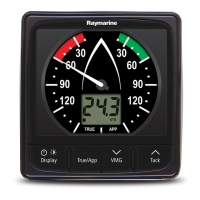
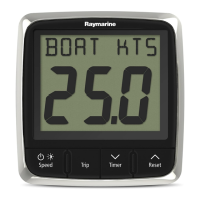
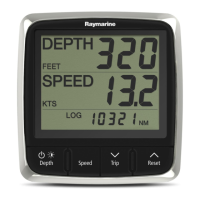
Describes the i60 instrument display range, variants, and key features.

Chapter 3 Planning the Installation

Installation Checklist

Lists the essential activities required for a successful installation of the instrument.

Compatible Transducers

Identifies wind vane and rotavecta transducers compatible with the i60 instrument displays.

System Protocols

Explains the data protocols (SeaTalkng, NMEA 2000, SeaTalk) used for connecting instruments.

Tools Required

Lists the tools necessary for performing the installation of the instrument.

Selecting a Display Location

Provides guidance on choosing an optimal location considering ventilation, mounting, and viewing angles.

Product Dimensions

Displays the physical dimensions of the i60 instrument display for installation planning.

Wind Vane Transducer; Rotavecta Location Requirements

Outlines the critical factors for selecting the best location for wind transducers for optimal performance.

Chapter 4 Cables and Connections

General Cabling Guidance

Provides essential advice on cable types, routing, strain relief, and shielding for optimal performance.

Connections Overview

Identifies connectors on the product and their corresponding suitable cables and connections.

Direct Power Connection

Details the diagram and components for establishing a direct power connection to the unit.

SeaTalkng Power Supply

Explains how power is supplied to the SeaTalkng network and power connection points for different system sizes.

Transducer Connections

Illustrates the specific connections for wind transducers to the i60 instrument.

iTC-5 Connection

Shows how to connect transducers via the iTC-5 converter to the network and other instruments.

SeaTalkng Connection

Provides example diagrams for connecting the SeaTalkng network with various system configurations.

SeaTalk Connection

Explains how to connect to an existing SeaTalk system using an adaptor cable.

NMEA 2000 Network Connection

Details how to connect the SeaTalkng device to a DeviceNet/NMEA 2000 network.

Chapter 5 Mounting

Mounting

Guides through the pre-mounting checks, mounting diagram, and step-by-step installation instructions.

Front Bezel

Provides instructions on how to carefully remove the front bezel from the unit.

Chapter 6 Getting Started

Controls

Identifies the buttons on the i60 instrument and their functions for operation.

Power

Explains how to power the unit on and off, and mentions calibration alerts.

Data Master

Describes how to set a master unit in a system and check software version and instrument status.

Chapter 7 Calibration

Calibration Overview

Introduces calibration categories and the need for calibration for optimal performance.

User Calibration

Details user calibration options like wind angle offset and units for wind speed readings.

Intermediate Calibration

Explains how to check instrument software version and status.

Dealer Calibration

Covers dealer calibration procedures like menu access, response delay, and factory reset.

Chapter 8 Using Your Display

Pages

Lists the available display pages for i60 Wind and i60 Close Hauled Wind instruments.

i60 Wind Operation

Explains how the i60 Wind operates, displays information, and uses buttons for navigation.

Illumination

Details how to adjust backlight, contrast, and manage group illumination settings.

Chapter 9 Alarms

Alarms

Describes instrument alarms, indications, silencing, enabling/disabling, and setting thresholds.

Chapter 10 Maintaining Your Display

Service and Maintenance

States that the product has no user serviceable components and directs to authorized dealers for repairs.

Condensation

Explains that condensation may form and will clear after the unit is switched on.

Routine Equipment Checks

Recommends regular checks of cables for damage and secure connections for reliable operation.

Product Cleaning

Provides cleaning practices, advising against dry cloths, abrasives, and jet washes.

Cleaning the Display Case

Offers basic procedures for cleaning the display unit's case with mild detergent.

Cleaning the Display Screen

Details a procedure for cleaning the display screen to maintain its protective coating and anti-glare properties.

Chapter 11 Troubleshooting

Troubleshooting Overview

Introduces the section on diagnosing and correcting common problems with marine electronics installations.

Instrument Troubleshooting

Lists faults, causes, and actions for common instrument issues like blank displays or communication failures.

Power Up Troubleshooting

Addresses problems encountered at power up, such as the unit not turning on or rebooting.

Miscellaneous Troubleshooting

Covers erratic display behavior, system crashes, and software mismatches requiring troubleshooting steps.

Chapter 12 Technical Support

Raymarine Product Support and Servicing

Provides contact information (phone, email) for product support, warranty, service, and repairs across regions.

Checking the Software Version

Details the steps to identify the software version of the unit by pressing specific buttons.

Chapter 13 Technical Specification

Technical Specification

Lists key technical details including voltage, power consumption, environmental factors, and connections.

Chapter 14 Spares and Accessories

Spares and Accessories

Lists available spare parts and accessories for the i50/i60/i70 range, including bezels and sun covers.

SeaTalkng Cables and Accessories

Details SeaTalkng cables and accessories for compatible products, including starter and backbone kits.

SeaTalkng Cable Kits

Illustrates the contents of SeaTalkng starter, backbone, and evolution cable kits with part numbers.

Appendix A NMEA 2000 Sentences

Raymarine i60 Specifications

General IconGeneral
Display TypeLCD
Power Supply12V DC
Waterproof RatingIPX6
CommunicationSeaTalkng
InterfaceSeaTalkng

Related product manuals