13
Preparation and Setup
Please place the resin tank on the clean top surface of a
resin tank lid or a clean A4 paper to avoid the risk of being
contaminated and damaged for the release film.
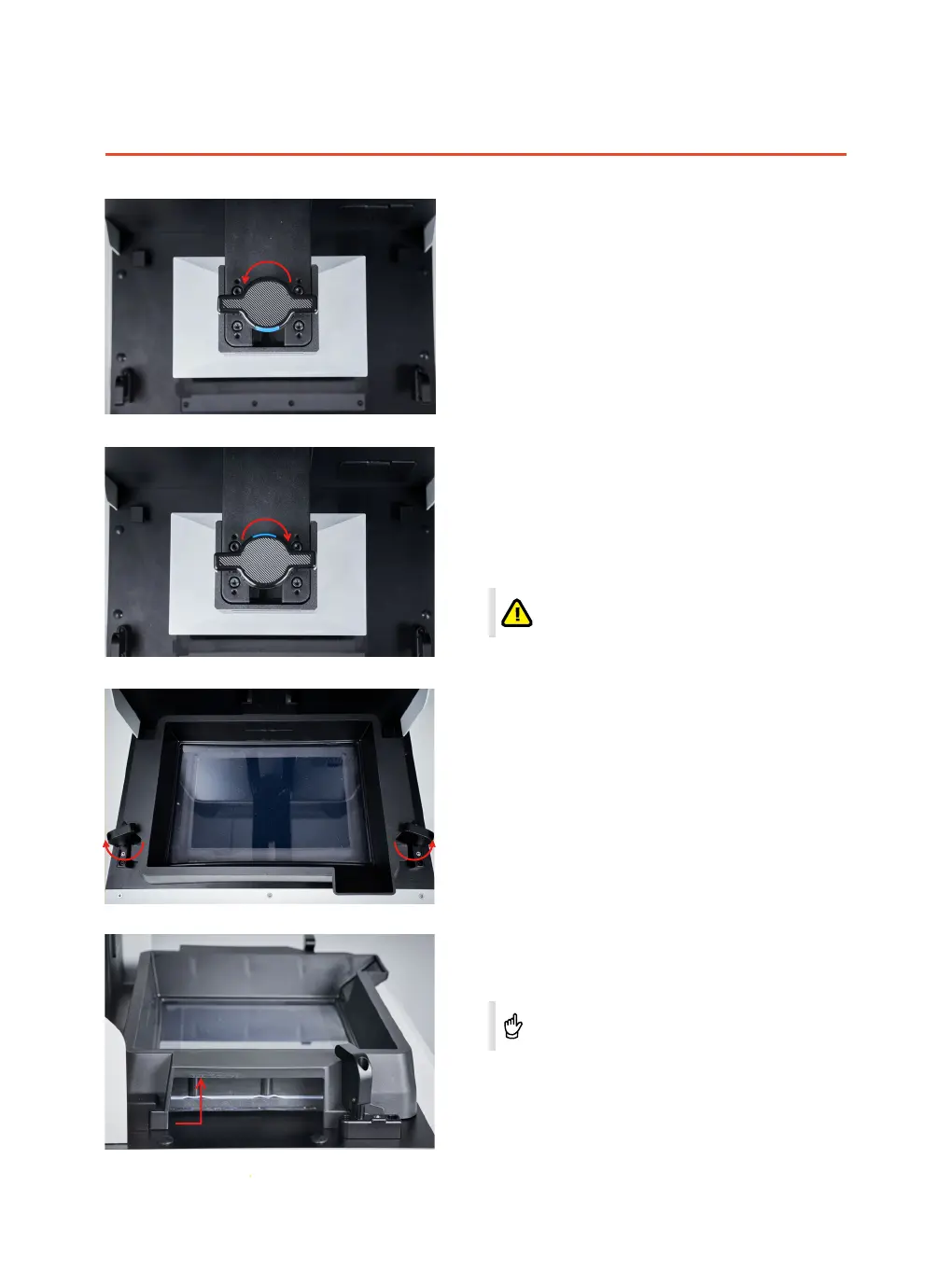
Remove /Install printing platform
Please hold the printing platform with one hand and
rotate the hand wheel counterclockwise with the
other hand until the blue sign is back to the operator
to make the platform separate from the bayonet, then
take away the platform outward.
Remove resin tank
Release knobs on both sides of the resin tank
outwards.
Please align the printing platform with the cantilever
bayonet and slide inward horizontally to the end when
the platform is installed.
Hold the printing platform with one hand and rotate
the hand wheel clockwise with the other hand until the
blue sign was face to operator.
Remove the resin tank by lifting it with both of your
hands for a certain distance and take it away from the
printing chamber.
It was recommended to tighten the rotation
wheel until the printing platform is not
wobbled any more.



 To Next Page