17
Interface introduction
①
②
③
④
⑤
①
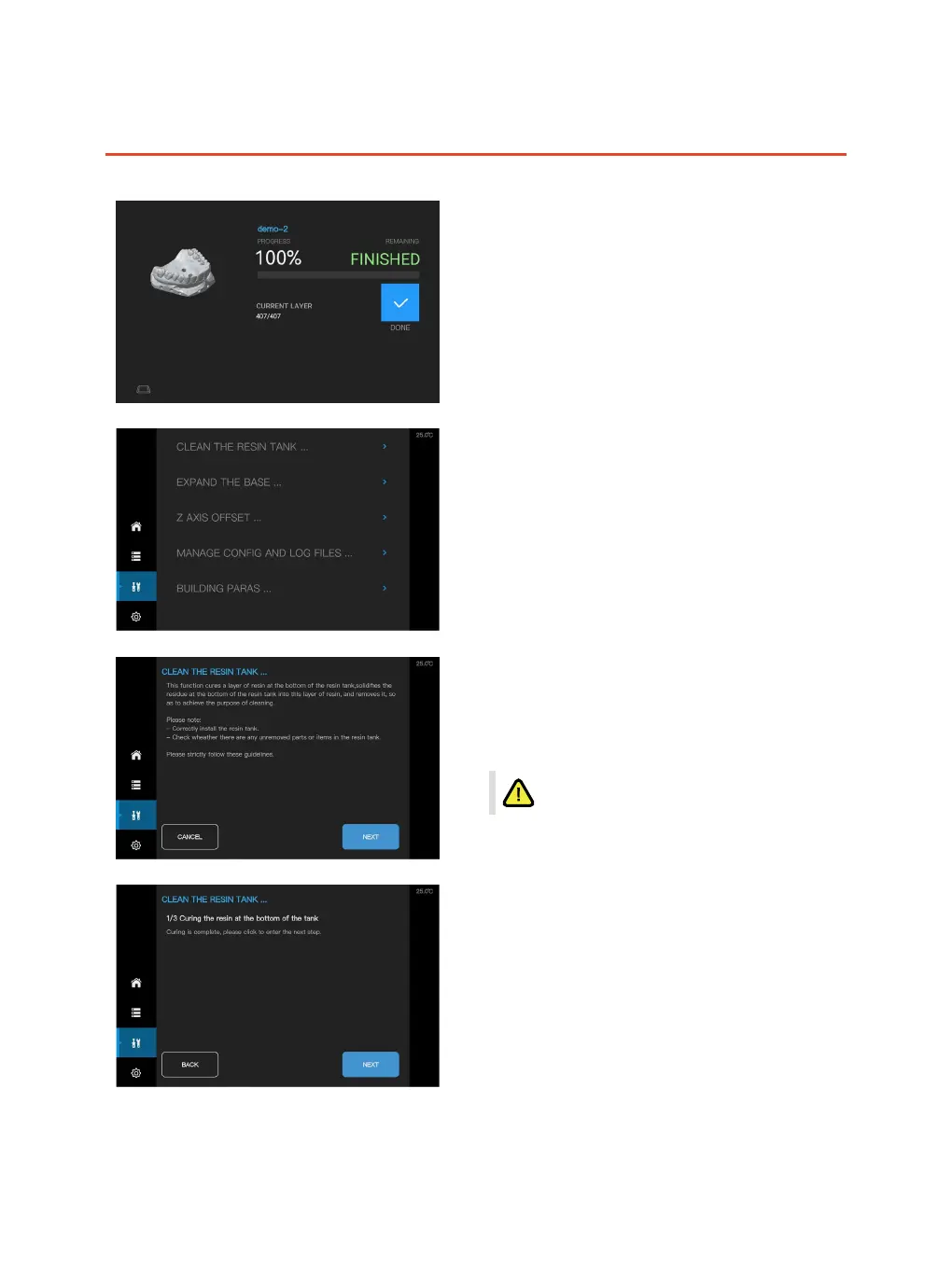
Clean the resin tank
Step 1:
Please read the instruction carefully before starting
with the related operation.
Step 2 :
The resin would be cured as soon as the
projection finished.
Click "NEXT", and make sure that the cover
was closed to avoid UV light exposure.
Completion of printing
① Click to return to the main interface
Tools
① Clean resin tank
② Expand base
③ Offset Z-axis
④ CONFIG and LOG les
⑤ Printing parameters



 To Next Page