21
Interface introduction
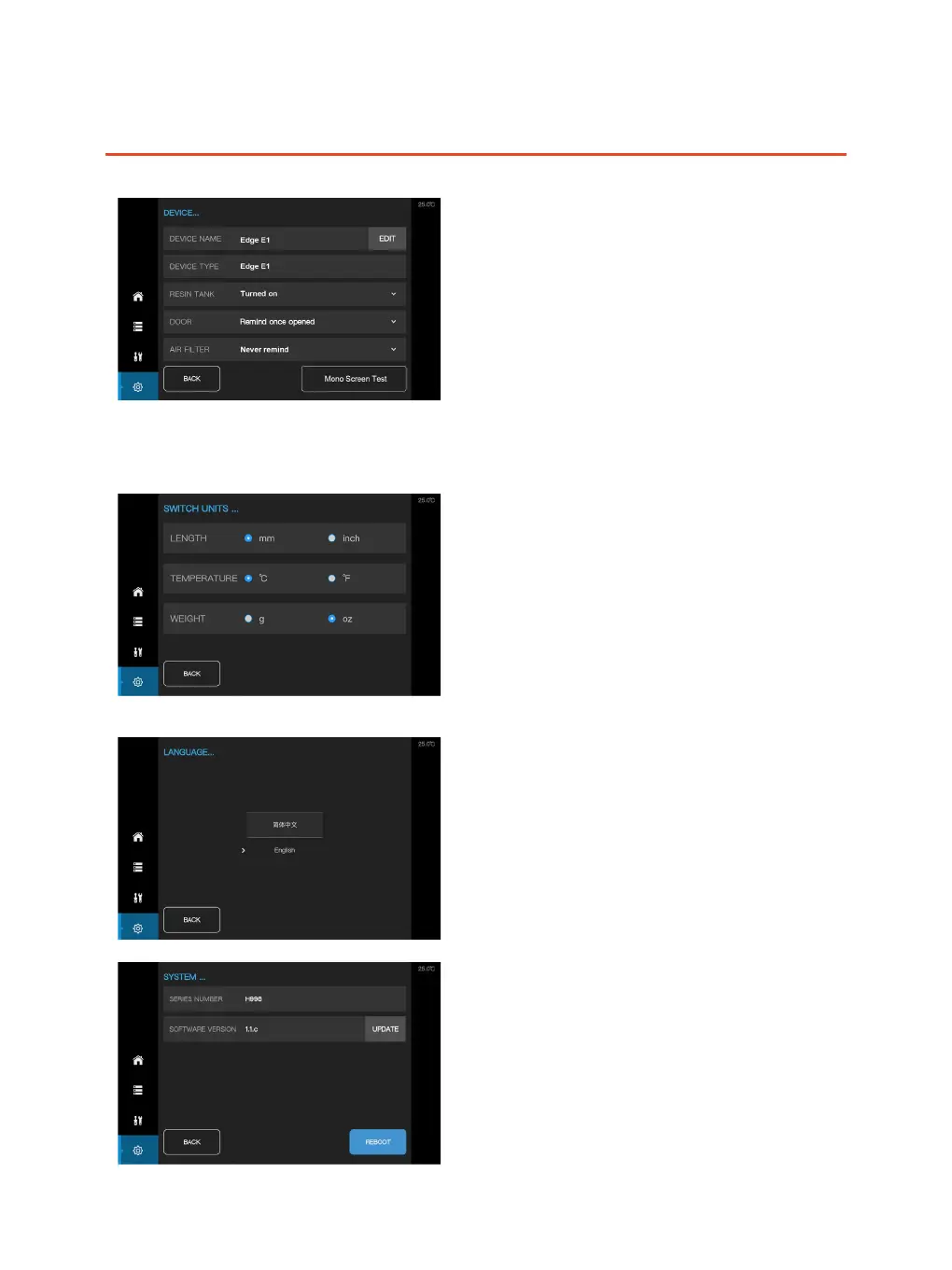
About
① Printer name(Could be customized)
② Printer model(Choose the right model while
preparing the slicing le )
③ Heating of printing plateform(Turn on or o)
④ Setting of cover(Remind only or pause the
printing if the cover is open)
⑤ Reminder of replacement for air lter(Remind
every month or never remind)
⑥Mono Screen Test(Test whether the LCD is
working normally. Please close the cover and do
not look directly at the screen during the test.)
Unit-conversion
① Dimension:mm or inch
② Temperature:Centigrade or Fahrenheit
③ Weight:g or oz
Language
① Chinese
② English
System information
① Series No. of the device
② Software version (Please contact with after-sales
engineers if updating is needed. )
③ Reboot the equipment
②
③
④
⑤
①
②
③
①
②
①
②
③
①
⑥



 To Next Page