20
Interface introduction
Setting of system
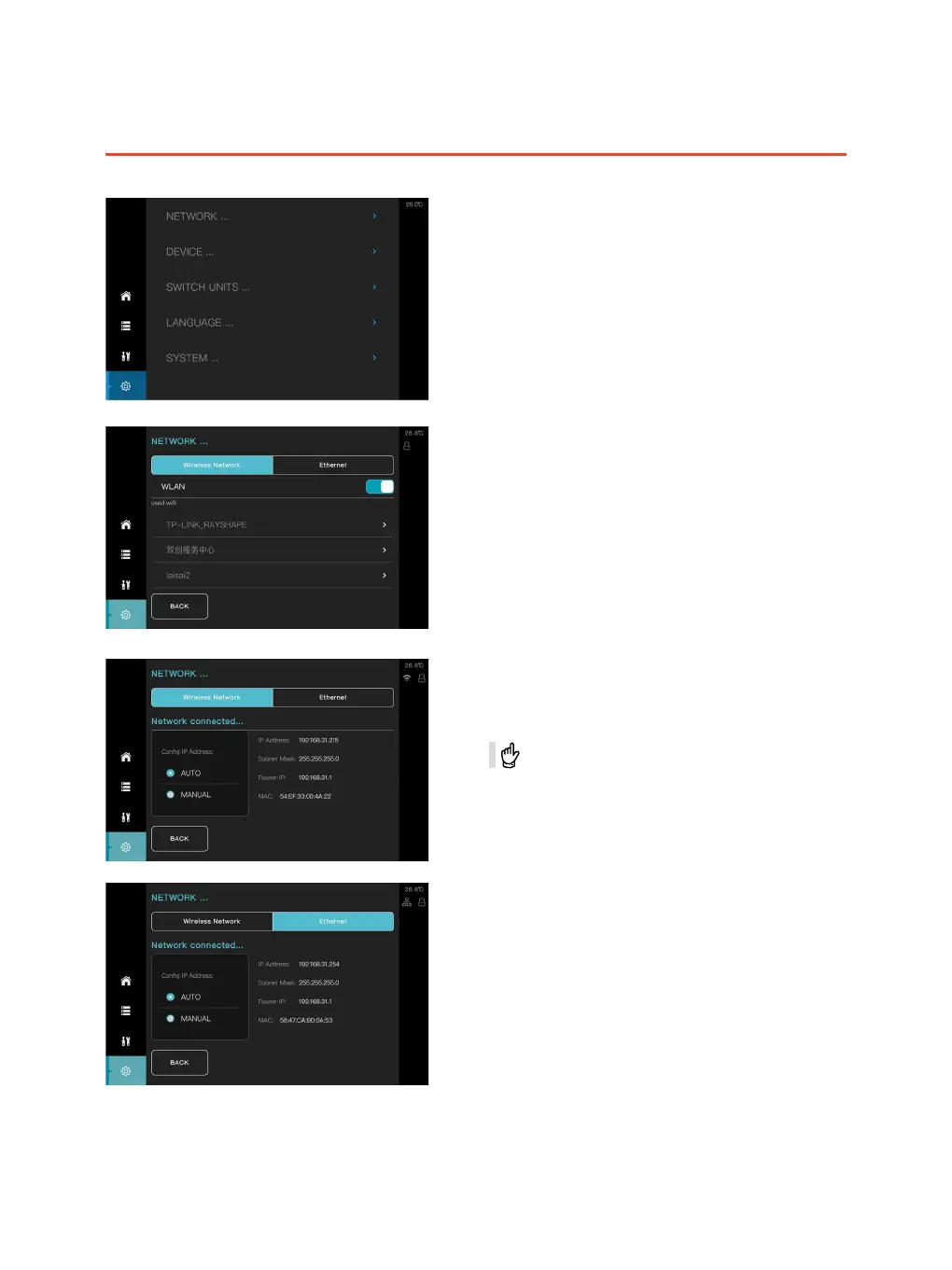
① Setting of network
② Equipment related
③ Unit-conversation
④ Language
⑤ System
②
③
④
⑤
①
Setting of wireless network
① Enable the function of wireless network.
② Select the specied network which you would
like to connect within the list of wireless network.
After the connection, the printer will be identified by
the host computer through the IP address, then it is
allowed to deliver the printing task online.
ShapeWare connect the device through IP addresses.
Setting of wired network
The network information would be refreshed
automatically as soon as it is connected successfully,
then the printer would be identified by the host
computer through IP address to achieve remote
delivery of printing task.
②
①



 To Next Page