19
Interface introduction
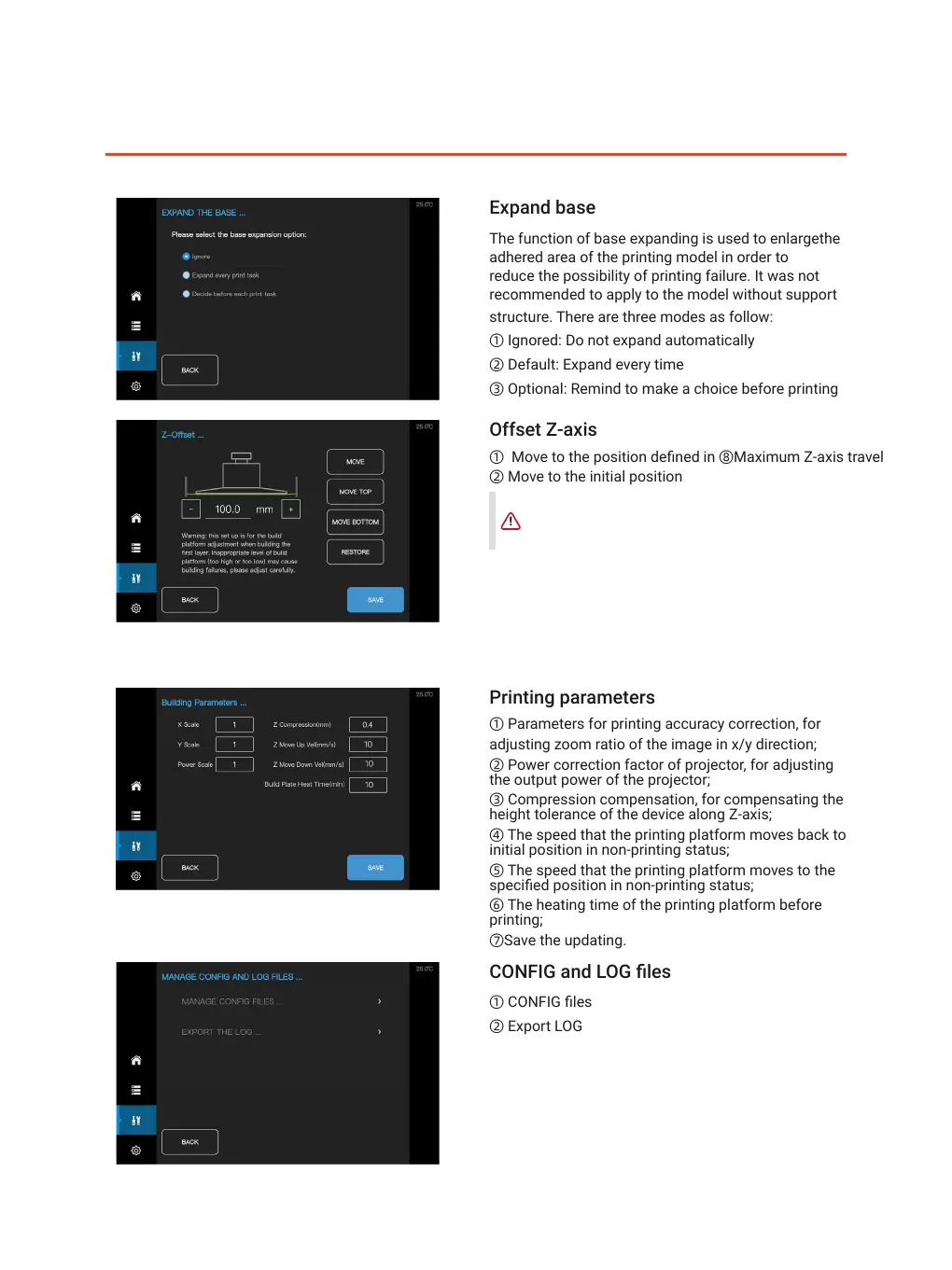
Expand base
The function of base expanding is used to enlargethe
adhered area of the printing model in order to
reduce the possibility of printing failure. It was not
recommended to apply to the model without support
structure. There are three modes as follow:
① Ignored: Do not expand automatically
② Default: Expand every time
③ Optional: Remind to make a choice before printing
CONFIG and LOG les
① CONFIG les
② Export LOG
Offset Z-axis
① Move to the position dened in ⑧Maximum Z-axis travel
② Move to the initial position
②
③
①
②
③
④
⑤
①
⑦
②
①
⑥
③ Move to maximum travel of Z axis
④ Recover to initial value in ⑧
⑤ Save the value in ⑧ as maximum travel of Z axis
⑥ The value in ⑧ would be added by 0.1mm
⑦ The value in ⑧ would be subtracted by 0.1mm
⑧The value of Maximum Z-axis travel
Printing parameters
① Parameters for printing accuracy correction, for
adjusting zoom ratio of the image in x/y direction;
② Power correction factor of projector, for adjusting
the output power of the projector;
③ Compression compensation, for compensating the
height tolerance of the device along Z-axis;
④ The speed that the printing platform moves back to
initial position in non-printing status;
⑤ The speed that the printing platform moves to the
specied position in non-printing status;
⑥ The heating time of the printing platform before
printing;
⑦Save the updating.
Reset the printing platform by clicking on "MOVE TO
TOP" in any case that the printing platform was not
in the initial position causing by accident(equipment
failure,power off...)
⑧
②
③
④
⑤
①
⑥ ⑦



 To Next Page