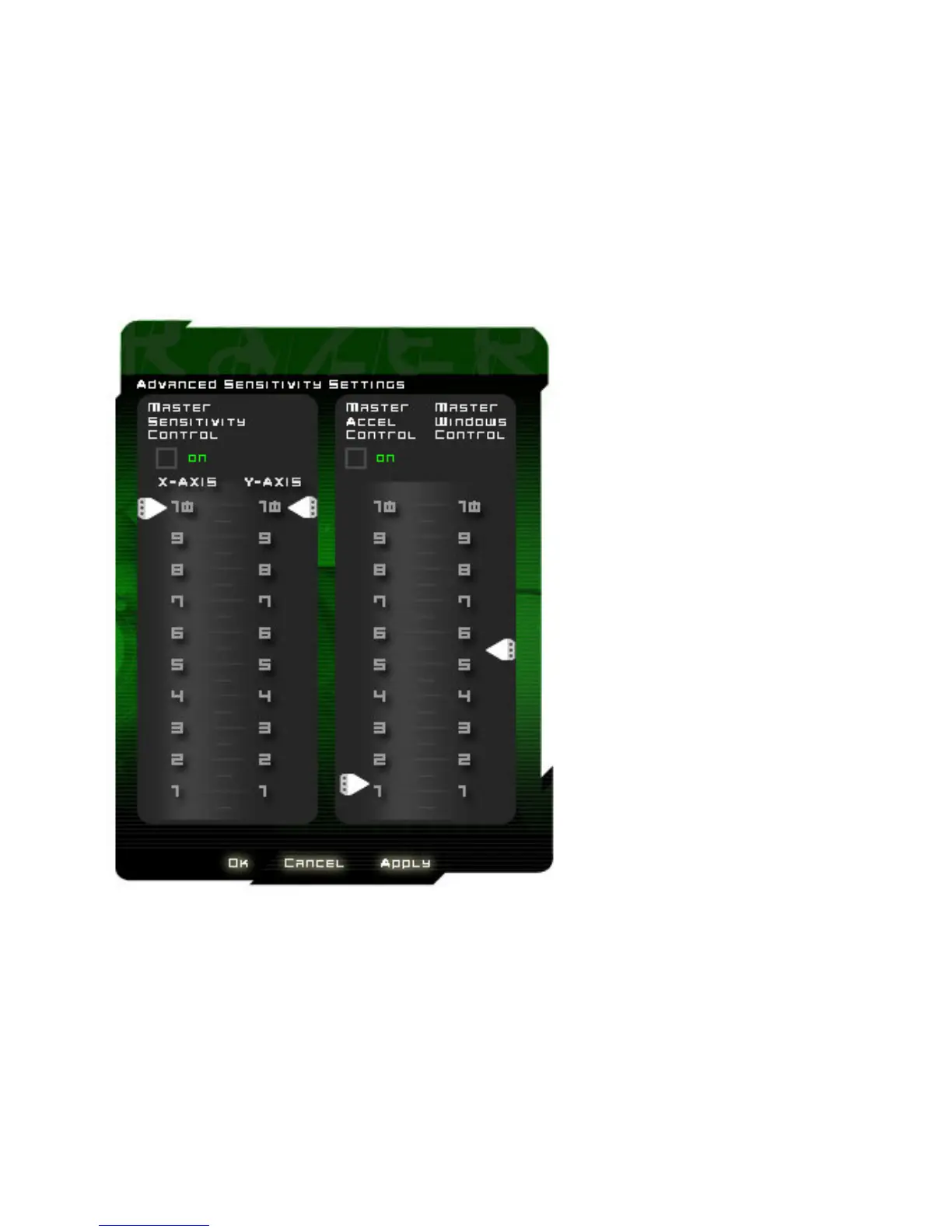
ADVANCE SENSITIVITY SETTINGS
i. Master Sensitivity Control
Changes the individual sensitivity setting for the X and Y axis of your Razer Abyssus.
Master sensitivity control can be enabled/disabled via the checkbox.
ii. Master Acceleration Control
Allows adjustment of the pointer acceleration. You can also choose to switch on/off this function.
iii Master Windows Control
Adjust the Windows pointer speed (as per Windows Mouse Control Panel). Note: Effect will only take place
after rebooting.













 To Next Page