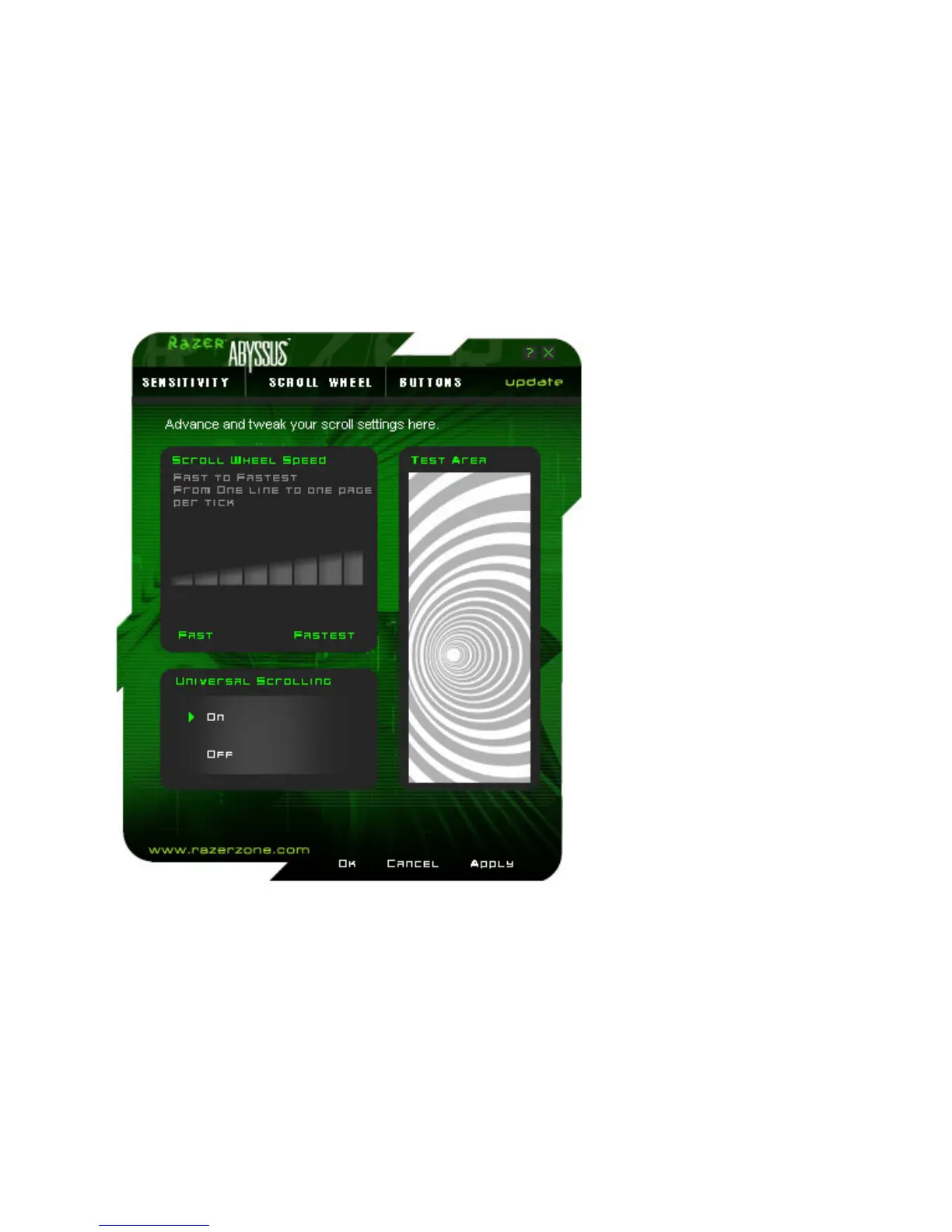
SCROLL WHEEL TAB
i. Scroll Wheel Speed
The scrolling rate can be adjusted to suit your preference by changing the scroll wheel speed. The speed
can be set from FAST to FASTEST.
ii. Universal Scrolling
Click and hold the assigned “Universal Scrolling” button. Drag your Razer Abyssus to scroll in the direction
of the mouse movement. Note: Once you disable this function, the button assigned for Universal Scrolling
will be disabled.
iii. Test Area
Scrolling in this area allows you to test the changes you’ve made to your scroll wheel speed.













 To Next Page