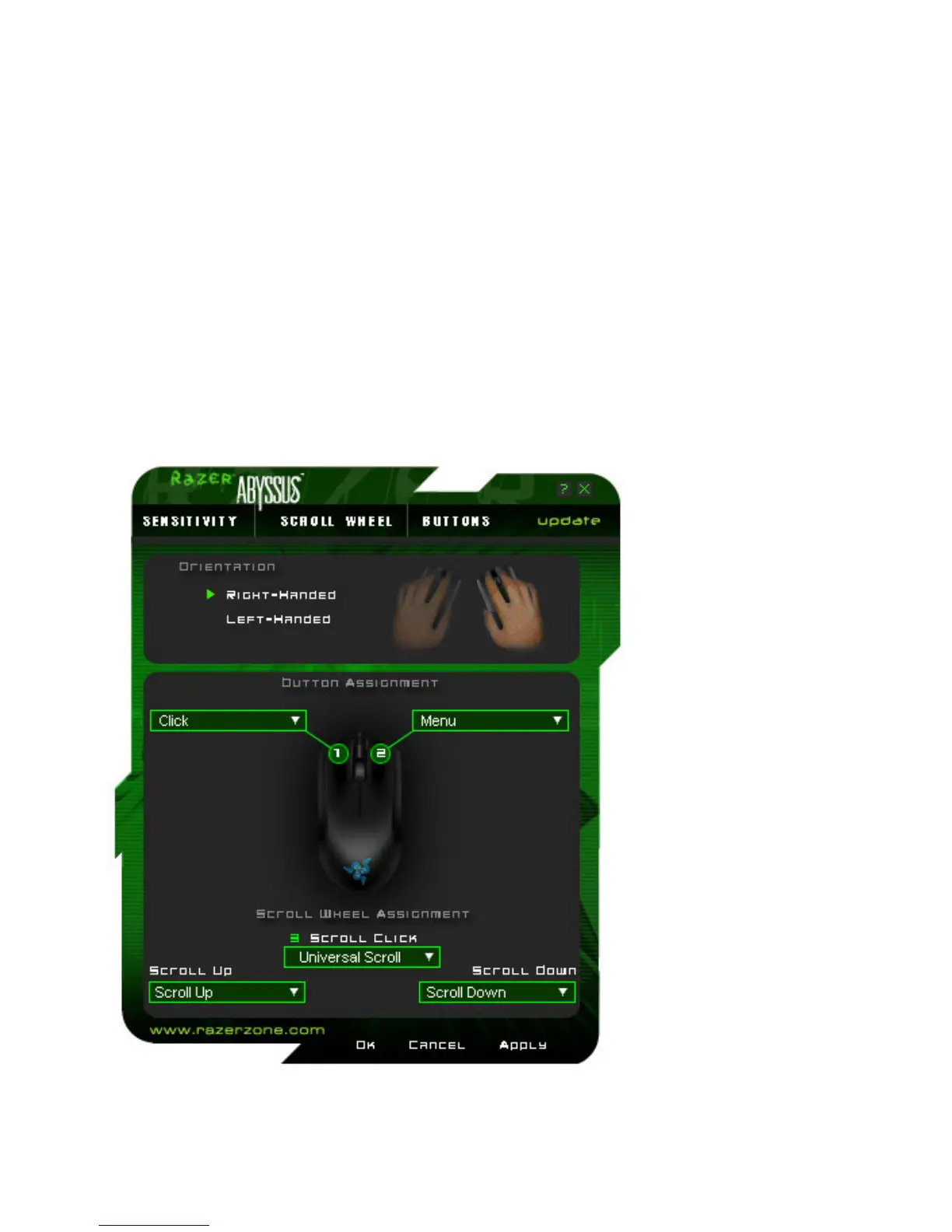
BUTTONS TAB
i. Orientation
Select to indicate whether you are right-handed or left-handed.
ii. Button Assignment and Scroll Wheel Assignment
Under ‘Button Assignment’, you can assign various functions to the mouse buttons.
The following functions are possible:
Click:|
Normal mouse click. By default, with the right-handed setting, the left button is set as click.
Menu:
Open a context-sensitive menu. By default, with the right-handed setting, the right button is set as menu.
Universal Scrolling:
Activate universal scrolling by clicking and holding the assigned button.
Double Click:
Perform a double click with the assigned button.













 To Next Page