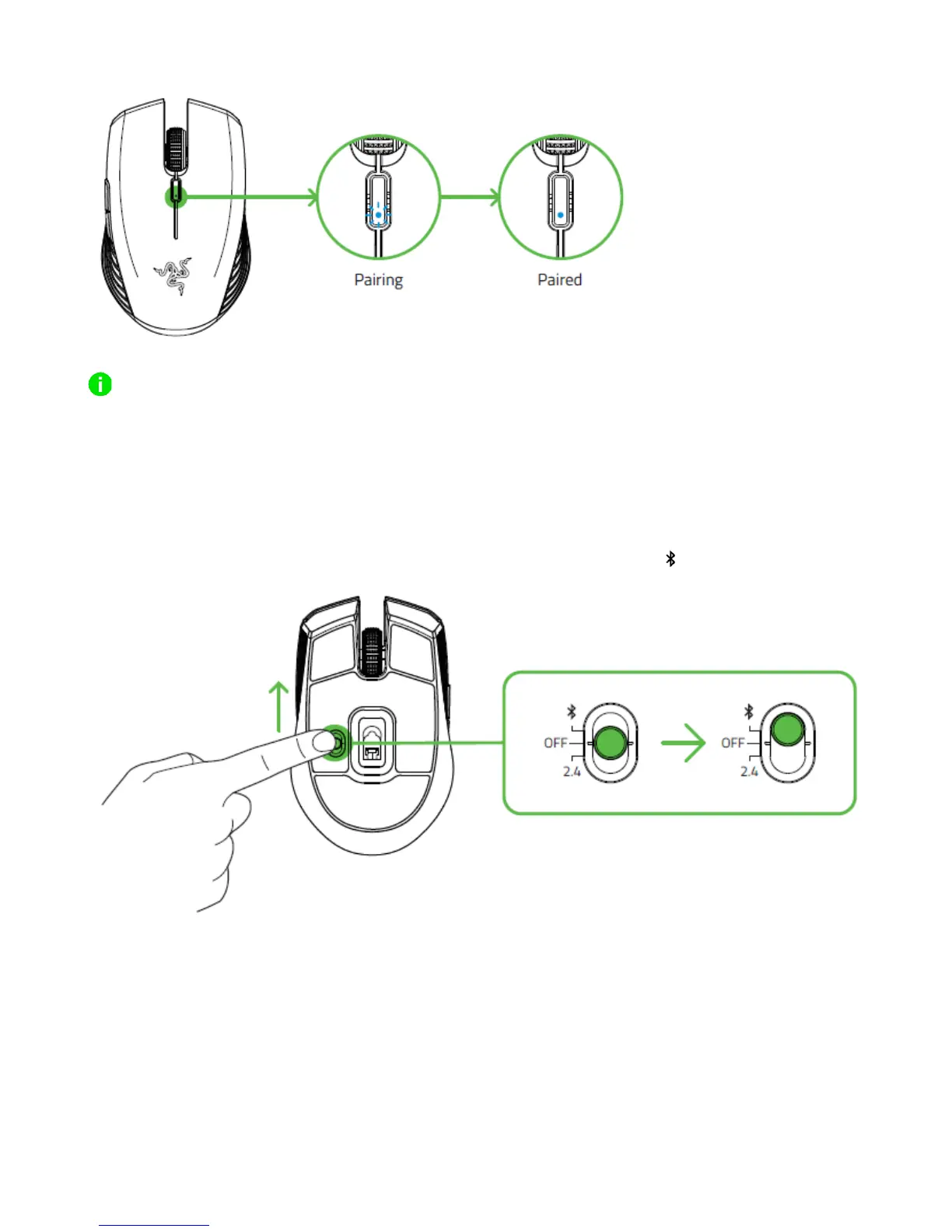
Keep the pairing devices within close proximity of each other for a faster and more stable
connection.
Congratulations, your Razer Atheris is now ready to use in 2.4 GHz mode.
CONNECTING THE RAZER ATHERIS VIA BLUETOOTH MODE
1. Push the slider switch of the Razer Atheris to Bluetooth mode ( ).
2. Press and hold the two side buttons and the DPI cycle button simultaneously for three
seconds to activate pairing mode. The LED indicator will blink twice in repeated
intervals to show that the device is in pairing mode.













 To Next Page