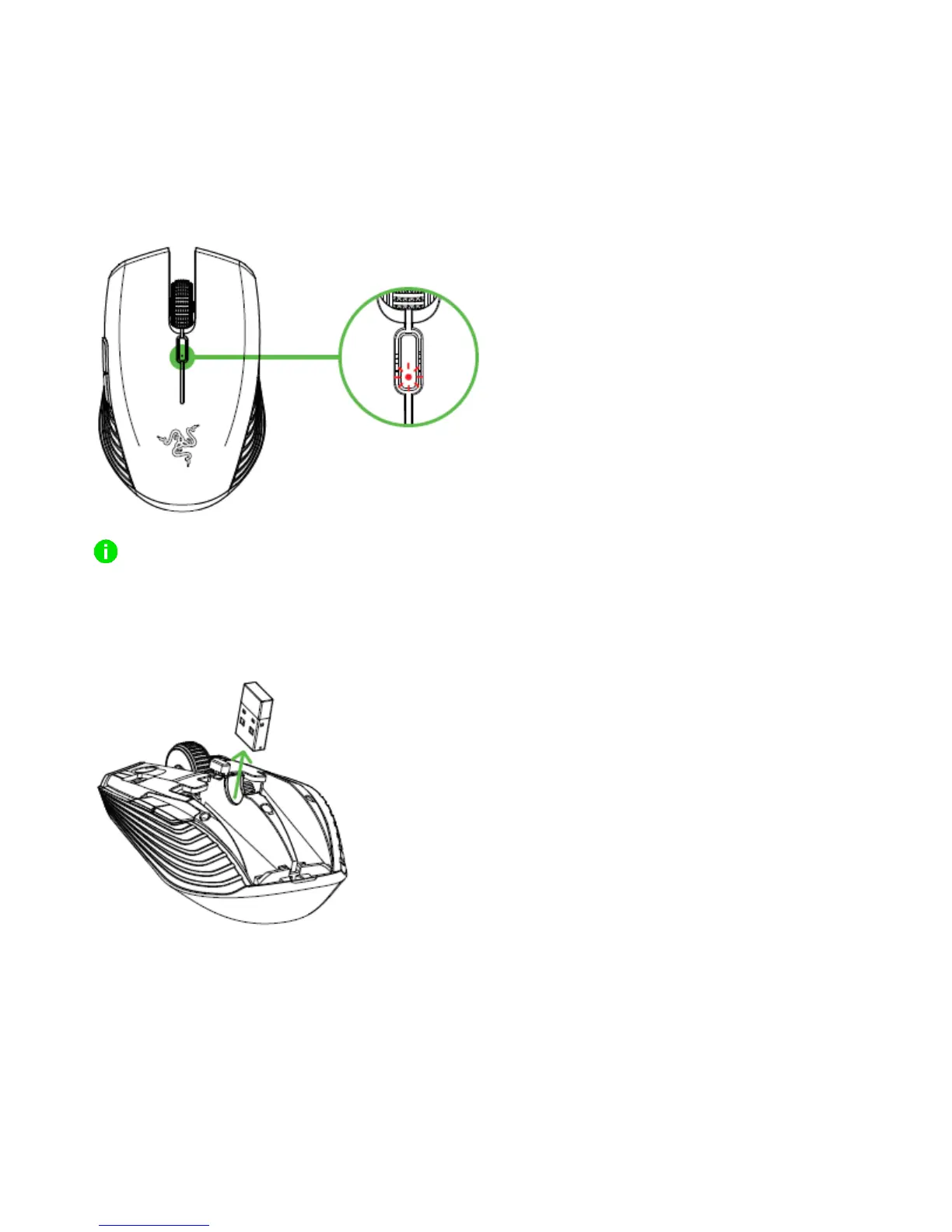
LOW BATTERY NOTIFICATION
The Razer Atheris’ LED indicator will blink red twice in repeated intervals to indicate that the
battery level of the inserted batteries are less than 5%*. This lighting sequence will repeat
until the batteries are fully drained. Once you receive this notification, it is time to replace the
batteries.
The indicator percentage can be customized through Razer Synapse 3.
CONNECTING THE RAZER ATHERIS VIA 2.4 GHZ MODE
1. Remove the top cover of the Razer Atheris and take the wireless USB dongle.














 To Next Page