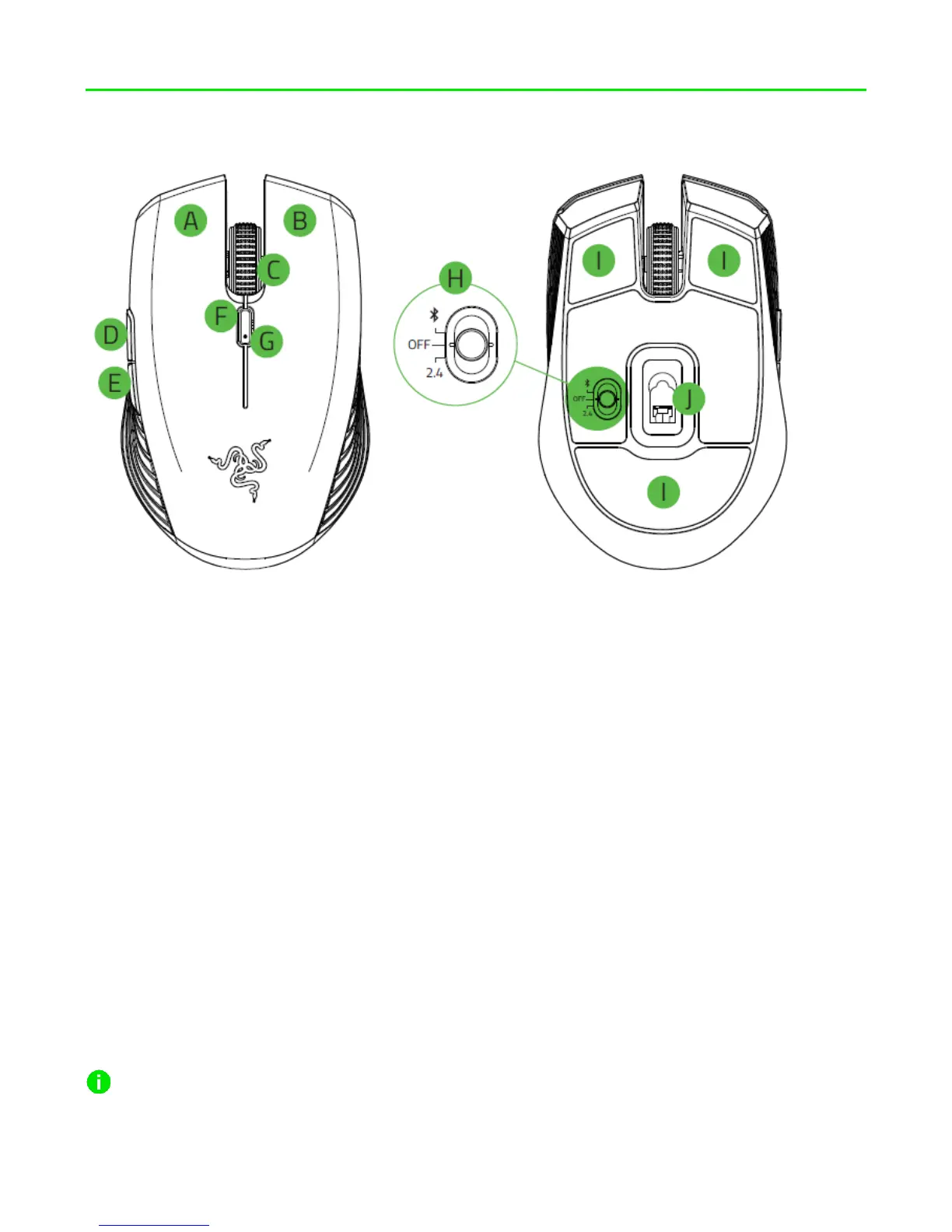
4. DEVICE LAYOUT
A. Left mouse button
B. Right mouse button
C. Scroll wheel
D. Mouse button 5
E. Mouse button 4
F. DPI cycle button*
G. LED / battery indicator
H. Slider switch
▪ Bluetooth mode
▪ Power off mode
▪ 2.4 GHz mode
I. Ultraslick mouse feet
J. 7,200 DPI optical sensor
Default DPI stages are as follows: 800, 1800, 2400, 3600, and 7200. The DPI stages
can be customized using Razer Synapse 3.













 To Next Page