
 Need help?
Do you have a question about the RC Electronics Eagle and is the answer not in the manual?
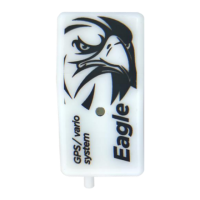
Key features: fast logging, pressure sensors, accelerometer, noise detection, and 18Hz GPS.
Technical specs: dimensions, weight, temperature, voltage, current, and memory capacity.
Explains micro USB, servo, extended bus connectors, and multi-color LED.
Powering via servo connector or battery, respecting voltage limits and polarity.
Mounting guidelines for optimal GPS and to prevent interference.
Connect unit to Android via USB, run app, and confirm connection.
Configures Vario response time (seconds) for climb/sink rate display.
Sets servo channel for control or telemetry pulse measurements.
Sets servo trigger % for event logging, e.g., GPS triangle flying.
Selects 3rd party telemetry protocol for servo connector data.
Instructions for updating Eagle module firmware via RC Electronics Android app.
 General
| Brand | RC Electronics |
|---|---|
| Model | Eagle |
| Category | Measuring Instruments |
| Language | English |

 To Next Page