EasyManua.ls Logo

RC-PRO PRO 15 - User Manual

RC-PRO PRO 15
12 pages
Print Icon
To Next Page IconTo Next Page
Loading...
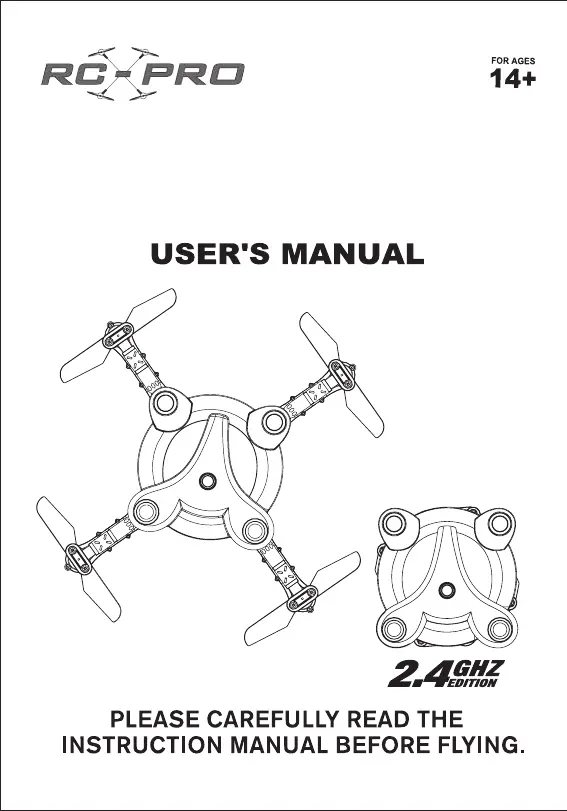
FPV CAMERA FOLDING DRONE
ALTITUDE HOLD VERSION
WWW.RCPRO.CA
PRO 15

Questions and Answers

  • J
    Jodi TranAug 5, 2025
    What to do if I cannot control my RC-PRO PRO 15 Drones?
    • P
      Patrick GarciaAug 5, 2025
      If you cannot control your RC-PRO Drones, there might be several reasons. First, ensure that the remote control is turned on. Next, check the battery connection of the drone. If the problem persists, try turning the remote control off and on again to reset the connection. Also, avoid flying in strong wind conditions.
  • T
    Tina HughesAug 12, 2025
    Why is my RC-PRO PRO 15 Drones unstable when flying?
    • C
      cheryl39Aug 12, 2025
      If your RC-PRO Drones is unstable during flight, it could be due to several factors. The drone might need trimming or gyroscope calibration. Damaged blades can also cause instability, so replace them as shown on page 3. Avoid flying in strong wind conditions, as this can also make the drone unstable.
  • V
    vpotterAug 27, 2025
    What to do if my RC-PRO PRO 15 Drones crashed instead of landing?
    • A
      Amber TaylorAug 28, 2025
      If your RC-PRO Drones crashed instead of landing, make sure you use the auto landing button for a safe landing, as improper use of the emergency shutdown feature may cause this.
  • A
    Amy CombsSep 10, 2025
    What to do if my RC-PRO Drones will not ascend?
    • C
      Christopher EdwardsSep 12, 2025
      If your RC-PRO Drones will not ascend, make sure the rotor speed is not too slow by pushing up on the left lever. Also, check if the drone battery is low and charge it if necessary. Finally, ensure that the blades are positioned properly according to the diagram on page 3.

Summary

Safety Information

Important Safety Warnings

Key safety warnings and product usage guidelines for user protection.

Operational Safety Precautions

Guidelines for safe drone operation, avoiding hazardous conditions and damage.

Setup and Components

Parts Identification

Identifies all included drone components and accessories.

Drone and Controller Overview

Explains the functions of the remote control and drone layout.

Battery Charging and Installation

Instructions for correctly installing and charging the drone's battery.

Remote Control Operation

Pre-Flight Preparation

Steps to prepare the drone and environment before the first flight.

Core Flight Controls

Detailed guide on using the remote control sticks for drone movement.

Flight Tuning and Special Modes

Trimming Instructions

How to fine-tune flight for stability and correct drifting using trim controls.

Headless Mode and Speed Control

Using Headless mode and adjusting flight speed with the remote.

Gyro Calibration and Emergency Shutdown

Procedures for calibrating the drone and initiating emergency shutdown.

Troubleshooting and Advanced Features

3 D Flip Maneuvers

Guide to performing advanced aerial flips with the drone.

Troubleshooting Common Problems

Solutions for problems like instability, control loss, and power issues.

App Control and Usage

App Installation and Connection

Steps to download, install, and connect the app via Wi-Fi.

App Interface and Functions

Overview of app controls, including auto-takeoff, speed, and selfies.

Advanced App Flight Modes

Details on Altitude Hold, Track Control, and Gravity modes.

Flight Condition Recommendations

Advice on selecting suitable weather and locations for flying.

RC-PRO PRO 15 Specifications

General IconGeneral
BrandRC-PRO
ModelPRO 15
CategoryDrones
LanguageEnglish

Related product manuals