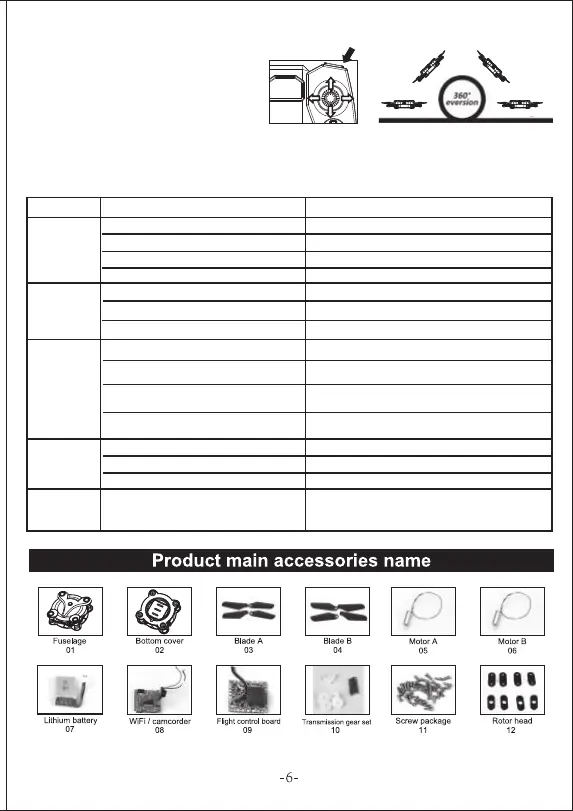
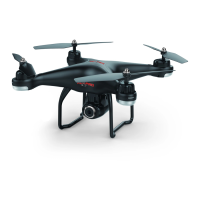
3D Flips
TROUBLESHOOTING
Once you have mastered basic functions,
try out the 3D flip function! Make sure the
drone is at least 3m above the ground
and press the Roll button (as shown), then
move the right lever in the direction of your
intendedflip (Pressing upward will flip the
drone over forward, etc)
Problem
Remote control
status light
does not light
The drone is
instable while
flying
Can not
Control
The drone will
not ascend
The drone
crashed instead
of land
1. Controller is turned off
1. The drone is not trimmed 1. Perform trimming close to the ground (Page 4)
2. Perform gyroscope calibration (Page 5)
3. Replace the blades according to page 3 diagram
4. Do not fly in windy conditions
2. The drone is not calibrated
3. The drone’s blades are damaged
4. Wind is too strong
1. The remote control is not turned on 1. Turn switch to ON position
2. Check battery connection of the drone
3. Turn the remote control off and on again to reset
the connection
4. Do not fly in windy conditions
2. The drone battery is not connected
3. The remote control frequency has not
paired with the drone
4. Wind is too strong
1. Rotor speed is too slow
Improper use of the emergency shutdown
feature.
Make sure you use the auto landing button for
easy landing
1. Push up on the left lever
2. Charge the aircraft battery
3. Refer to the page 3 for proper blades positioning
2. Drone battery is too low
3. The blades are not positioned properly
1. Turn switch to ON position
2. Check that batteries are inserted correctly
3. Replace the batteries with new ones
2. Battery is incorrectly inserted
3. Battery has no charge
Reason Approach


 To Next Page