CONTROL INSTRUCTIONS
(Left lever)
(Right lever)
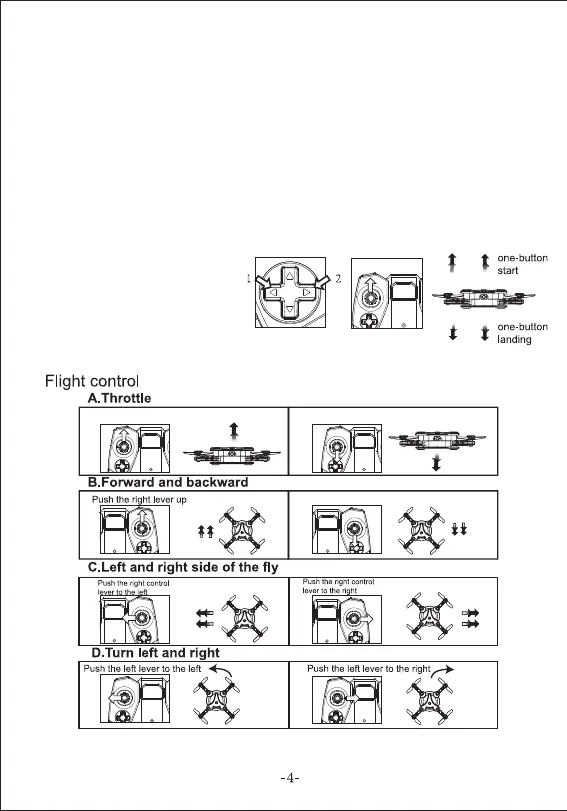
One key take-off and landing
Press (1) push the left stick up to
takeoff.
Left and right hand throttle switch.
To switch throttle from left to right
hand, press (1) and (2) together,
raise the left stick. This will move the throttle from
the left joystick to the right stick, for left handed flyers.
Push the left lever up and the drone will ascend Push the left lever down and the drone will descend
Drone forward
The drone flies to the left
Drone
turn left
Drone
turn right
Push the right lever down and the drone will fly backwards
The drone flies to the right
1. Connect the power plug of the drone to the lithium battery socket. Press
the power button for 2 seconds and place the drone on a flat surface.
2. Please put the drone in an open space. Before flight, please make sure
that the rear part of drone is pointing to you directly.
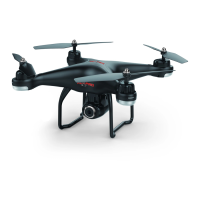
3. The camera of drone indicates the forward direction, conversely, the
backward direction.
4. Turn the remote control on and push the left lever up and down, you will
hear a "beep" sound and the light will stop flahsing. At this point your
drone is paired with the remote control and ready to fly.
PREPARING TO FLY


 To Next Page