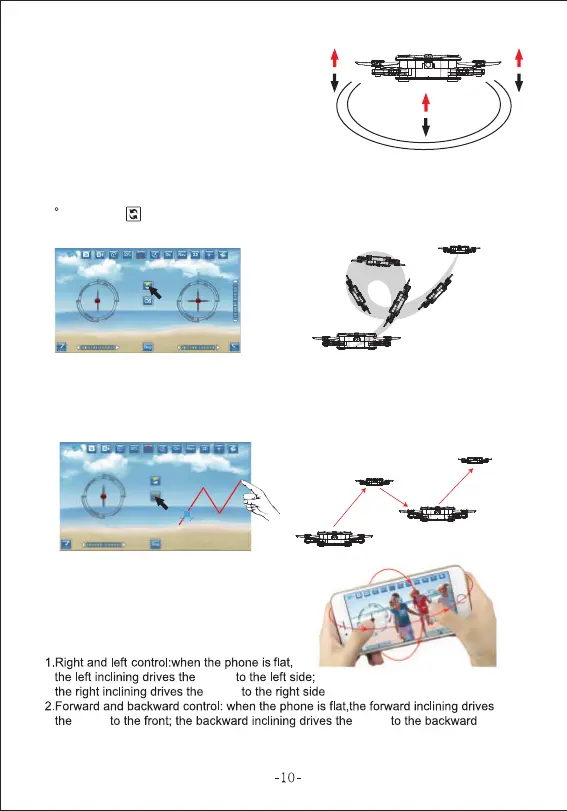
When you release the left lever
after the up/down opeartion,
the drone will still hover over the
height when the lever is released.
Once pressing the "Track control" key the right lever will disappear
from the right side of the APP screen. Use your finger tip to draw a
"flight-plan" for your drone and the drone will fly accordingly.
Switch this feature key on and use your phone as
a motion controller. Move your phone forward and
the drone will fly forward etc.
drone
drone
drone drone .
Once you have mastered basic functions, try out the 3D flip function!
Make sure the drone is at least 3m above the ground and press the
360 Roll key , then move the right lever in the direction of your
intended flip (Pressing upward will flip the drone over forward, etc)
6).3D Flips
7).Track Control Mode
8).Gravity Function
5).Altitude Hold


 To Next Page