11
EN
Unit Operation
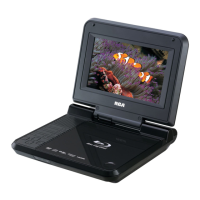
Turning on the Unit
1. Press
button to turn on the unit.
2. The start-up picture will appear on the screens.
3. After use, Press
button to turn off.
DTS2.0+Digital Out
DTS2.0+Digital Out denotes the dual ability to pass the DTS encoded digital bitstream to an external DTS decoder
for playback as well as down-mix the digital surround soundtrack for playback in a 2-channel environment through
analog outputs.
Manufactured under license under U.S. Patent #'s: 5,451,942; 5,956,674; 5,974,380;
5,978,762; 6,487,535 & other U.S. and worldwide patents issued & pending. DTS and
the Symbol are registered trademarks, & DTS 2.0+Digital Out and the DTS logos are
trademarks of DTS, Inc. Product includes software. ©DTS, Inc. All Rights Reserved.
DOLBY DIGITAL (FOR DVD)
Dolby Digital is a sound system developed by Dolby Laboratories Inc. This unit automatically recognizes DVDs
that have been recorded with Dolby Digital.
Not all Dolby Digital sources are recorded with 6 channels.
Some sources marked Dolby Digital may be recorded in Dolby Surround, a 2 channel
system. Look for this logo on your unit.
Manufactured under license from Dolby Laboratories.
'Dolby' and the double-D symbol are trademarks of Dolby Laboratories.
Sound System
Note:
• IftheunitturnsON,theGREENindicatoronthefrontoftheunitwillilluminate.
If the unit turns OFF, the GREEN indicator will be off.
• WhentheunitturnsON,youcanusetheremotecontroltoputtheunitinSTANDBYmode.TheGREENlight
on the front of the unit will light off when the unit is in POWER ON mode.



 To Next Page