8
EN
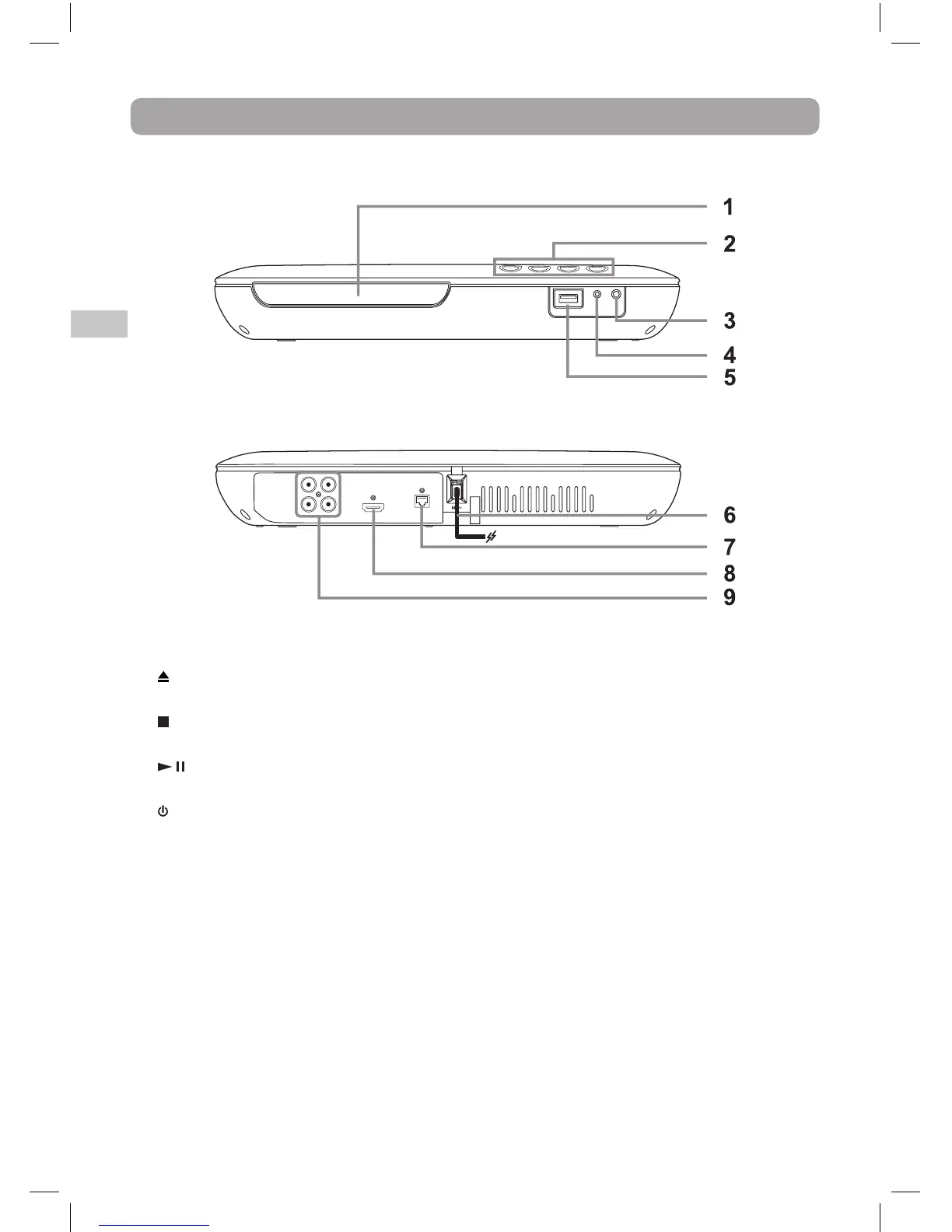
Control Reference Guide
1. DVD door
2.
Button
Use to open and close the disc tray.
Stop Button
Stops playing a disc.
Play / Pause Button
Press to start or pause playback of a disc.
Button
Press to turn on the unit or put it in
standby mode.
3. Remote Sensor
Receives the remote control signal.
4. POWER ON indicator
Power On Mode: Light on
Standby Mode: Light off
5. USB Port
6. Power cord
7. Ethernet (LAN) Jack - may be used
for operation with Netflix service, BD-
Live content, and for Product Software
Updates
8. HDMI OUT Jack
9. AUDIO OUT Jacks [R & L]
VIDEO OUT Jack
COAXIAL DIGITAL AUDIO OUT Jack
Front Panel
Rear Panel



 To Next Page