6
EN
Accessories
Remote Control
Remote Control (with batteries) ............................................................................................................. x 1
Audio/Video Cable .............................................................................................................................. x 1
Please check and identify the supplied accessories.
Using the Remote Control
• PointtheremotecontrolattheREMOTESENSORlocatedontheunit.
• Whenusingthisunitinverybrightlight,theinfraredREMOTECONTROLSENSORmaynotworkproperly.
• Therecommendedeffectivedistanceforremoteoperationisabout16feet(5meters).
Battery Replacement
When the batteries become weak, the operating distance of the remote control will be greatly reduced and
you will need to replace the batteries.
Note:
• Iftheremotecontrolisnotgoingtobeusedforalongtime,removethebatteriestoavoiddamagecaused
by battery leakage corrosion.
• Whendiscardingbatteries,environmentalproblemsmustbeconsideredandlocalrulesorlawsgoverning
the disposal of these batteries must be strictly followed.
• Donotmixoldandnewbatteries.DonotmixALKALINE,standard(CARBON-ZINC),orrechargeable(Ni-Cd,
Ni-MH, etc) batteries.
WARNING:
• Donotdisposeofthebatteryinreoritmayexplodeorleak.
• Batteriesshallnotbeexposedtoexcessiveheatsuchassunshine,reorthelike.
CAUTION:
• Dangerofexplosionifbatteryisincorrectlyreplaced.Replaceonlywiththesameorequivalenttype.
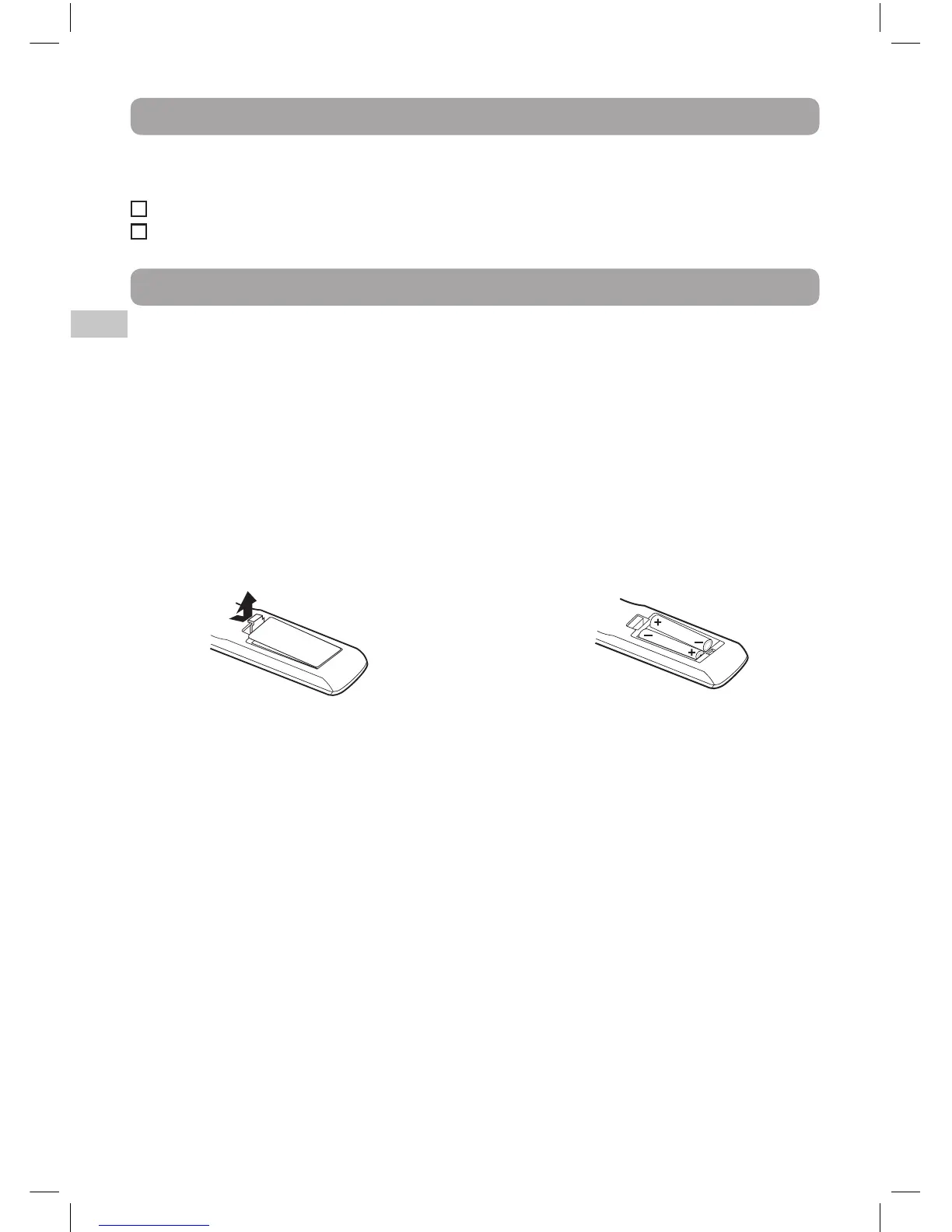
2. Insert two AAA size batteries.
1. Open the battery door.
To Change Remote Batteries



 To Next Page