EN - 17
This unit can play JPG les recorded on a CD-R or CD-ROM disc (CD-RW is not
recommendable).
Viewing JPG Files
1. Open the disc door.
2.HoldaJPEGlediscbyitsedgesandgentlypushitontothespindlewiththelabelside
facing up until you hear a “click”.
3.Closethediscdoor.TheJPEGlesonthediscwillbedisplayedonebyoneautomatically.
If the disc does not play automatically, press the PLAY button.
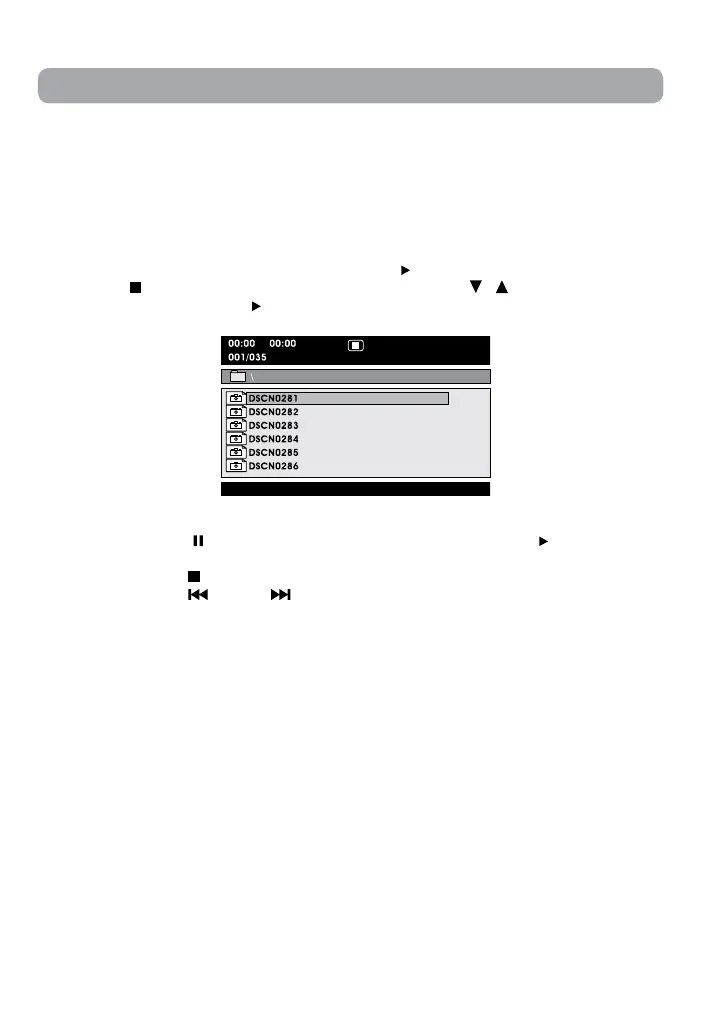
4. Press the STOP button to display a folder list. Press the / button to highlight a
JPEGletoplay.Pressthe PLAY button to start playback.
Viewing JPG Files
Note:
• Youcanpressthe PAUSE button to freeze the picture. Press the PLAY button to
resume picture slide show.
• Youcanpressthe STOP button to quit playback.
• Youcanpressthe PREV or NEXT button to change the picture.
• You can press the ANGLE button on the remote control to rotate direction of the
picture by 90°.
• Somediscsmaynotpermitthisoperation.


 To Next Page