10
OSD Menu
Description
4. Setup menu
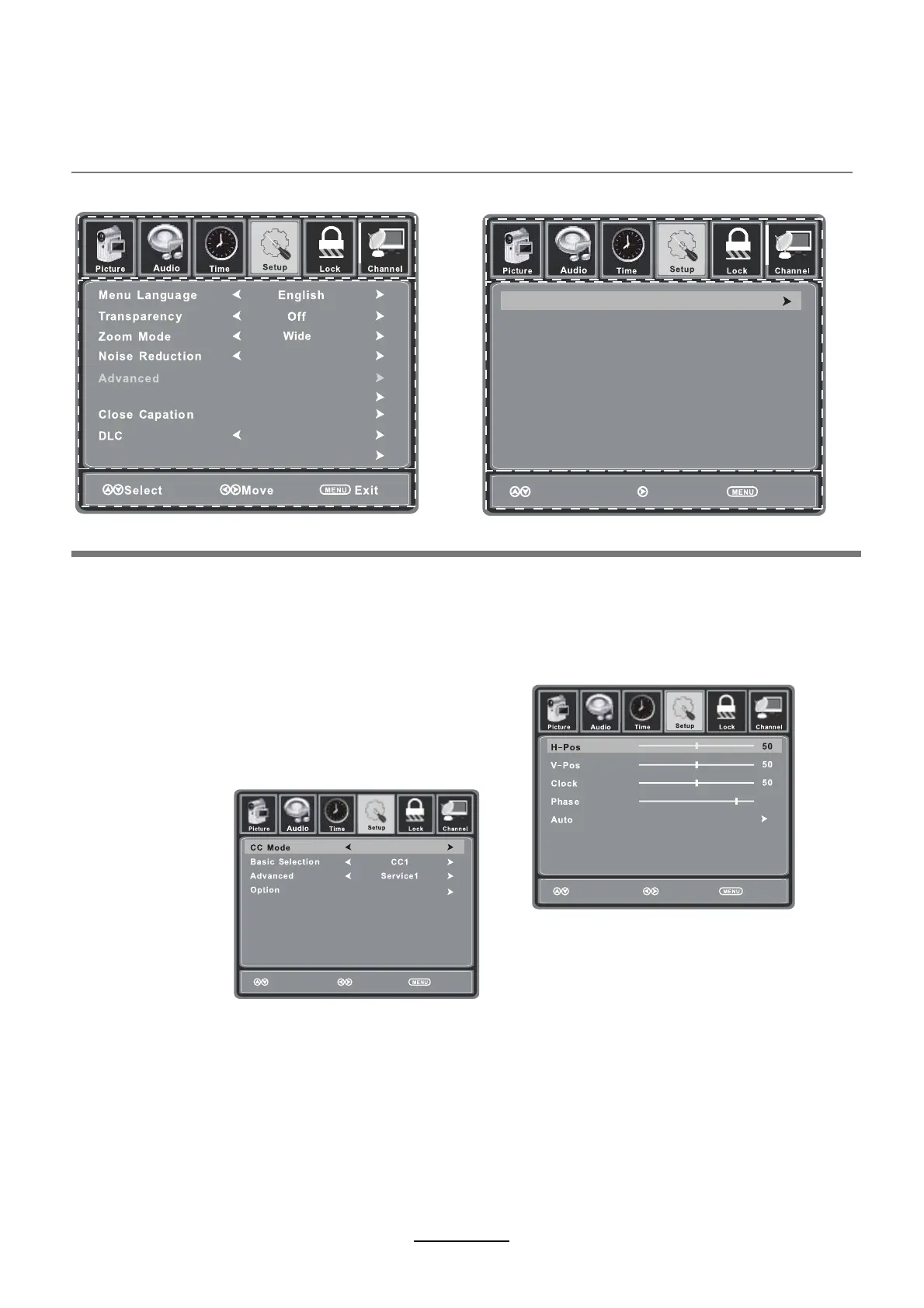
Menu Language: Select OSD menu language.
Transparency: Turn on or off the transparency menu function.
Zoom Mode: Select the zoom mode between Wide, Zoom, Cinema, Normal.
Noise reduction: Select the noise reduction mode between Strong, Off, Weak and Middle.
PC SETUP: If the video input signal comes from your
Source Label: Label input sources.
PC, you may adjust the H-Position, V-Position, Clock,
Phase or even perform an Auto adjustment.
Closed Caption:
CC Mode: Allows you to select the CC Mode - On, Off, CC on Mute.
Basic Selection: Allows you to select the basic selection - CC1, CC2, CC3, CC4,
Text1, Text2, Text3 and Text4.
Advanced Selection: Allows you to select the advanced selection - Service1, Service2,
Service3, Service4, Service5 and Service6.
Option: Allows you to select the Closed Caption display options.
DLC: Dynamic Luminance control.
Setup Wizard: Make the Setup Wizard.
Restore Default: Restore all settings in SETUP menu to factory settings.
Source Label
On
Middle
95
Setup Wizard
Restore Default
Move Next Return
Move Select
Return
Move Adjust
Return
Off



 To Next Page