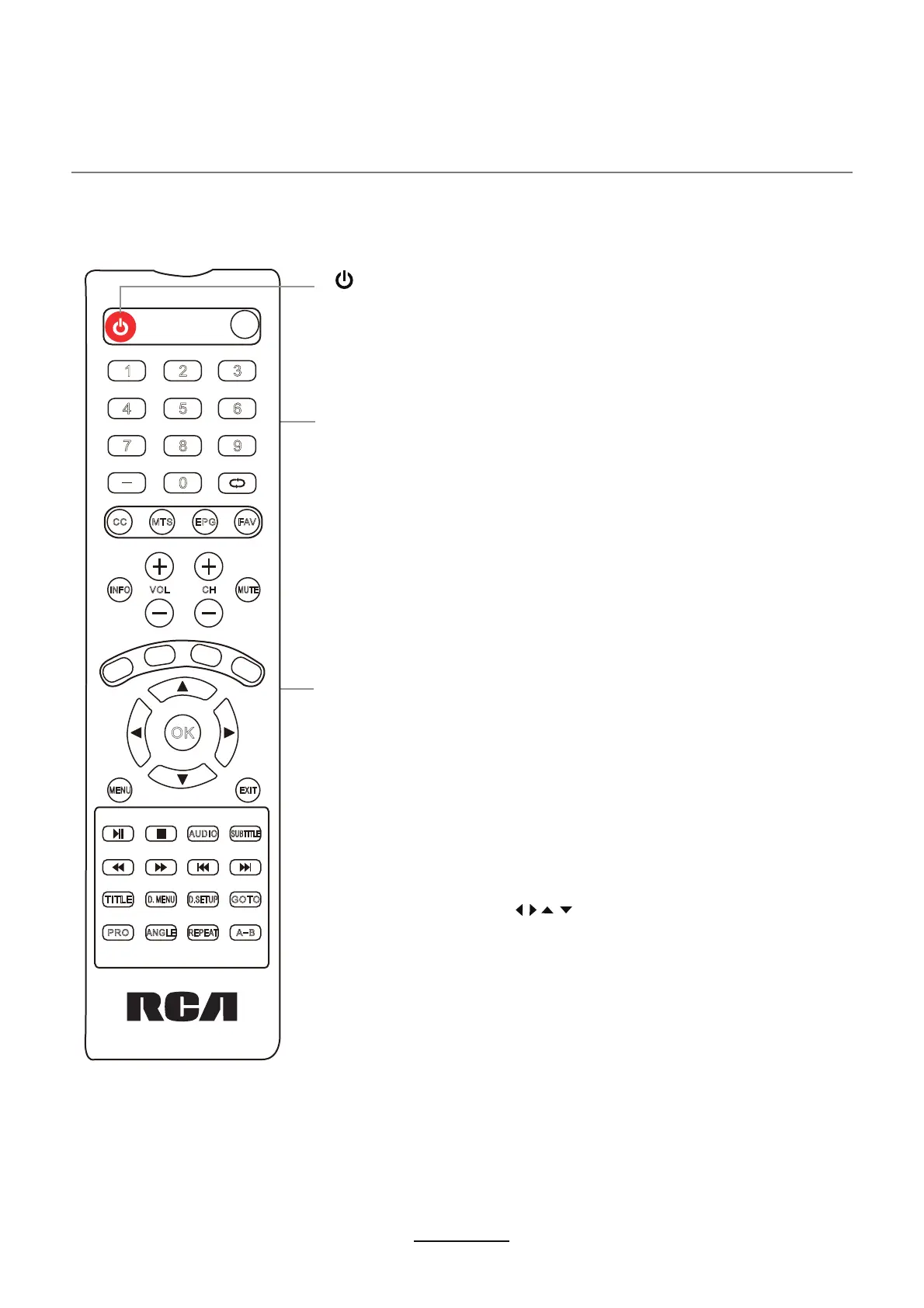
Remote Control (Not Included)
5
etomer ehT.VT DEL eht fo tnorf eht sdrawot ti tnioP .)RI(derarfnI sesu lortnoc etomer ehT
control may not work correctly if it is operated out of range or out of angle.
CC: Press to display the closed caption.
MTS: Press to select the audio channels.
FAV: Press to add or remove favorite channel.
EPG: Press to enter the EPG menu directly.
MENU: Press to display the OSD menu.
EXIT: Press to exit the OSD menu.
MUTE: Press to mute the sound, press again or press VOL+ to
unmute.
VOL+/-: Press to adjust the volume.
INFO: Press to display the source and channel’s information.
(Note: The unexplained keys are used for a different model and do not work with this set)
CH+/-: Press to scan through channels.
Number Buttons: Choose channel directly. For example:
To select channel 5, Press button "5"
To select channel 62, Press button "6", then press button "2" in 2
seconds
To select channel 151, Press button "1", and press button "5" in 2
seconds, and press button "1" in 2 seconds
To select channel 5-1, Press button "5", and press button " - "
in 2 seconds, and press button "1" in 2 seconds
PMODE: Press repeatedly to cycle through the available
video picture modes.
SLEEP : Shutdown timer.
SMODE: Press to cycle through the different sound settings.
(RETURN): Return to the previous channel viewed.
POWER(red button): Turn the TV on/standby.
SOURCE : Press to display the input source menu.
ARROW BUTTONS ( ):
Allows you to navigate the on-screen
menus and adjust the system settings to your preference.
OK: Confirm button.
1 2
3
4
5
6
7
8 9
0
OK
MENU
VOL
CH
EJECT
CC MTS EPG FAV
PRO
ANGLE
REPEAT
A-B
TITLE
D.MENU
INFO
AUDIO
SUBTITLE
GOTO
MUTE
EXIT
D.SETUP



 To Next Page