Basic Operation
6
Power on/off
1. Connect to the power supply with the power cord.
2. -To turn on the TV
Press STANDBY/ button on the TV or remote control.
-To turn off the TV
Press STANDBY/
Input source selection
If you have a remote control, then press the SOURCE button to display the input source menu.
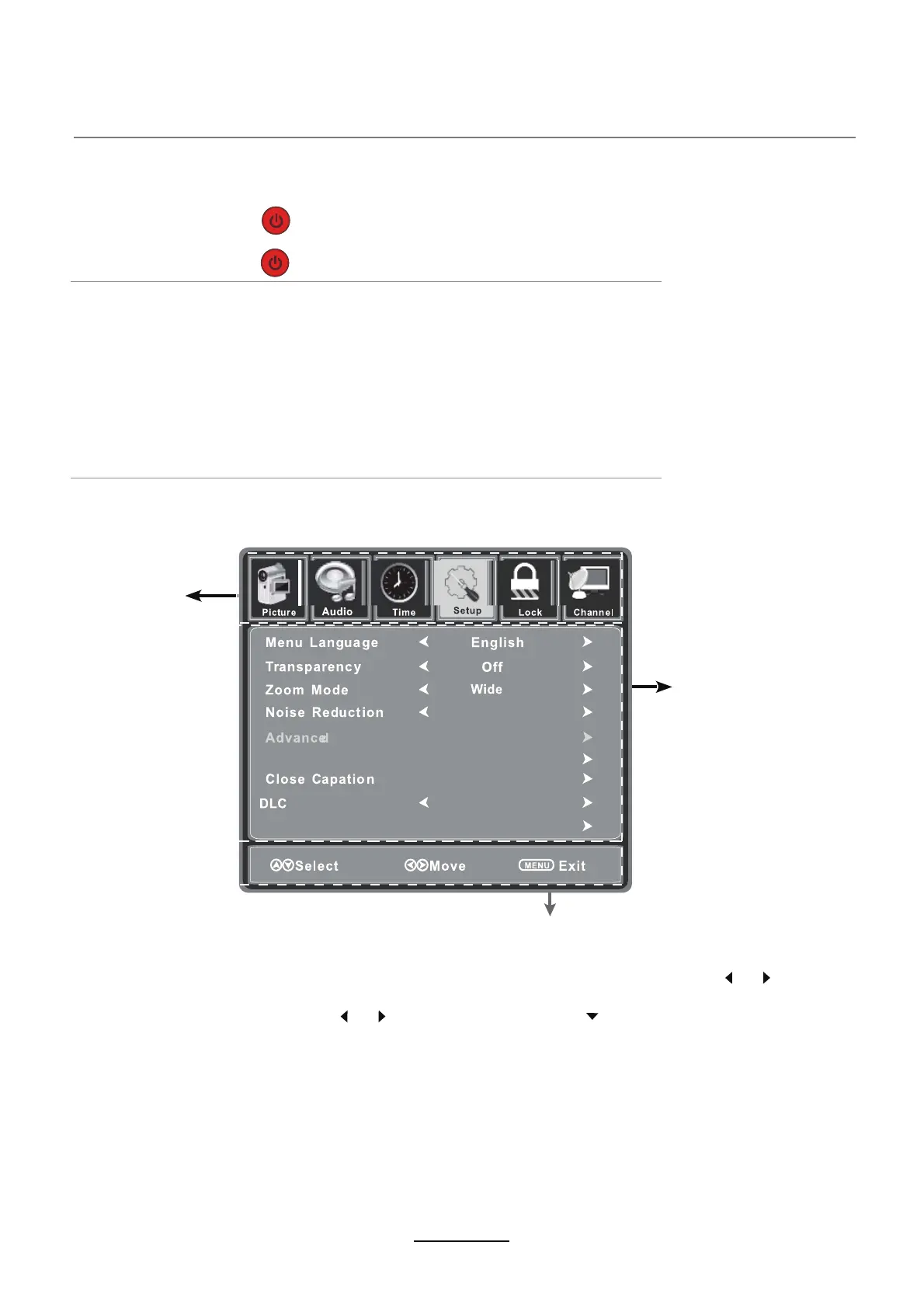
- If you have a remote control, then press MENU to enter menu display section. Use the or buttons
to select the menu, and press CH- button to enter submenu. In the submenu, use the CH+ or CH- buttons
to select an option and press the or buttons to adjust, or press button to enter next submenu.
- Press the MENU button to return to upper menu.
- Press the EXIT button to exit the menu display section.
- If you do not have a remote control, then use the control buttons on top of the unit. Press MENU to enter
the menu display section. Use the VOL- or VOL+ buttons to select the menu, and press the
CH- button to enter the submenu. In the submenu, use the CH+ or CH- buttons to select a function, press
the VOL- button or VOL+ button to adjust, or press CH- to enter next submenu.
- Press SOURCE(OK) to confirm setting.
- Press MENU button to return to the upper menu.
- Press MENU button to exit the menu display section.
Press CH+ to move up, press CH- move down, press OK to confirm selection.
If you do not have a remote control, then press the SOURCE button on the top of the TV to display
the input source screen. Press CH+ to move up and press CH- to move down, press SOURCE (OK)
button to confirm selection.
Note: Before you select the input source, make sure the all devices are connected.
Basic OSD Menu operation
Note: the function item can only be activated by suitable signal input.
Main menu
- Picture
- Audio
- Time
- Setup
- Lock
- Channel
Submenu
Options - Possible Menu commands
Press MENU button to display the OSD menu as below:
button on the TV or remote control.
Source Label
On
Middle
Setup Wizard



 To Next Page