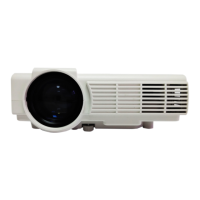
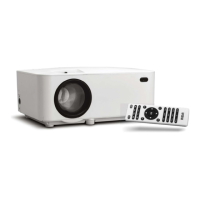
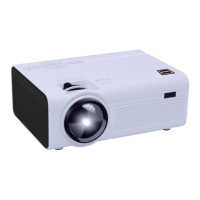
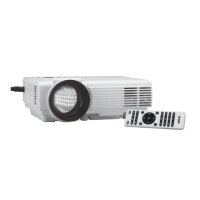
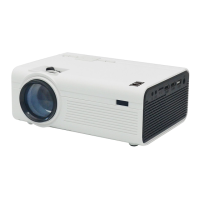
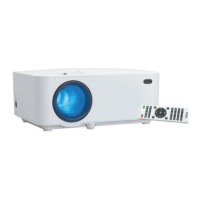
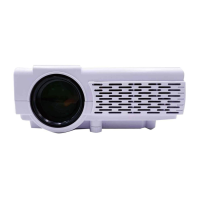
This document describes the RCA RPJ116-PLUS Home Theater Projector, an instruction manual detailing its features, setup, operation, and maintenance.
Function Description:
The RCA RPJ116-PLUS is a home theater projector designed to display images and videos from various sources onto a screen. It serves as a central component for a home entertainment system, allowing users to enjoy movies, TV shows, and other media on a large projected display. The projector supports multiple input sources, including HDMI, AV, VGA, USB, and TF card, making it versatile for connecting to different devices such as set-top boxes, BD/DVD players, streaming players, computers, and external storage. It also features audio output options for connecting to external sound systems or headphones.
Important Technical Specifications:
- Light Source Type: LED
- Brightness Output (LED): 2000 lumens
- Display Native Resolution: 800 x 480 RGB
- HDMI Input Supported: 1080p, 1080i, 720p, 576i, 480p, and 480i
- Video Resolution: Not explicitly stated beyond HDMI input support, but implied to be compatible with the native resolution.
- Power Consumption: Operating 30W; Standby 1.1W
- Power Input: DC 12V, 2.5A
- Included Adapter: Input AC100-240V, 50/60Hz; Output DC12V, 2.5A
- Display Color: 16.7M
- Projection Size: 37-100 inch
- Input Port: AV/ VGA / HDMI X 2
- USB Port: Supports USB devices up to 32GB; Supports formats Mpeg1, Mpeg2, Mpeg4, mp3, Jpeg
- TF Card: Supports TF cards up to 32GB; Supports formats Mpeg1, Mpeg2, Mpeg4, mp3, Jpeg
- Net Weight (unit): 0.95 KG
- Product Dimensions: 7.9" L X 6.1" D X 3.3" H
Usage Features:
The projector offers a range of features to enhance the user experience:
- Flexible Placement: Can be installed in four configurations: Front Table, Rear Table, Front Ceiling, and Rear Ceiling. This allows for adaptability to various room layouts and preferences. Ceiling installations require a projector mount (not included).
- Image Adjustment:
- Vertical Location: An "ANGLE ADJ. knob" allows fine-tuning of the display angle to adjust vertical position.
- Focus Adjustment: A "FOCUS ADJ. Knob" is used to sharpen the image by rotating it, ensuring clarity of pixels, especially near the center of the screen.
- Keystone Correction: A "KEYSTONE ADJ. KNOB" helps restore distorted images to a rectangular or square shape, correcting for projection from above or below the screen center.
- Distance and Screen Size: Provides a table correlating projection distance (1.16m to 2.15m) with screen size (37 inch to 72 inch) to guide optimal setup.
- Remote Control: A comprehensive remote control allows users to:
- Power ON/OFF
- Navigate menus (MENU, OK, NAVIGATOR, EXIT)
- Select input sources (SOURCE)
- Adjust volume (VOL-, VOL+)
- Mute audio
- Control media playback (PLAY/PAUSE, SKIP NEXT/PREVIOUS FILE, SEARCH FORWARD/REWIND)
- Rotate/mirror the screen (FLIP)
- Adjust screen size (ZOOM)
- Access optional functions (1-9, RECALL, 0, FAV)
- On-Unit Controls: Physical buttons on the projector provide essential controls:
- LENS, ANGEL ADJ. Knob, FOCUS ADJ. Knob, TRAPEZOIDAL ADJ. Knob
- Buttons for navigation (▲/▼, ◄/►), OK, MENU, SOURCE, RETURN, POWER
- Ports for VGA IN, IR Sensor, EAR PHONE Jack, AV IN Jack, TF Card Slot, HDMI 1 & 2, USB Port, DC IN Jack.
- Media Player Functionality: Supports direct playback of photo, music, movie, and text files from USB devices and TF cards. The sub-menus for each media type offer specific playback controls like pause, fast forward/rewind, next/previous file, repeat, and display information.
- Projector Menu (OSD):
- Picture Menu (Menu 1.0): Allows adjustment of Picture Mode (Standard, Soft, User, Vivid), Color Temperature (Cool, Medium, Warm, User), Aspect Ratio (Auto, 4:3, 16:9), Noise Reduction (Off, Low, Middle, High, Default), and Reduce Display (75%-100%). User-defined settings for contrast, brightness, color, and sharpness are available.
- Sound Menu (Menu 2.0): Offers Sound Mode selection (Standard, Music, Movie, Sports, User), Balance adjustment (-50 to +50), and Auto Volume On/Off. User-defined settings for treble and bass are available.
- Option Menu (Menu 3.0): Includes OSD Language selection (multiple languages supported), Restore Factory Default, Rotate (Normal, left-right mirror, up-down mirror, left-right and up-down mirror), OSD Duration (5S to Never), and Software Update (USB).
- Connectivity:
- HDMI: Connects to set-top boxes, BD/DVD players, or streaming players. Important note: If no sound from internal speakers, check the connected device's digital audio settings and set to "PCM Stereo" mode.
- AV: Connects to devices using AV cables (yellow for video, white for left channel, red for right channel).
- VGA: Connects to computers (notebooks or desktops). An AV IN cable is required for sound when using VGA input. A table is provided for adjusting output signals from computers based on resolution and frequency.
- Audio Output: Connects to external station amplifiers or earphones via an audio cable (Aux Out / Line Out / Earphones jack).
- USB/TF Card: For direct media playback.
Maintenance Features:
- Lens Cover: The manual instructs to remove the lens cover before use and close it when the unit is not in use to protect the lens.
- Cleaning: Clean the unit only with a dry cloth.
- Ventilation: Do not block any ventilation openings to prevent overheating.
- Power Cord Protection: Protect the power cord from being walked on or pinched.
- Battery Handling (Remote): Instructions for installing/removing batteries, emphasizing correct polarity, not mixing old and new batteries, using only the same type, and not exposing them to excessive heat or disposing of them in fire. Non-rechargeable batteries should not be recharged.
- Servicing: Refer all servicing to qualified service personnel. Servicing is required if the apparatus is damaged, exposed to moisture, or not operating normally.
- Software Update: The "Software Update (USB)" option in the Option Menu is available for service center use, suggesting potential for firmware updates.
- Safety Warnings: Includes important safety instructions such as not looking directly into the projector light, not touching the project lens, and warnings regarding shock hazards, radiation exposure, and proper use of accessories.

 Need help?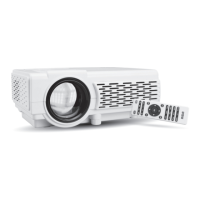

 To Next Page
 General