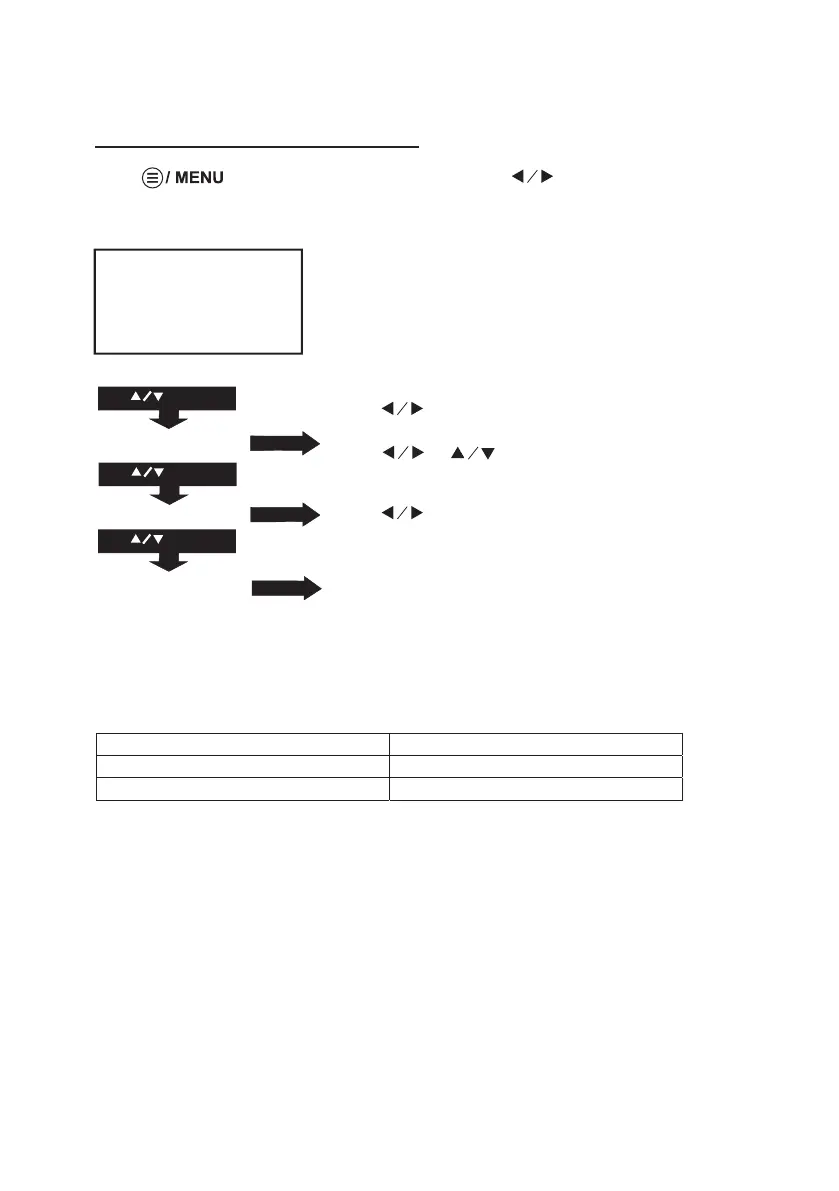
Use to select different sound effect Standard /
Music / Movie / Sports / User.
Use or to select Treble and Bass digit if
chose User item. Follow below figure to set digit.
Use buttons to select Balance level to -50 to +50.
To select On / Off
Press button to enter projector menu, press buttons to select
SOUND menu.
Using Projector Menu 2.0
16
Sound Mode - User Parameter
001-0elberT
001-0ssaB
This SOUND menu showed on right upper of view screen.
Sound Mode Standard
Balance 0
Auto Volume Off
USE
TO SELECT
PRESS OK
PRESS OK
USE
TO SELECT
PRESS OK
Balance 0
Auto Volume OFF
Sound Mode Standard
USE
TO SELECT


 To Next Page