TROUBLE-SHOOTING
In the event of problems or poor operation, consult the following checklist before contacting
your authorised service centre.
THE UNIT DOES NOT SWITCH ON
• Make sure the power switch is in the right position.
• Make sure the mains connection has been made correctly.
• Make sure the power supply voltage is correct.
• Make sure the amplifier is not overheated.
• Set the power switch to the “0” position, wait a few minutes and then try again (the switch-on
circuit is protected by a PTC sensor that prevents the current inrush when switching on; the
reset is automatic after some minutes).
THE SOUND COMES OUT DISTORTED OR AT LOW VOLUME
• Verify the position of the level adjusters on the front panel.
• Make sure the signal level to the amplifier input is correct.
• Check the wiring of the input signal and the connections of the outputs.
• Make sure loudspeakers are working properly.
INDICATOR LEDS ON THE FRONT PANEL REMAIN LIT
MUTE+TEMP
• Verify loudspeakers do not have an impedance value less than the minimum one (according to
the chosen amplifier mode).
• Make sure the cooling grilles on the rear and front panels are not obstructed.
• Wait for the transformer or the channel has cooled off.
MUTE
• Check the output connector wiring is correct.
• Make sure there is not any short circuit.
• Verify loudspeakers have impedance values suitable to the chosen amplifier mode.
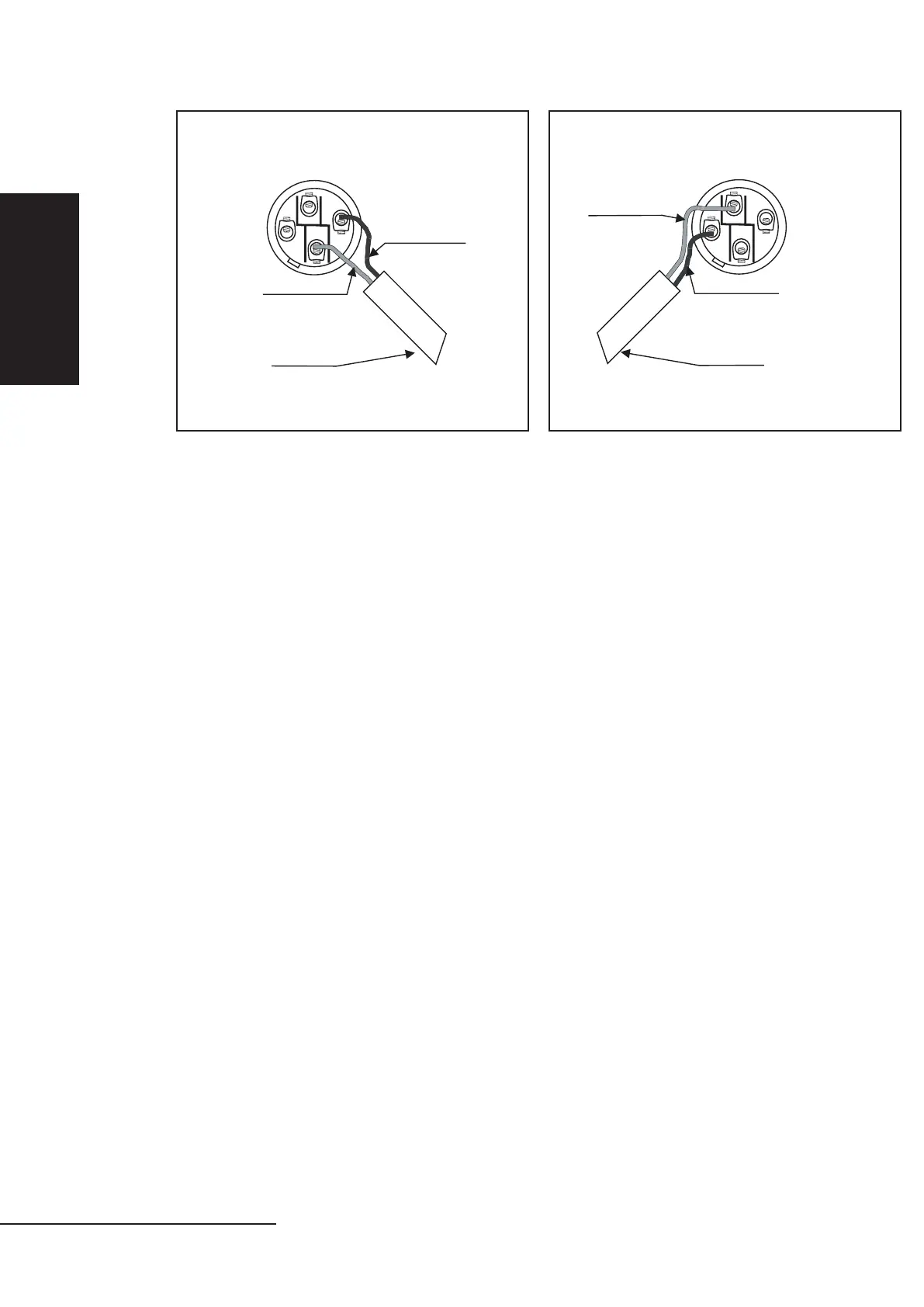
LOUDSPEAKER SPEAKON CONNECTOR LOUDSPEAKER SPEAKON CONNECTOR
2+
2+
2-
2-
1-
1-
1+
1+
FIG.3 FIG.4


 To Next Page