17
Inputs 09-10
Hardware inputs 09 and 10 have line-level sensitivity, but also allows the direct connection of electric guitar and bass
instruments, as they feature a Hi-Z option.
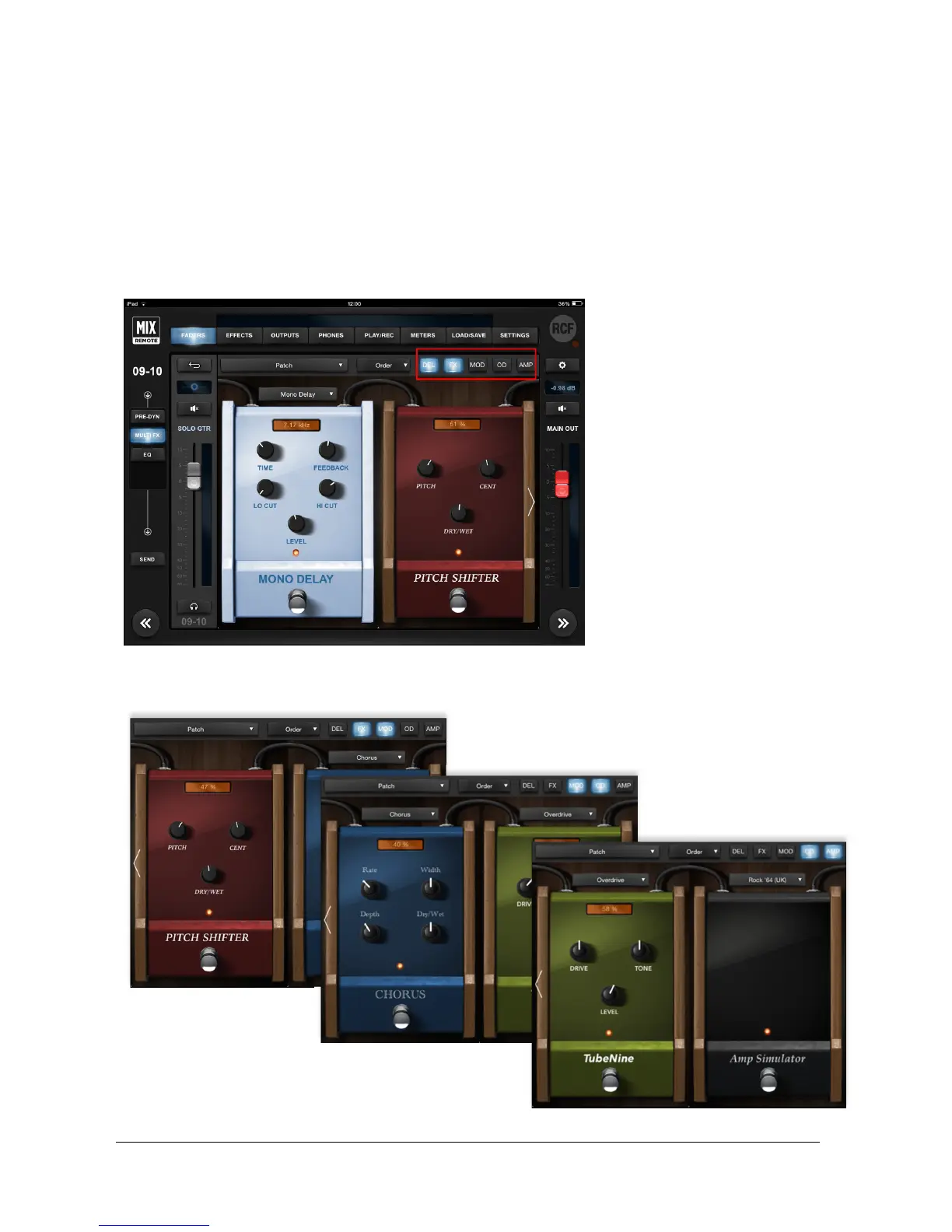
These two channels offer additional capabilities to tailor your own sound, as they both feature a 5-effect MultiFX.
Similarly to channels 5 to 8, the effects are displayed in pairs, and you can jump to the desired insert effect by
touching the dedicate button on top right (see the red box here below).
You change effect daisy-chaining using the Order Selector.
display showing the last edited
control value. At the bottom there's
an activation switch; its status is
displayed by a light which is lit when
the unit is on.
The OD section allows to choose
between an Overdrive and a
Distortion effect, modeled after
well-known stomp boxes that have
been used by guitar players for
decades.
The AMP processor is a special one:
you can quickly select the amplifier
type on its drop-down menu, and if
you tap anywhere on the pedal, you
will be directed to the dedicated
AMP page (see below) with several
useful controls.
Let’s see an example of the following effects order: DEL, FX, MOD, OD, AMP. The picture above shows the first two
effects; then, by tapping on the buttons at the top right (see red box), you obtain different views:
DEL
FX
MOD
FX
OD AMP


 To Next Page