M 18 Digital Mixer User’s Manual
28
LOAD/SAVE view
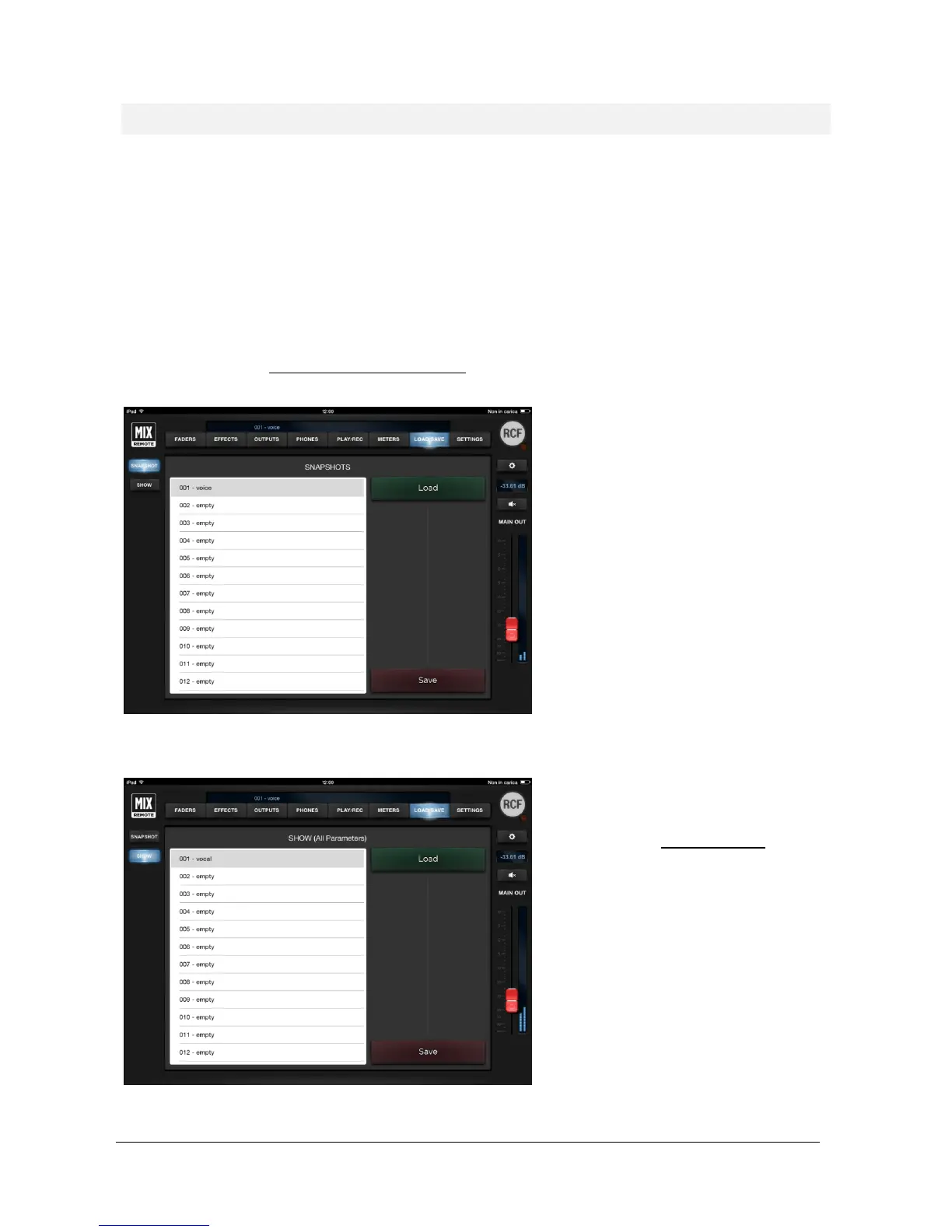
This section features two pages: SNAPSHOT and SHOW
Using these pages you can save up to 200 SNAPSHOT presets or 100 SHOW presets that you can recall later by
pressing the load button after the selection of the desired snapshot/show number.
SNAPSHOT
The snapshot presets include all the settings but outputs. They are intended for storing all the parameters that you
would typically fine tune in advance for a specific song or context; with them , you avoid affecting output settings
(level, equalization, monitor busses) so that a Snapshot change does not modify the settings that are usually found
during the sound check within the venue for the live act.
A Snapshot Load action does not mute the audio outputs, but applies parameter changes smoothly to minimize audio
artifacts.
you can select whether to include MFX
patches recalls independently for each MFX.
When saving a Snapshot, you have a further
option: you can enable the save of Mix Bus
parameters (see at page 10). This is useful
when the M18 Digital Mixer is being used as
a submixer, in which case the channel levels
are part of the overall sound creation
process.
To load a Snapshot, first select the Snapshot
number on the left pane, and the press Load.
SHOW
The Show includes all parameters pertaining
to inputs and outputs, except the global
configuration parameters (see at page 10). A
Show Load action mutes all outputs, to avoid
sudden level changes.
To load a Show, first select the Show number
on the left pane, and the press Load.
To save a Show, first select the Show number
on the left pane, and the press Save; you have
the option to edit the Show name before
confirming the Save operation.


 To Next Page