36
Restoring the unit
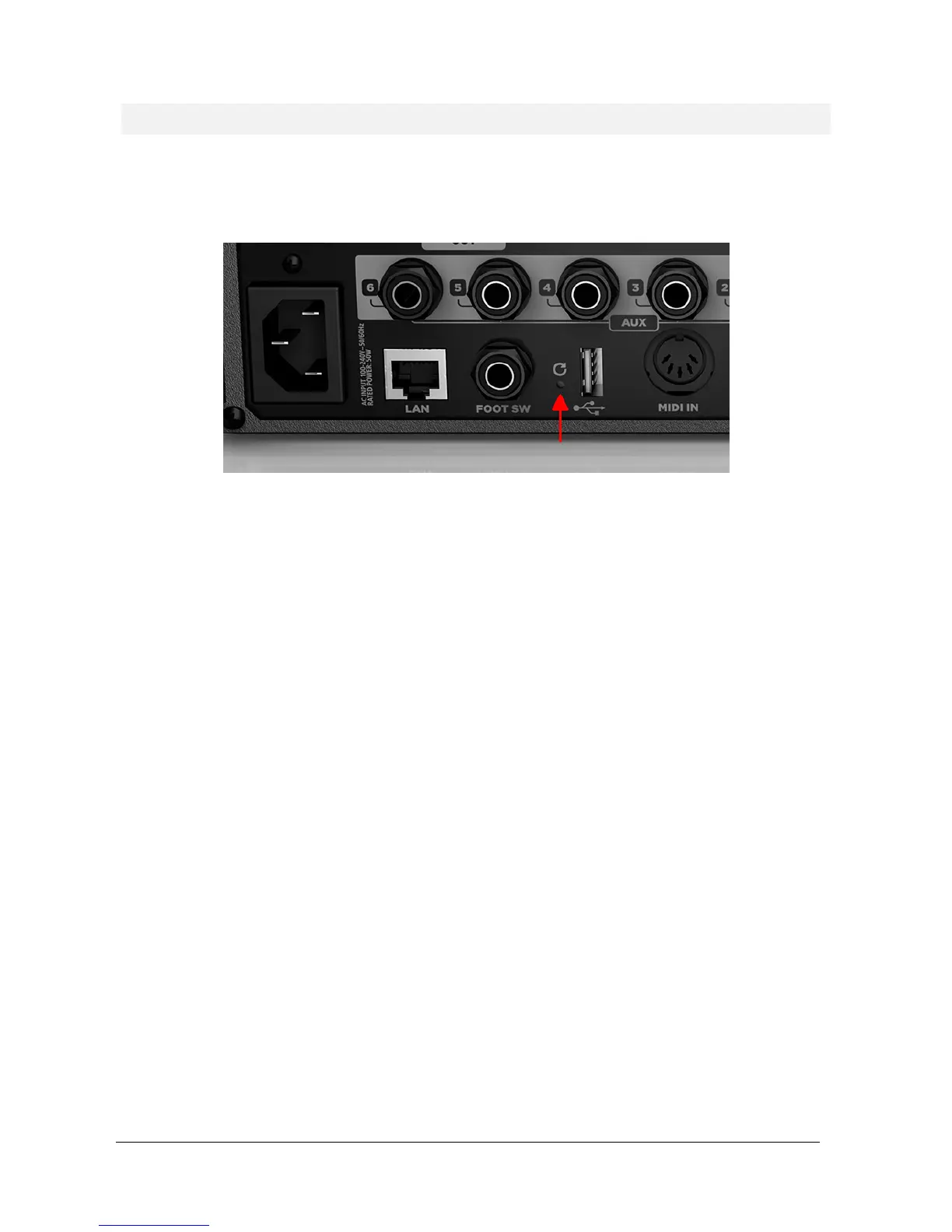
If your unit is not reachable by the MixRemote app, you have some options to force the unit into an
operating condition again. These option require that the reset button, on the rear panel, near the USB port,
is pressed:
1) The unit is working, but you forgot WiFi and/or LAN password and settings
When the unit is ON and working, press the reset button for no more than 10 seconds, and for at
least 3 seconds. The front LED will blink rapidly; when you release the button, the default settings
will be overwritten and the unit will reboot automatically. When the startup procedure is
completed, you can access the unit with the default parameters.
Please notice that all previously saved data (shows, snapshots, patches) will be maintained.
2) The unit is working, and you want to revert the mixer to default global configuration
When the unit is ON and working, press the reset button for more than 10 seconds. The front LED
will blink very rapidly; when you release the button, the default global configuration parameters
will be copied and the unit will reboot automatically. When the startup procedure is completed,
you can access the unit with the default global configuration parameters.
Please notice that all previously saved data (shows, snapshots, patches) will be maintained.
3) If the unit is not reachable under any condition, and there is no sound
With the unit turned off, press the reset button, then turn power ON, and maintain the button
pressed for at least 8 seconds. The mixer will revert to factory firmware and settings.
When the front LED will blink slowly, you must turn power off. At the next power-on, the unit will
startup in default conditions. Please notice that if you have saved global settings previously
(country code, password, etc…) you will need to set these parameters again.


 To Next Page