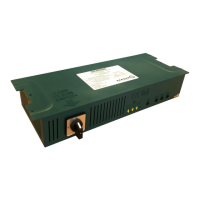
Brooklands Case Controller | Document Revision 2.2c
www.resourcedm.com
When the temperature band is set to yellow range (see Temp. Band Parameter Below) this
will be the cut in temperature.
When the temperature band is set to red range (see Temp. Band Parameter Below) this will
be the cut in temperature.
When the temperature band is set to green range (see Temp. Band Parameter Below) this
will be the cut in temperature.
This is the differential below cut in temperature where refrigeration will cut out.
Percentage of the Air-On temperature that is used to calculate the control temp. The
remaining percentage will be used on the Air-Off temperature. Example;
P-03 set to 30% Control temp = 30% Air-on and 70% Air-off
The controller will attempt to maintain this superheat value (EEV only)
These are the parameters to fine tune the valve PID feedback control loop, these
parameters should be left as default and only be changed in exceptional circumstances.
The fan speed output will run the fans depending on the voltage set at fan speed parameter
(1 = 16Vdc. 2 = 18Vdc. 3 = 20Vdc. 4 = 22Vdc. 5 = 24Vdc. (PR0029 only))
The PWM output (PR0033 & PR0033E only) will run the evaporator fans at this pre-set
percentage of full speed (PWM Parameter).
PR0029L ACF and PR0037 trays have fixed speed mains fans.
This selects the temperature band that the cabinet will run at, yellow, red, green or
ambient, this is set according to the type of product in the cabinet. Temperature alarm
settings will automatically change accordingly.
As standard the tray uses PT1000 temperature probes however NTC 3K probes can be used
by setting this parameter to 1.
Note that the log probe remains as a PT1000
The superheat for EEV control can be calculated using different means to suit the
application.
Local - Based on the value of the Evaporator and Suction line temperature probe inputs
connected directly to the controller.
Rem1 - The local suction line temperature probe and a local suction pressure measured by
a transducer connected to the refrigeration case island Mercury Hub (PR0018-PHI). The
pressure read from the Mercury Hub pressure transducer is converted to a temperature
based on the gas type being used by the system. This temperature is transmitted to all
controllers connected to the Mercury Hub.
Rem2/3 - Not used at present.
This parameter is used in conjunction with a Mercury Switch pressure application (Evap.
select set to Rem1). When the Mercury Switch generates the MOP (Maximum operating
pressure) alarm the controller reduces the maximum valve opening to this percentage. For
example if this parameter is set to 50% and the MOP alarm is generated then the
maximum valve opening will be limited to 50%. Therefore as the controller pulses the valve
the maximum the valve will open is 50%.
Switches between using the air-on probe(s) and the Logging probe. Note the control
temperature will still be a derivative of the weighted average of the control probe + Air-off
probe(s)
Pulse Width Modulation, this applies only to trays with PWM controlled fans (PR0033 &
PR0033E), this is the percentage of maximum speed the fans will run at.
Selects between mechanical liquid line valve (LLV) and electronic expansion valve (EEV)
When used in conjunction with a Data Manager load shedding system, this parameter
selects how the valve and fans will operate if a load shedding signal is received from the
Data Manager.
Mode 1 – Evaporator fans off, valve open 100% on Load Cycling
Mode 2 – Evaporator fans off, valve closed to 0% on Load Cycling
Delay for the over and under-temperature alarms
Under temperature alarm set point when set to yellow range. This alarm uses the control
temperature.
Over temperature alarm set point when set to yellow range. This alarm uses the air off
temperature.
Under temperature alarm set point when set to red range. This alarm uses the control
temperature.
Over temperature alarm set point when set to red range. This alarm uses the air off
temperature.
Under temperature alarm set point when set to green range. This alarm uses the control
temperature.


 To Next Page
 Loading...