Probe allocations
Probe 1 Air on left Probe 5 Product probe
Probe 2 Air off left Probe 6 Evaporator inlet
Probe 3 Air on right Probe 7 Evaporator outlet
Probe 4 Air off right
Fan Speed
The fan speed output will run the fans depending on the voltage set at fan speed parameter (1 = 16Vdc. 2 =
18Vdc. 3 = 20Vdc.4 = 22Vdc. 5 = 24Vdc. (PR0029 only))
The PWM output (PR0033 & PR0033E only) will run the evaporator fans at this pre-set percentage of full speed
(PWM Parameter).
Before Adjusting the fan speed parameters firstly determine the fan type fitted to the case.
PR0029L ACF and PR0037 trays have fixed speed mains fans.
CO2 App
Needs to be set to Mode 1 or Mode 2 when using CO2 Load Cycling
Mode 1 – Evaporator fans off, valve open 100% on Load Cycling.
Mode 2 - Evaporator fans off, valve closed 0% on Load Cycling.
Probe Type *
NTC 3K Probes can be used by setting this parameter to 1.
Note that the log probe remains as a PT1000
When used in conjunction with a Mercury switch (PR0018-PHI)
EEV Control using Pressure
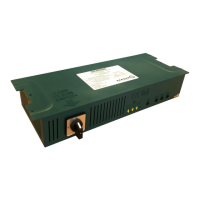
The Mercury Switch (PR0018-PHI) can be used for EEV control on an island by island basis. In an EEV
application the evaporator in temperature probe reading for a case controller can be obtained from the Mercury
switch on which the controller is connected. A suction pressure transducer is connected from the case Island to
the 4-20mA input of the Mercury Switch and the pressure read from this transducer is converted to a
temperature based on the gas type being used by the system. This temperature is transmitted to each
controller (Rem Evap Temp) connected to the switch and along with the suction temperature probe local to the
controller the superheat is calculated. Please note that RDM recommended that the evaporator in temperature
probe is fitted as the controller will use this to calculate the superheat in the event of a communication loss
with the Mercury Switch. Setting parameter “Evap Select” to “Remote” allows for the use of this remote
temperature provided by the Mercury Switch. Please see the Mercury Switch user document (PR0018-PHI) for
further details.
Maximum Operating Pressure (MOP)
Maximum Operating Pressure (MOP) support added to Brooklands Controller. MOP is a remote command sent
from the Mercury switch (PR0018-PHI) to the controller to either close or reduce the EEV valve opening when a
predetermined pressure is reached. This MOP value is configured in the Mercury switch setup. When the
Mercury Switch generates a MOP alarm the controller reduces the maximum valve opening (Div Value) to this
percentage. For example if the “Div Value” parameter is set to 50% and the MOP alarm is generated then the
maximum valve opening will be limited to 50%. Therefore as the controller pulses the valve the maximum the
valve will open to is 50%. For Mechanical Valve Controllers the LLV is closed for the MOP alarm duration.


 To Next Page