Re S.p.A. WG251 SKB-C RESMART
22/11/12 7/25
Sensor positioning
Caution!
When calibrating or using the webguide, if you need to adjust the
position of the sensor we strongly advise you to make the adjustment
when the webguide and the material are NOT moving!
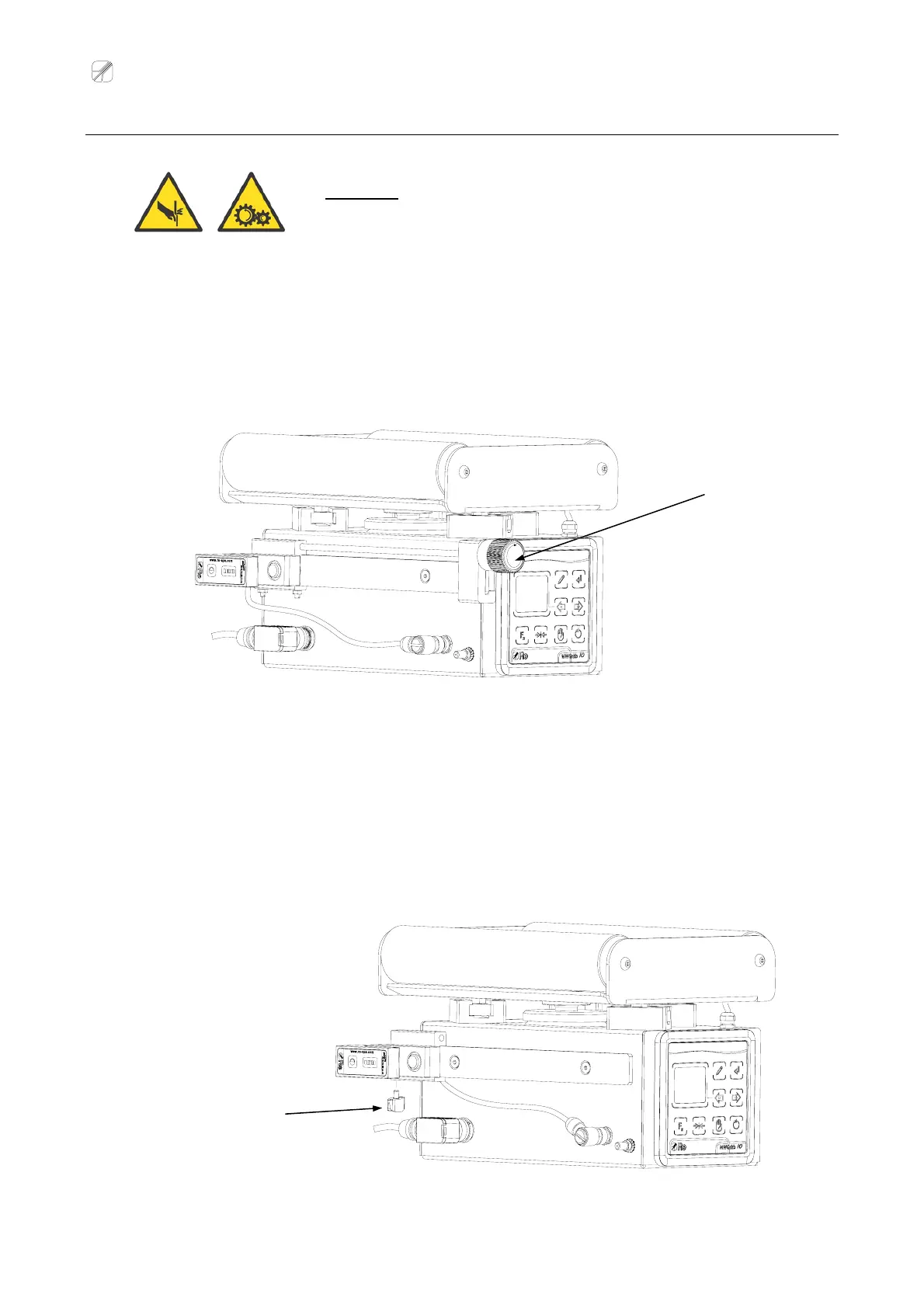
¾ A pplication with a micrometer bar
Move the sensor by turning the micrometer bar knob until the required position is reached.
¾ Application without a micrometer bar
Slacken the knob located under the sensor.
Move the sensor until it reaches the required position.
Screw up the knob to lock the sensor.
Knob for the
sensor fixing
Knob for the sensor
positioning



 To Next Page
 Loading...