REACH MRS100
User Manual
Copyright© Shenzhen Reach IT Co., Ltd. 18 / 43
4.2 Search and change IP address of the server.
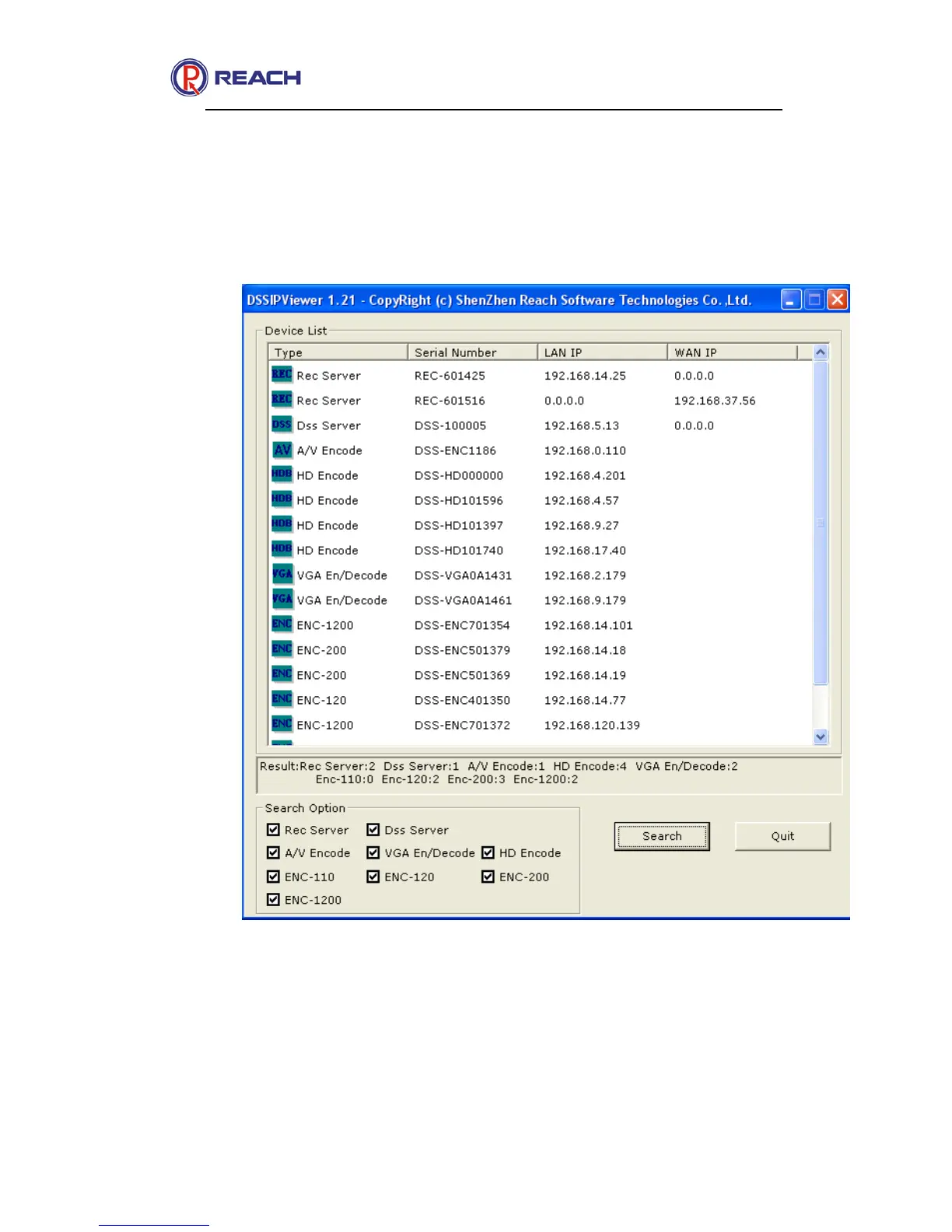
You can use the tool of DSSIPViewer that we provide to search for and change IP address of the
server. The tool can be found at the DISK that shipped with the devices. Just navigate to the
directory that the tool program is stored and double click the icon to run the program. Click Search
button to search for the IP address of the server.
About the searching result:
Devices list: All the detected servers are listed here.
LAN Interface: The network configured information of the LAN port, includes IP address, mask and
the gateway. Note: if the cable is disconnected the IP address box will display as 0.0.0.0.
WAN Interface: The network configured information of the WAN port, includes IP address, mask


 To Next Page