REACH MRS100
User Manual
Copyright© Shenzhen Reach IT Co., Ltd. 39 / 43
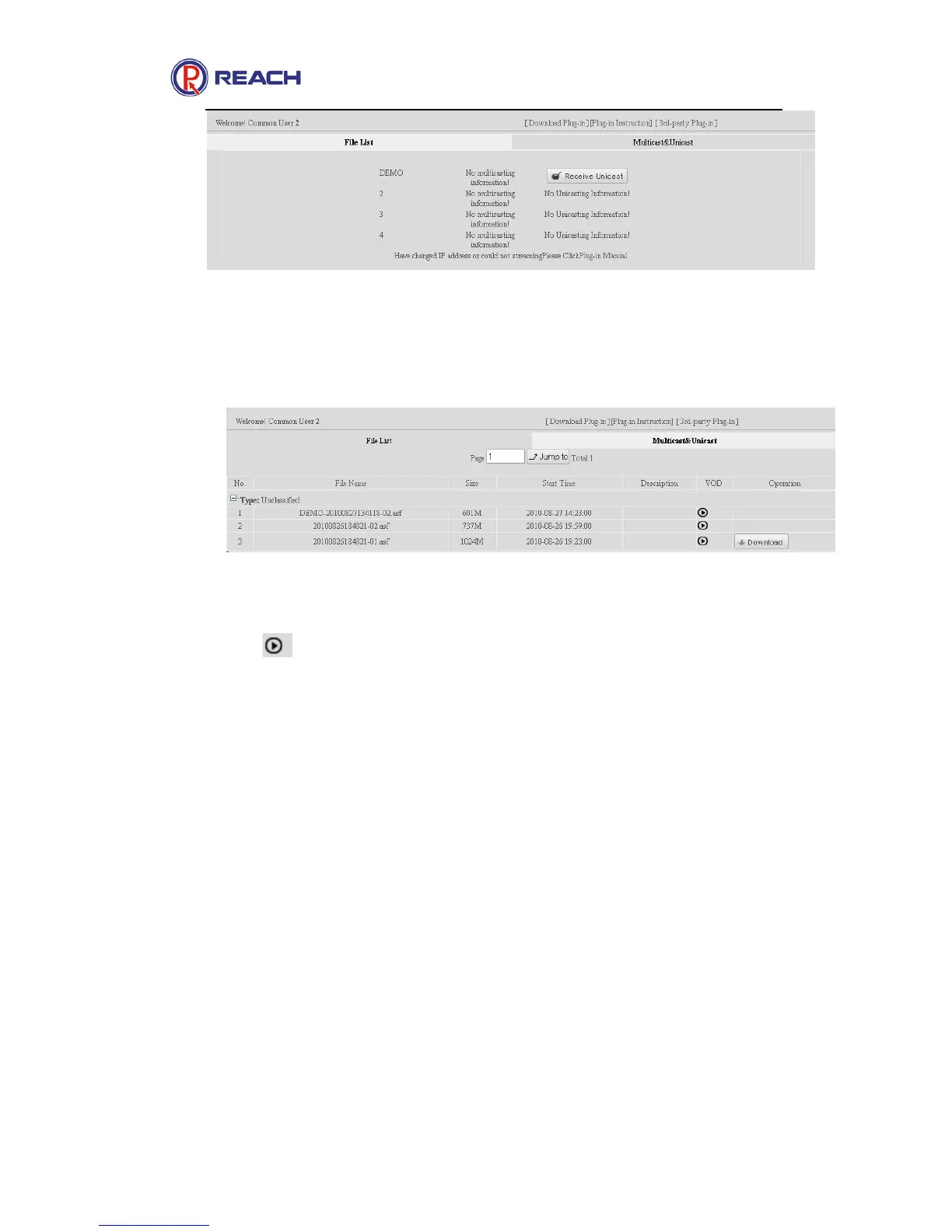
Click [Receive Multicast] / [Receive Unicast] button, and then the system will automatically call
the plug-in to receive live streamings.
b. File List: Only the files authorized by the administrators or operators will be displayed here:
Click to play on demand, Click [Download] to save the file on client’s pc.
Note: To use the ReachPlayer program to play the file on demand, the record & play plug-in
program must be downloaded and installed. For detailed instruction, please refer to the plug-in
instruction on the IE page. Click the “plug-in instruction” button on the page.
4.8.3 Guest operation interface
After the guest user logs on the system, only the “download plug-in”, “authorized live
multicast/unicast” operations are available, file play on demand and download are not available, as
shown in the following figure: (Note: Receive live streaming function is available only when the
plug-in program is downloaded and installed. For detailed instruction, please refer to the plug-in
use instruction on the IE page. Click the “Plug-in Instruction” button on the page. )


 To Next Page