REACH MRS100
User Manual
Copyright© Shenzhen Reach IT Co., Ltd. 37 / 43
4.7 LCD Operation Guide
4.7.1 Alternant message display mode
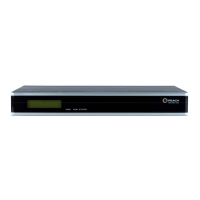
After power on, the device will display “Starting…” before get the device type, then display
“DSS-R-XX” and so on after get. The device will enter into alternant display operation mode 20
seconds later.
The system will alternately display the following messages unless the buttons are artificially
operated.
Device type, e.g. “DSS-R-XX, 2006-9-7 11:34:24” etc.
Recording status, e.g. “recording…00: 45: 34”, “Not Recording…”etc.
Unicasting status, e.g. “Unicasting Audio\Video\Data…01: 23: 22”, “Not Unicasting” etc.
Broadcasting status, e.g. “Broadcasting Audio\Video\Data…”01: 22: 11”, “Not Unicasting” etc.
Device working status, e.g. “Hard Disk 75% free, CPU Usage 80%...” etc.
The message display will stop and enter into menu operation mode if there is any button
operation. The system will automatically display the device status alternately if there is no operation
for 10 seconds.
The user can choose “up”, “down”, “confirm” and “cancel” to operate the device. The system will
display the function menu options as shown below, please refer to the following section for detailed
instructions.
4.7.2 Query
1. Query IP: The device to query the IP address of the server LAN and WAN. It will display
0.0.0.0 when it is not connected to the network cable.
2.Query Coder: Query the IP address of the audio encoder and data encoder currently
connected to the server.
3. Query Ver: Query the relevant version information of the server.
4.7.3 Set
1. Record…: Start the record operation of the server and the record files will be named with the
current time of the server; if the server has been implementing record operation, it will display “Stop
Record”;
2. Unicast…: Start unicast operation of the server; if the server has started unicast, it will display
“Stop Unicast”;
3. Broadcast: Start broadcast operation of the server; if the server has started broadcast, then it will


 To Next Page