18
18
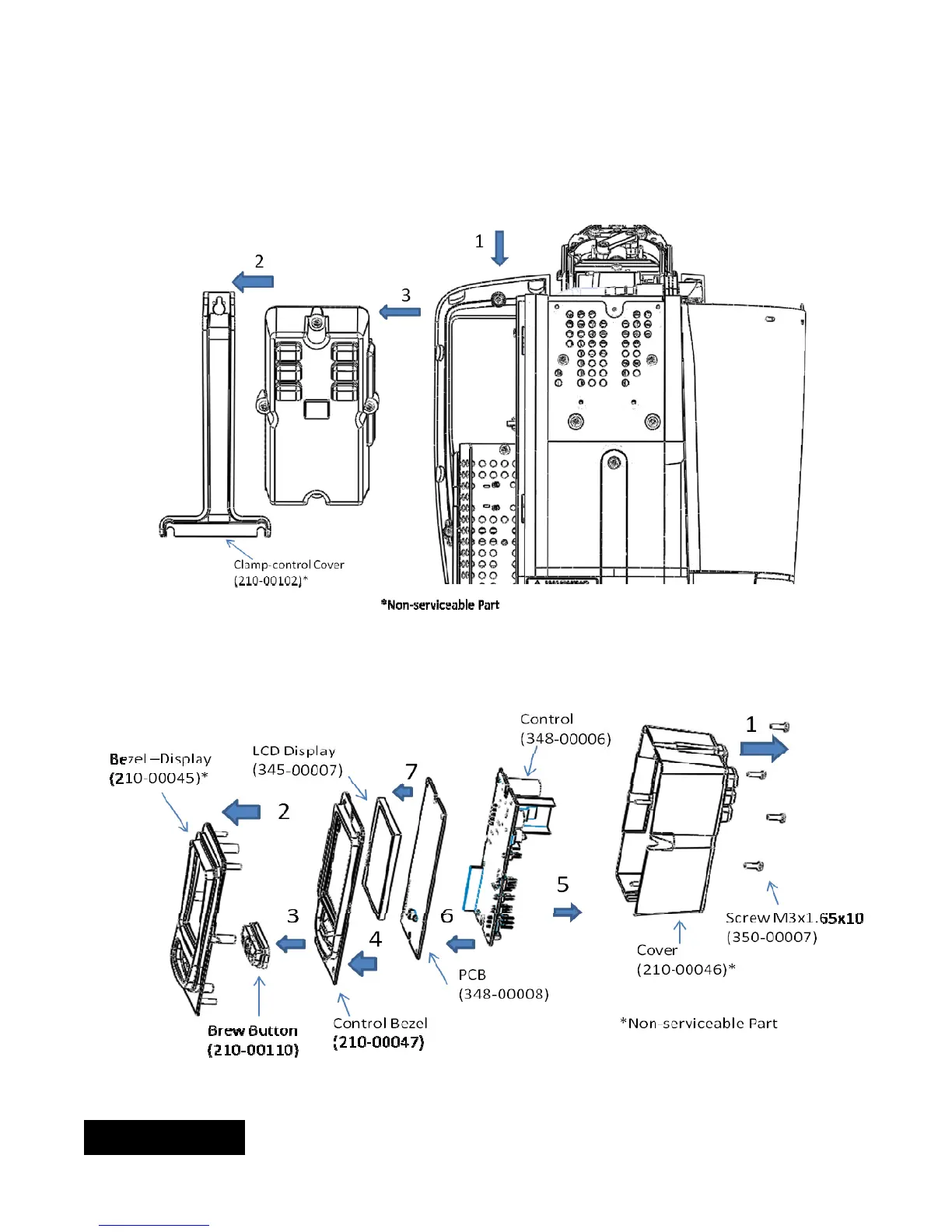
5g) Access to the electronics module:
a) Loosen the upper screw (pointing to 1) and pull the clamp up. This will allow you to remove the clamp
and the electronic housing.
b) Remove the four screws on the back of the electronics module. This will give you access to all the
components in this module.
Reverse sequence to reassemble unit.
ENGLISH


 To Next Page