EasyManua.ls Logo

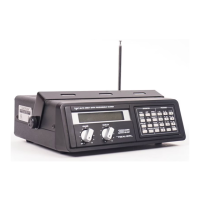
Realistic PRO-2021 - RF AMP Alignment; VHF LO Band RF AMP Alignment; Aircraft Band RF AMP Alignment

Realistic PRO-2021
46 pages
Print Icon
To Next Page IconTo Next Page
To Previous Page IconTo Previous Page
Loading...
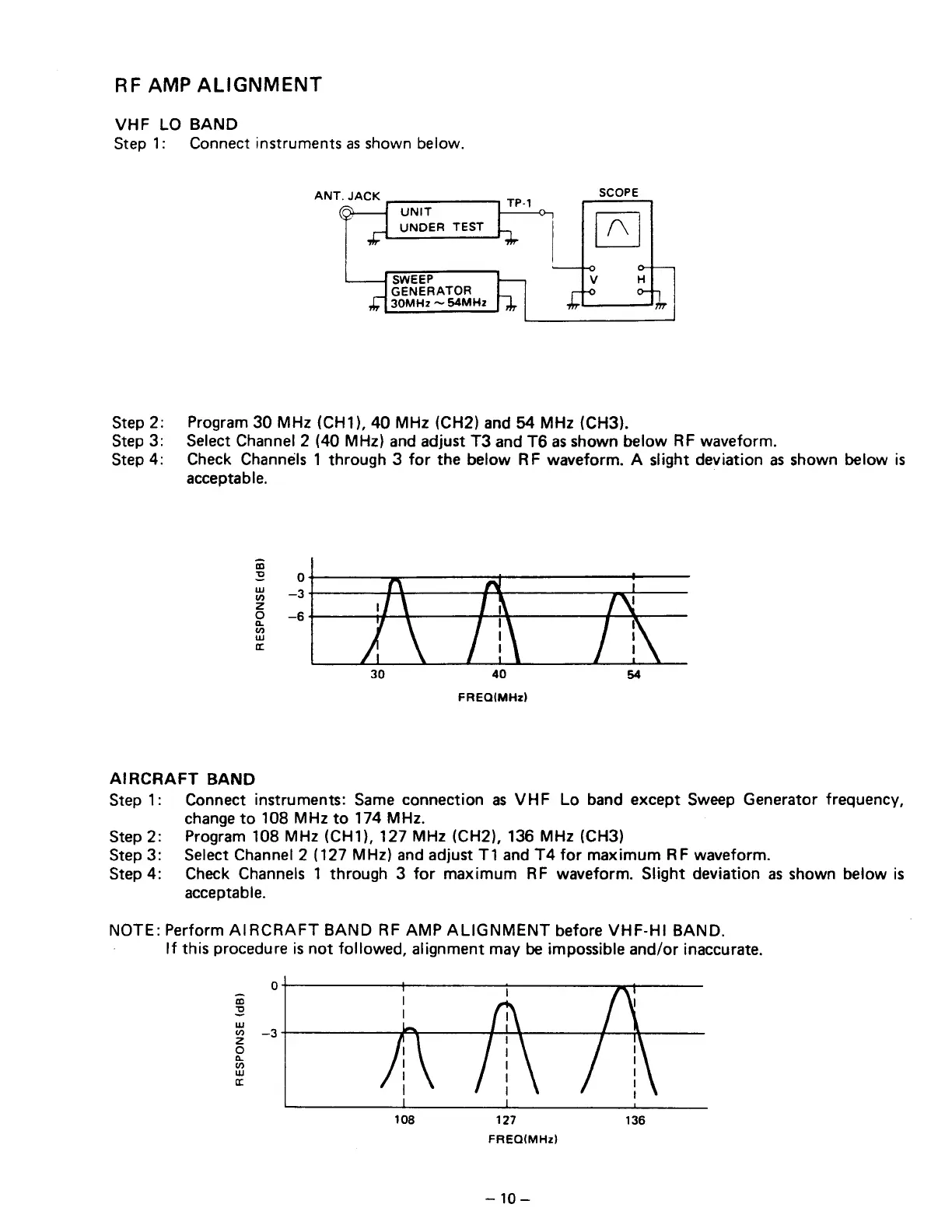
RF
AMP
ALIGNMENT
VHF
LO
BAND
Step
1:
Connect
instruments
as
shown
below.
ANT.
JACK
SWEEP
GENERATOR
30MHz
S4MHz
Step
2:
Program
30
MHz
(CH1),
40
MHz
(CH2)
and
54
MHz
(CH3).
Step
3:
Select
Channel
2
(40
MHz)
and
adjust
T3
and
T6
as
shown
below
RF
waveform.
Step
4:
Check
Channels
1
through
3
for
the
below
RF
waveform.
A
slight
deviation
as
shown
below
is
acceptable.
RESPONSE
(dB)
FREQIMHz)
AIRCRAFT
BAND
Step
1:
Connect
instruments:
Same
connection
as
VHF
Lo
band
except
Sweep
Generator
frequency,
change
to
108
MHz
to
174
MHz.
Step
2:
Program
108
MHz
(CH1),
127
MHz
(CH2),
136
MHz
(CH3)
Step
3:
Select
Channel
2
(127
MHz)
and
adjust
T1
and
T4
for
maximum
RF
waveform.
Step4:
Check
Channels
1
through
3
for
maximum
RF
waveform.
Slight
deviation
as
shown
below
is
acceptable.
NOTE:
Perform
AIRCRAFT
BAND
RF
AMP
ALIGNMENT
before
VHF-HI
BAND.
If
this
procedure
is
not
followed,
alignment
may
be
impossible
and/or
inaccurate.
RESPONSE
(dB)
108
127 136
FREQ(MHz)
10—

Related product manuals