21
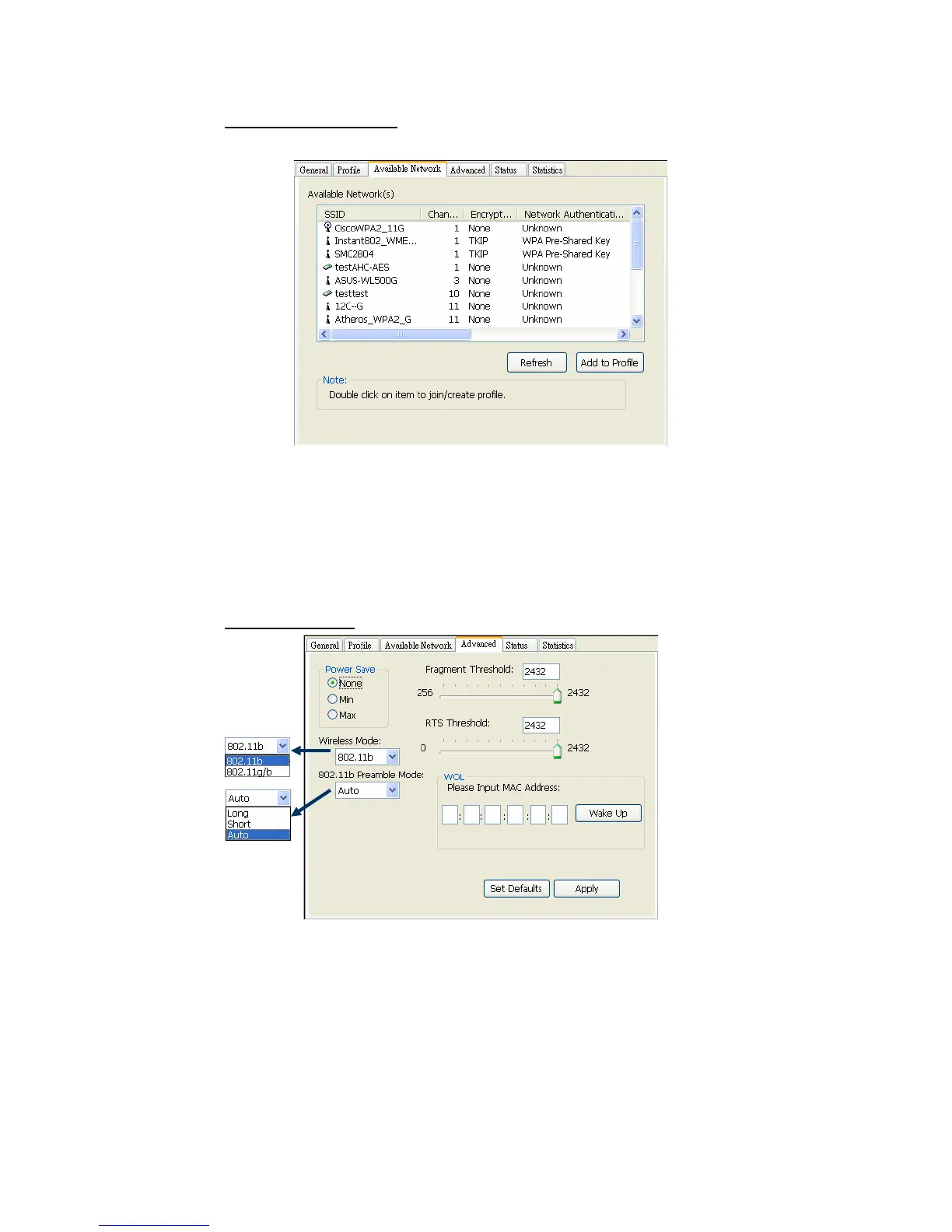
C. Available Network(s)
Present network connection around this system
1. Refresh
Rescan network connection around this system
2. Add to Profile
Create profile for selected network connection in profile list and add it in to
profile list.
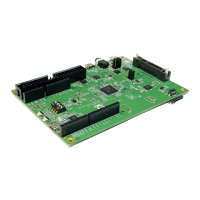
D. Advanced page
1. Power Save
None: without power save mode
Min: wake up more frequently to receive packets
Max: wake up less frequently to receive packets
2. Wireless Mode
802.11b
2



 To Next Page